JumpServer
Casdoor can be used to connect JumpServer.
The following are some of the names in the configuration:
CASDOOR_HOSTNAME: The domain name or IP where Casdoor server is deployed.
JumpServer_HOSTNAME: The domain name or IP where JumpServer is deployed.
Step 1: Deploy Casdoor and JumpServer
Deploy Casdoor and JumpServer.
After successful deployment, ensure the following:
- Casdoor can be logged in and used normally.
- For local
prodmode, set CASDOOR_HOSTNAME tohttp://localhost:8000. See production mode.
Step 2: Configure Casdoor application
- Create a new Casdoor application or use an existing one.
- Find a redirect URL:
CASDOOR_HOSTNAME/cas/your organization/your application/login. - Add your redirect URL to the Casdoor application:
JumpServer_HOSTNAME.
See CAS.
Step 3: Configure JumpServer
- Find Auth:
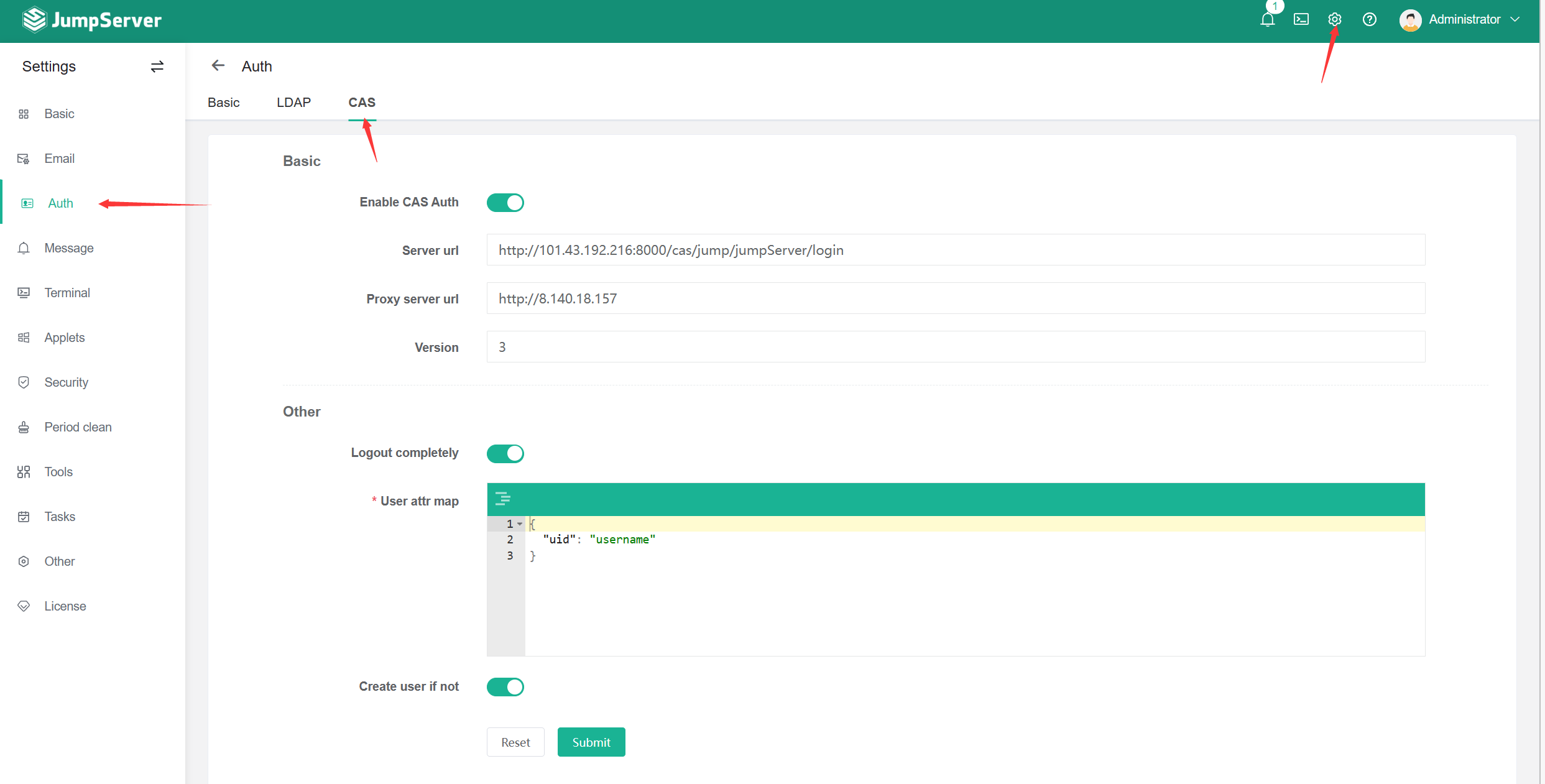 .
. - Configure this app:
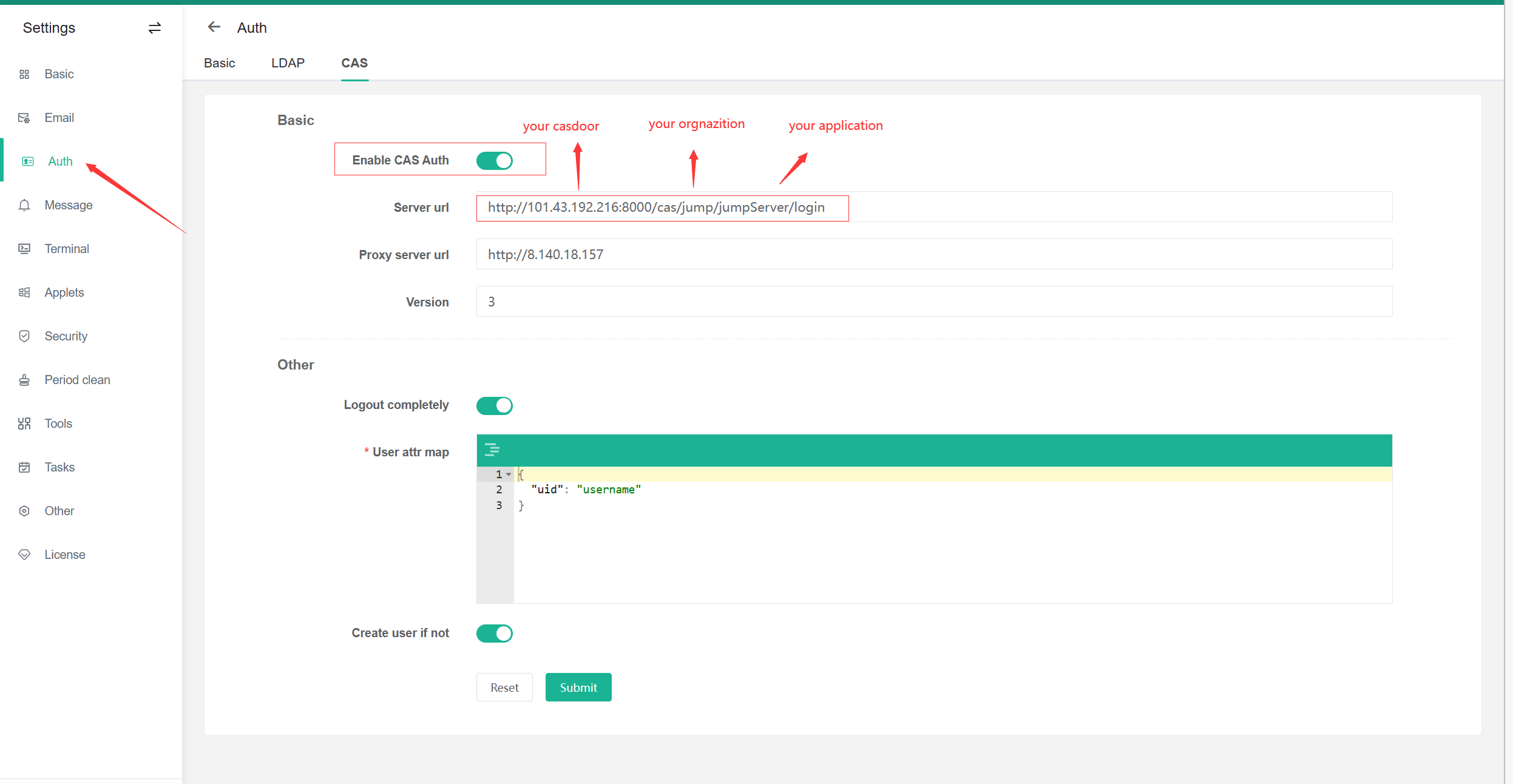 .
.
/loginendpoint:https://door.casdoor.com/cas/casbin/cas-java-app/login./logoutendpoint:https://door.casdoor.com/cas/casbin/cas-java-app/logout./serviceValidateendpoint:https://door.casdoor.com/cas/casbin/cas-java-app/serviceValidate./proxyValidateendpoint:https://door.casdoor.com/cas/casbin/cas-java-app/proxyValidate.
See CAS and JumpServer CAS.
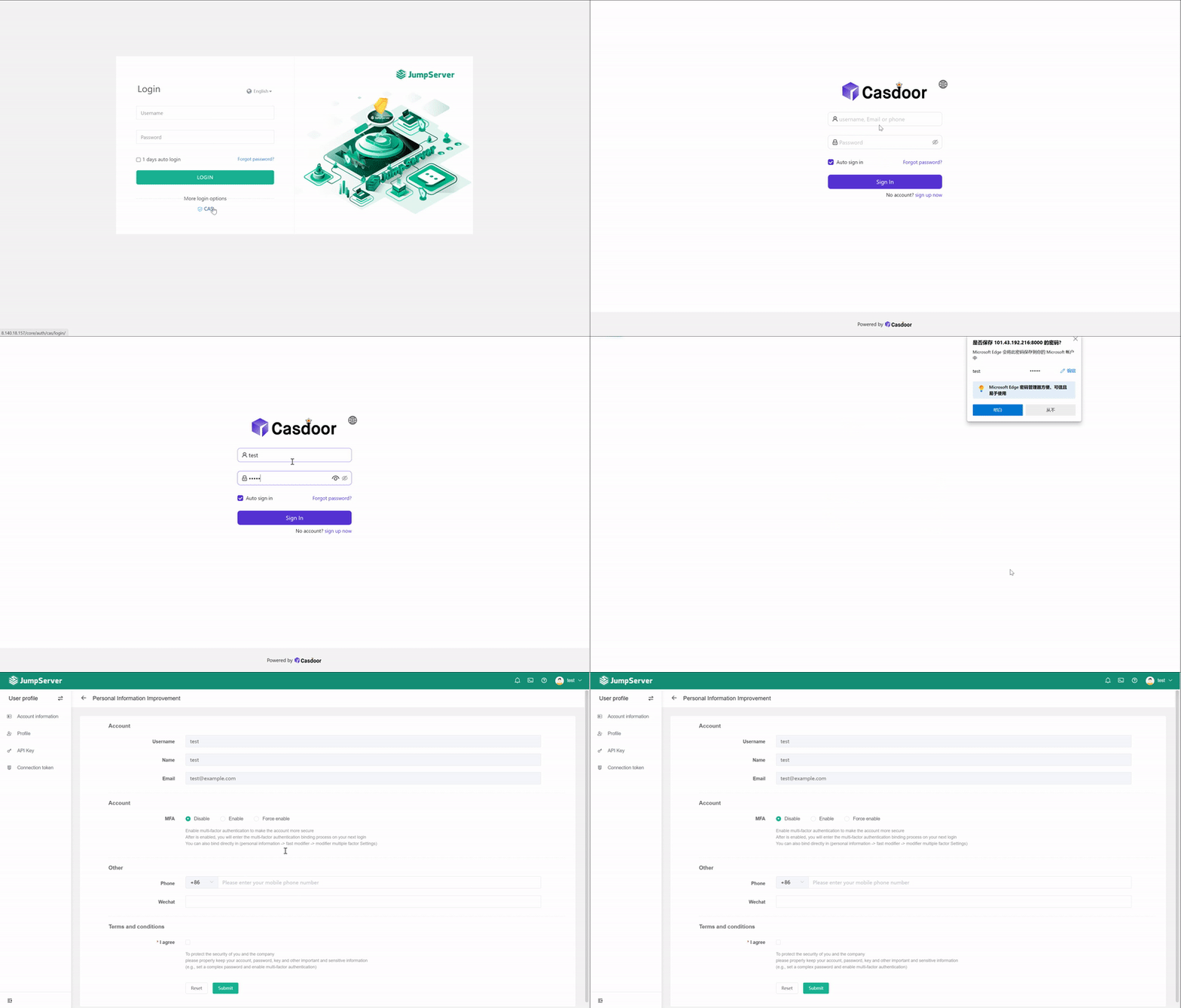
Log out of JumpServer and test SSO: