OAuth 2.0
Casdoor issues access tokens for authenticating clients. This page describes how to get a token via the API, verify it, and use it. Alternatively use Casdoor SDKs to handle the flow.
Supported grant types: Authorization Code, Implicit, Resource Owner Password, Client Credentials, Refresh Token, Device Authorization, Token Exchange.
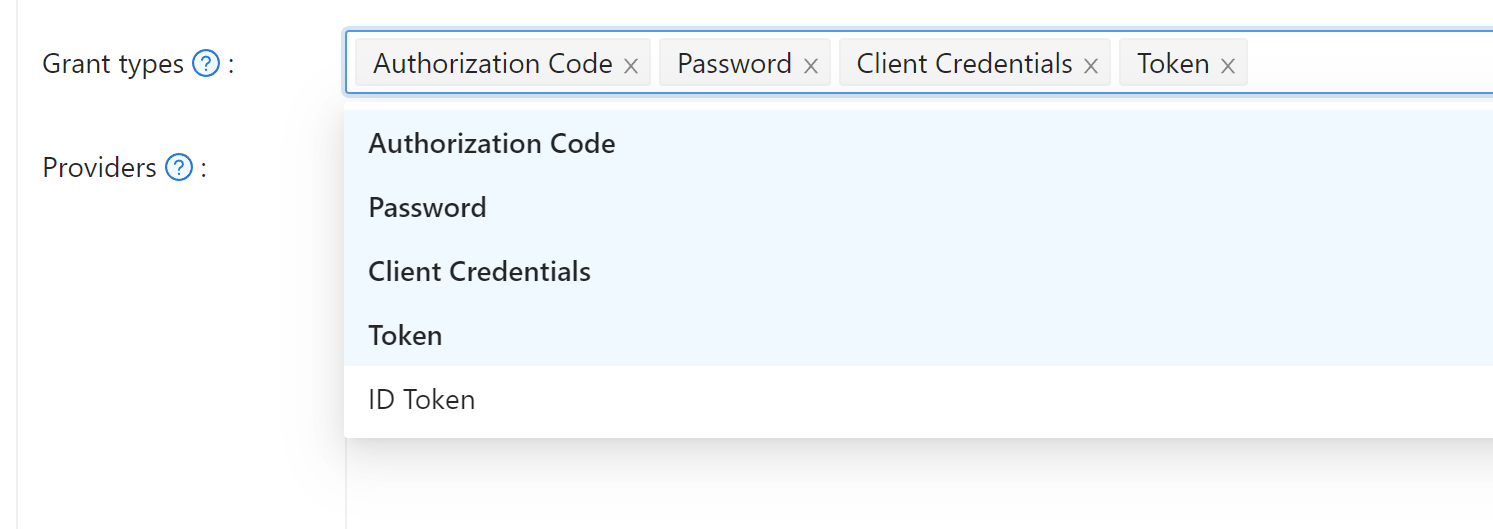
Authorization code is enabled by default for security. Enable other grant types on the application edit page if needed.
Authorization code grant
Redirect the user to:
https://<CASDOOR_HOST>/login/oauth/authorize?
client_id=CLIENT_ID&
redirect_uri=REDIRECT_URI&
response_type=code&
scope=openid&
state=STATE
Scopes
| Scope | Description |
|---|---|
| openid (default) | sub, iss, aud |
| profile | name, displayName, avatar |
| email address | |
| address | address (OIDC object in JWT-Standard; see OIDC address claim) |
| phone | phone number |
Request scopes in the authorize URL. Separate multiple scopes with %20:
https://<CASDOOR_HOST>/login/oauth/authorize?
client_id=...&
scope=openid%20email
See the OIDC spec for details.
After the user signs in, Casdoor redirects to:
https://REDIRECT_URI?code=CODE&state=STATE
Exchange the code for tokens with a POST to:
https://<CASDOOR_HOST>/api/login/oauth/access_token
Request body:
{
    "grant_type": "authorization_code",
    "client_id": ClientId,
    "client_secret": ClientSecret,
    "code": Code,
}
Example response:
{
    "access_token": "eyJhb...",
    "id_token": "eyJhb...",
    "refresh_token": "eyJhb...",
    "token_type": "Bearer",
    "expires_in": 10080,
    "scope": "openid"
}
Casdoor supports PKCE (Proof Key for Code Exchange) for enhanced security. To enable PKCE, add two parameters when requesting the authorization code:
&code_challenge_method=S256&code_challenge=YOUR_CHALLENGE
The code challenge should be a Base64-URL-encoded SHA-256 hash of your randomly generated code verifier (43-128 characters). When requesting the token, include the original code_verifier parameter. With PKCE enabled, client_secret becomes optional, but if provided, it must be correct.
For OAuth providers configured in Casdoor (like Twitter and custom providers with PKCE enabled), Casdoor automatically generates unique code verifiers for each authentication flow, so you don't need to manually implement PKCE.
Binding Tokens to Specific Services
When your application needs to call multiple backend services, you might want tokens that are explicitly bound to a specific service. This prevents security issues where a token meant for one service could accidentally be used with another.
Casdoor supports RFC 8707 Resource Indicators, which lets you specify the intended service when requesting authorization. Add the resource parameter with an absolute URI identifying your service:
https://<CASDOOR_HOST>/login/oauth/authorize?
client_id=CLIENT_ID&
redirect_uri=REDIRECT_URI&
response_type=code&
scope=openid&
state=STATE&
resource=https://api.example.com
When you exchange the authorization code for tokens, include the same resource parameter:
{
    "grant_type": "authorization_code",
    "client_id": ClientId,
    "client_secret": ClientSecret,
    "code": Code,
    "resource": "https://api.example.com"
}
The resulting access token will have its aud (audience) claim set to your resource URI instead of the client ID. Your backend service can then verify that tokens were issued specifically for it by checking the audience claim. The resource must match exactly between the authorization and token requests.
Signup Flow with OAuth
When users sign up through the OAuth authorization flow, they are automatically redirected to your application's callback URL with the authorization code, just like the sign-in flow. Previously, users had to manually click through intermediate pages after creating their account. Now the signup process matches the streamlined experience of signing in—once registration completes, Casdoor immediately generates the authorization code and redirects to your redirect_uri.
Your application doesn't need any changes to support this. The authorization parameters (client_id, response_type, redirect_uri, etc.) are automatically passed through the signup process when users choose to create a new account during OAuth authorization.
Implicit Grant
For apps without a backend, use Implicit Grant. Enable it on the application, then redirect users to:
https://<CASDOOR_HOST>/login/oauth/authorize?client_id=CLIENT_ID&redirect_uri=REDIRECT_URI&response_type=token&scope=openid&state=STATE
After your user has authenticated with Casdoor, Casdoor will redirect them to:
https://REDIRECT_URI/#access_token=ACCESS_TOKEN
Casdoor also supports the id_token as response_type, which is a feature of OpenID.
Device Grant
For devices with limited input or no browser, use Device Grant. Enable it on the application, request device_authorization_endpoint from OIDC discovery, then show verification_uri (e.g. via QR or text) so the user can complete login.
Second, you should request token endpoint to get Access Token with parameter define in rfc8628.
Resource Owner Password Credentials Grant
If your application doesn't have a frontend that redirects users to Casdoor, then you may need this.
Enable Password Credentials Grant on the application, then send a POST request to:
https://<CASDOOR_HOST>/api/login/oauth/access_token
{
    "grant_type": "password",
    "client_id": ClientId,
    "client_secret": ClientSecret,
    "username": Username,
    "password": Password,
}
Example response:
{
    "access_token": "eyJhb...",
    "id_token": "eyJhb...",
    "refresh_token": "eyJhb...",
    "token_type": "Bearer",
    "expires_in": 10080,
    "scope": "openid"
}
Client Credentials Grant
Use Client Credentials Grant when the application has no frontend.
Enable Client Credentials Grant on the application and send a POST request to https://<CASDOOR_HOST>/api/login/oauth/access_token:
{
    "grant_type": "client_credentials",
    "client_id": ClientId,
    "client_secret": ClientSecret,
}
Example response:
{
    "access_token": "eyJhb...",
    "id_token": "eyJhb...",
    "refresh_token": "eyJhb...",
    "token_type": "Bearer",
    "expires_in": 10080,
    "scope": "openid"
}
It is important to note that the AccessToken obtained in this way differs from the first three in that it corresponds to the application rather than to the user.
Refresh Token
To refresh the access token, use the refreshToken obtained above.
Set the Refresh Token expiration in the application (default 0 hours), then send a POST request to https://<CASDOOR_HOST>/api/login/oauth/refresh_token
{
    "grant_type": "refresh_token",
    "refresh_token": REFRESH_TOKEN,
    "scope": SCOPE,
    "client_id": ClientId,
    "client_secret": ClientSecret,
}
Example response:
{
    "access_token": "eyJhb...",
    "id_token": "eyJhb...",
    "refresh_token": "eyJhb...",
    "token_type": "Bearer",
    "expires_in": 10080,
    "scope": "openid"
}
Token Exchange Grant
Token Exchange (RFC 8693) lets you swap an existing token for a new one with different characteristics—particularly useful when one service needs to call another on behalf of a user, or to narrow a token's scope for a specific downstream service.
To exchange a token, send a POST request to https://<CASDOOR_HOST>/api/login/oauth/access_token:
{
    "grant_type": "urn:ietf:params:oauth:grant-type:token-exchange",
    "client_id": ClientId,
    "client_secret": ClientSecret,
    "subject_token": SubjectToken,
    "subject_token_type": "urn:ietf:params:oauth:token-type:access_token",
    "scope": "openid email"
}
The subject_token is the token you want to exchange—typically an access token or JWT you already have. If you want to narrow the permissions in the new token, specify a scope that's a subset of the original token's scope. When you omit scope, the new token inherits the same scope as the subject token.
Casdoor supports three token types for subject_token_type:
urn:ietf:params:oauth:token-type:access_token(default)urn:ietf:params:oauth:token-type:jwturn:ietf:params:oauth:token-type:id_token
The response returns a new token tied to the same user as your subject token:
{
    "access_token": "eyJhb...",
    "id_token": "eyJhb...",
    "refresh_token": "eyJhb...",
    "token_type": "Bearer",
    "expires_in": 10080,
    "scope": "openid email"
}
For example, an API gateway might exchange a broad-scoped access token for a narrower one before forwarding requests to a downstream microservice. This pattern—called scope downscoping—ensures each service gets only the permissions it needs, rather than inheriting full access from the original token.
How to Verify Access Token
Casdoor currently supports the token introspection endpoint. This endpoint is protected by Basic Authentication (ClientId:ClientSecret).
POST /api/login/oauth/introspect HTTP/1.1
Host: CASDOOR_HOST
Accept: application/json
Content-Type: application/x-www-form-urlencoded
Authorization: Basic Y2xpZW50X2lkOmNsaWVudF9zZWNyZXQ=

token=ACCESS_TOKEN&token_type_hint=access_token
Example response:
{
    "active": true,
    "client_id": "c58c...",
    "username": "admin",
    "token_type": "Bearer",
    "exp": 1647138242,
    "iat": 1646533442,
    "nbf": 1646533442,
    "sub": "7a6b4a8a-b731-48da-bc44-36ae27338817",
    "aud": [
        "c58c..."
    ],
    "iss": "http://localhost:8000"
}
How to Use AccessToken
Use the access token to call Casdoor APIs that require authentication.
For example, there are two different ways to request /api/userinfo.
Type 1: Query parameter
https://CASDOOR_HOST/api/userinfo?accessToken=your_access_token
Type 2: HTTP Bearer token
https://CASDOOR_HOST/api/userinfo with the header: "Authorization: Bearer your_access_token"
Casdoor will parse the access_token and return corresponding user information according to the scope.
The response has the same shape:
{
    "sub": "7a6b4a8a-b731-48da-bc44-36ae27338817",
    "iss": "http://localhost:8000",
    "aud": "c58c..."
}
If you expect more user information, add scope when obtaining the AccessToken in step Authorization code grant.
Accessing OAuth Provider Tokens
When users sign in via OAuth providers (GitHub, Google, etc.), the provider's access token is available to call the third-party API on their behalf; it is stored in the user's originalToken field.
The token is available through the /api/get-account endpoint:
{
  "status": "ok",
  "data": {
    "name": "user123",
    "originalToken": "ya29.a0AfH6SMBx...",
    ...
  }
}
The originalToken is visible only when the user requests their own account or when the requester is an admin. For other requests, it is masked for privacy.
This allows your application to interact with third-party APIs (e.g., GitHub API, Google Drive API) using the provider's access token without requiring additional OAuth flows.
Differences between the userinfo and get-account APIs
-
/api/userinfo: This API returns user information as part of the OIDC protocol. It provides limited information, including only the basic information defined in OIDC standards. For a list of available scopes supported by Casdoor, see the Scopes section. -
/api/get-account: This API retrieves the user object for the currently logged-in account. It is a Casdoor-specific API that allows you to obtain all the information of the user in Casdoor, including the OAuth provider's access token when applicable.