Brevo email
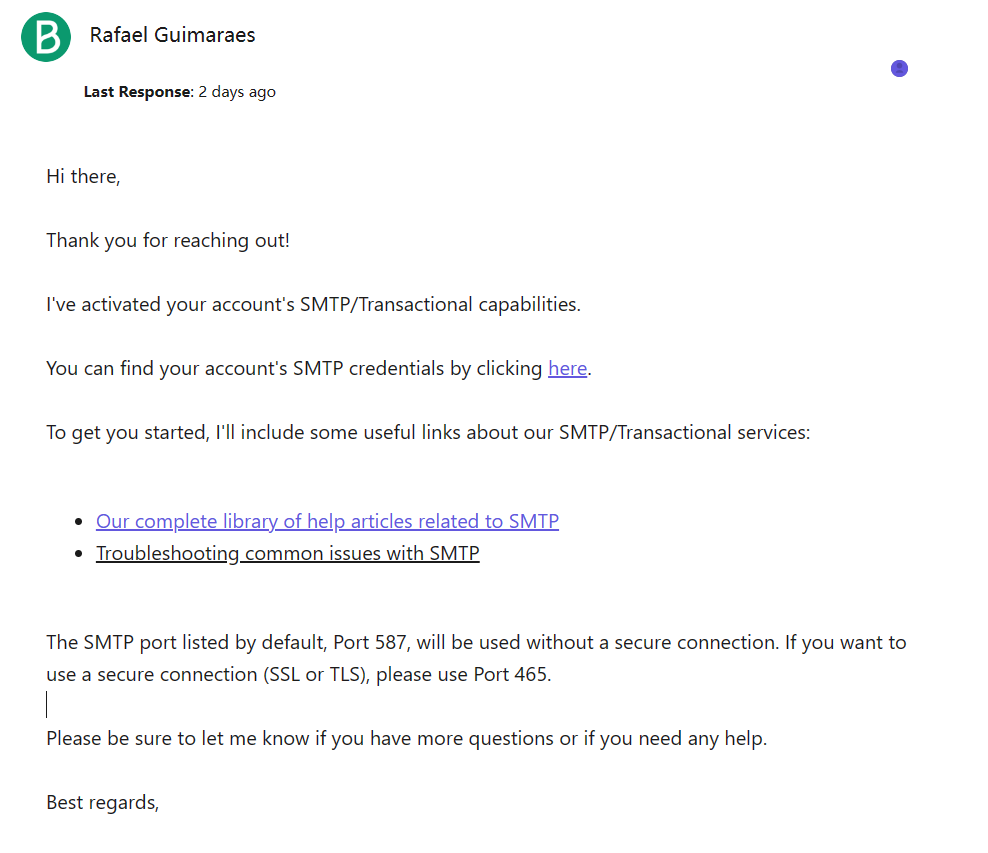
1. Enable Brevo SMTP
Activate SMTP for your Brevo account. See Send transactional emails using Brevo SMTP. You may need to request activation via support.
2. Get SMTP settings
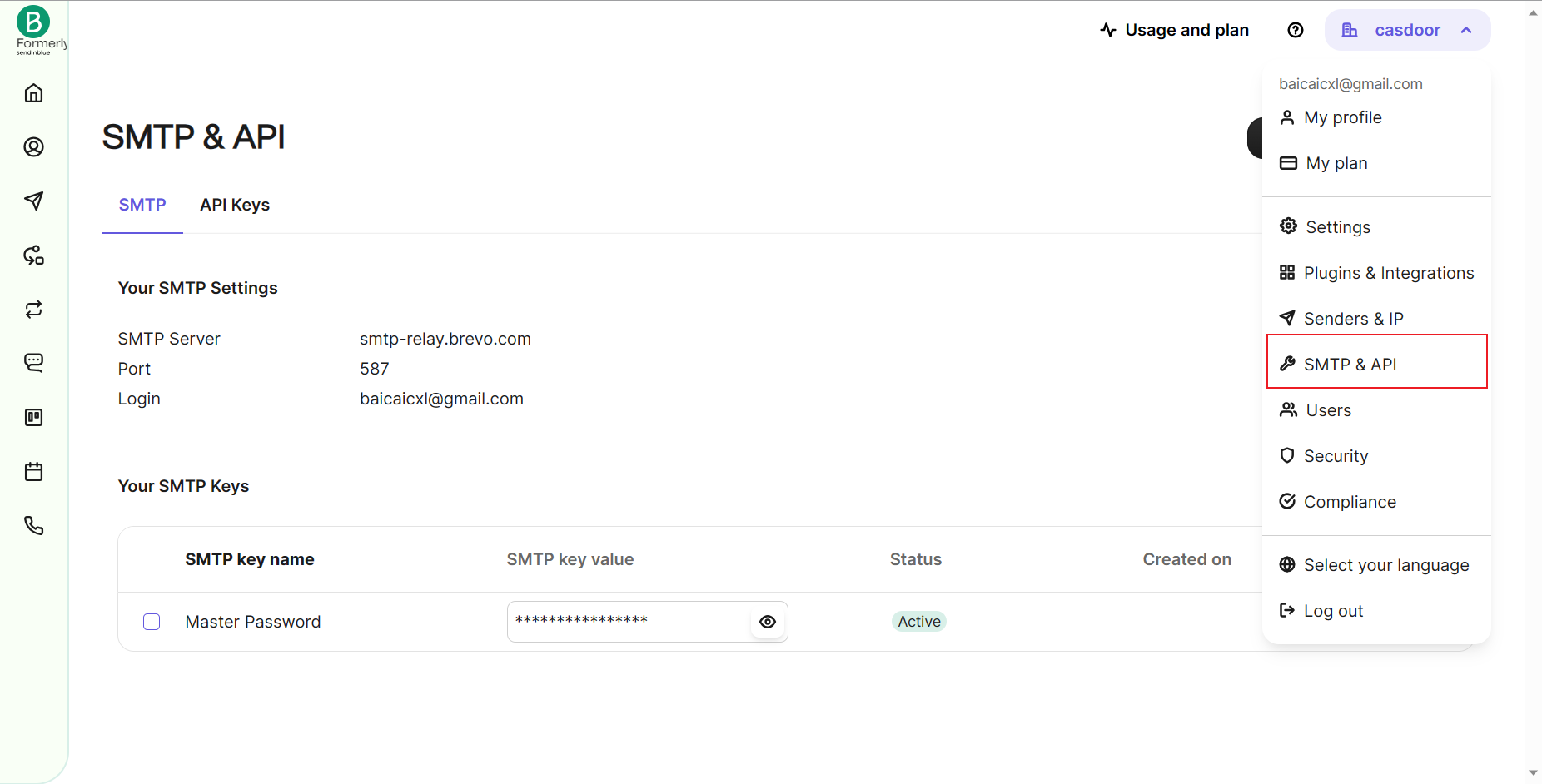
In the Brevo dashboard, open SMTP & API and note:
- SMTP Server
- Port
- Login
- SMTP key (password)
3. Configure the provider in Casdoor
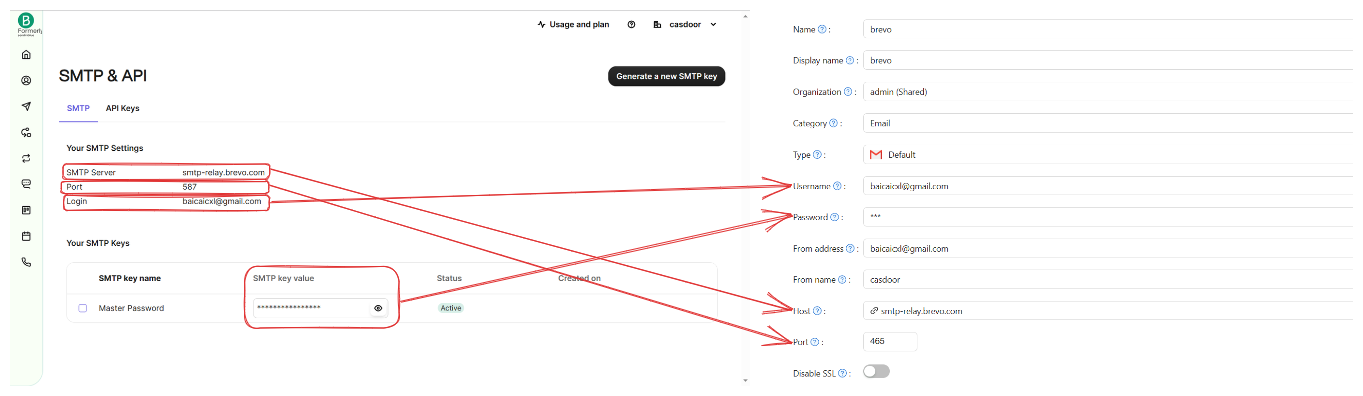
Create an Email provider, set Type to the appropriate SMTP option, and enter Host, Port, Username, and Password (SMTP key). Set From to your verified sender.
- Use Test SMTP Connection; you should see “SMTP connected successfully”.
- Use Send Testing Email; you should see “Email sent successfully” and receive the test at the Test Email address.