BookStack
BookStack is an open-source wiki/document platform. Use Casdoor for sign-in with the following steps.
Step 1: Create a Casdoor application
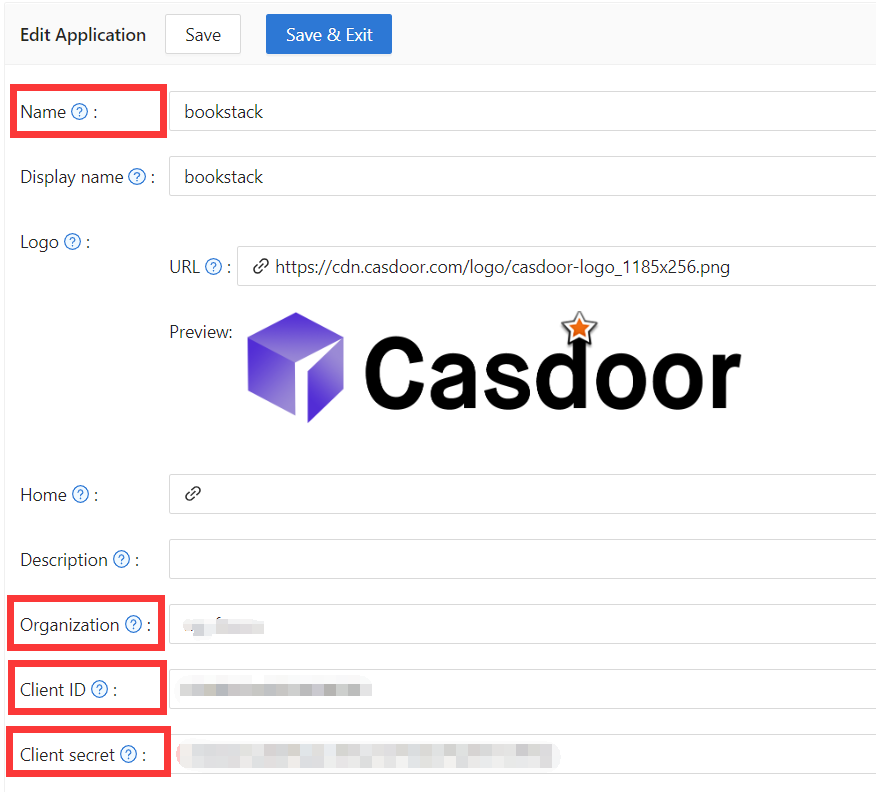
In Casdoor, add an application (e.g. BookStack). Note Name, Organization, Client ID, and Client secret.
Step 2: Configure Casdoor Login
Next, navigate to BookStack and find the file oauth.conf.example.
Rename oauth.conf.example to oauth.conf and modify the configuration. By default, the content is as follows:
[oauth]
casdoorOrganization = "<Organization>"
casdoorApplication = "bookstack"
casdoorEndpoint = http://localhost:8000
clientId = <client ID>
clientSecret = <client Secret>
redirectUrl = http://localhost:8181/login/callback
Step 3: Fill in the redirectUrl in Casdoor
In the final step, go back to the page where you added the BookStack application and fill in the Redirect URLs. Make sure the Redirect URL is the same as the redirectUrl in the oauth.conf file.

After deploying BookStack, sign in via Casdoor.