Gitea
Gitea supports OAuth2/OIDC for sign-in. This guide configures Casdoor as the identity provider.
Prerequisites: Gitea installed and an admin account. See install Gitea. The first registered user is admin if you did not create one during install.
1. Create a Casdoor application
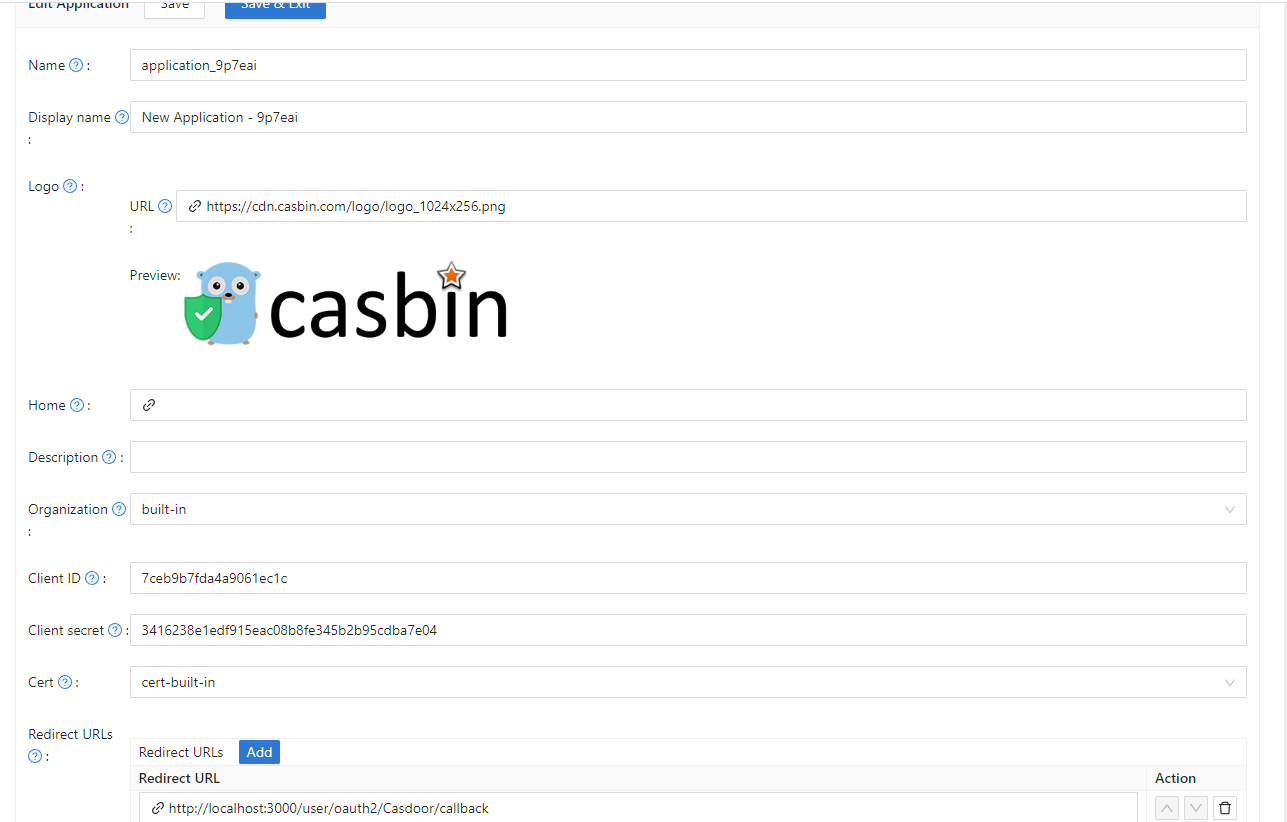
Create an application in Casdoor. Note the Client ID and Client Secret. Do not set the callback URL yet; it depends on Gitea’s auth source name (step 3).
2. Add authentication source in Gitea
Log in as admin → Site Administration → Authentication Source.
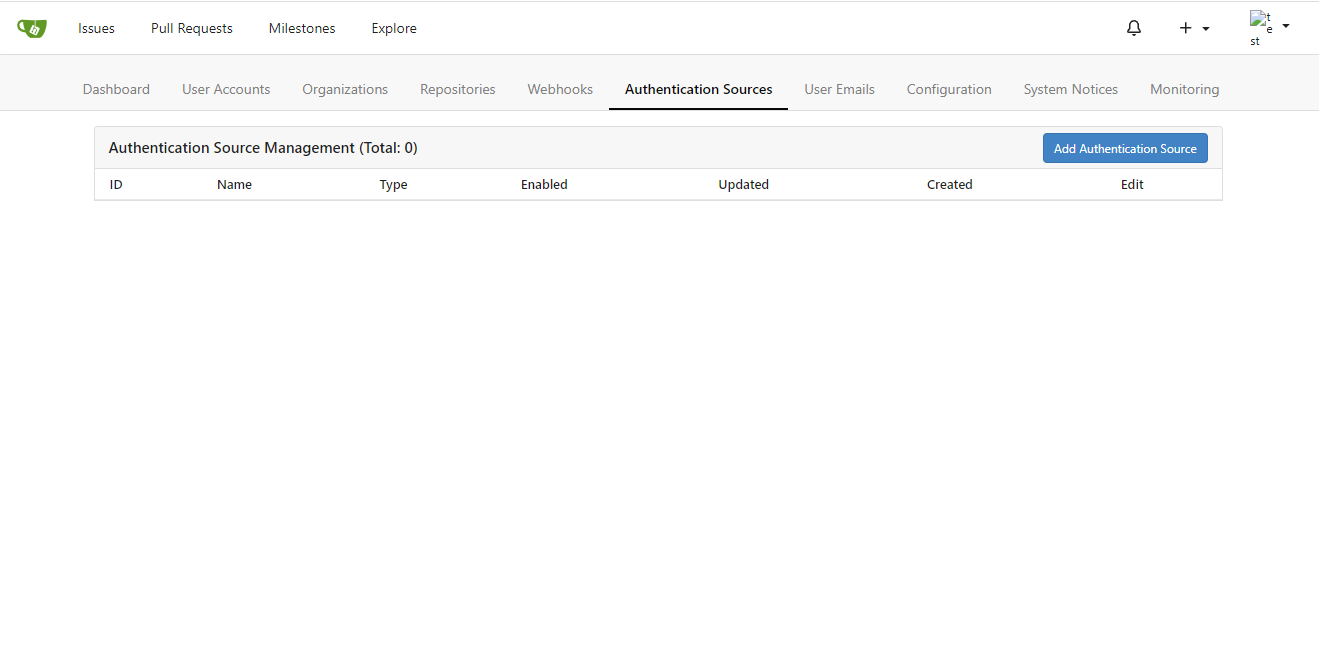
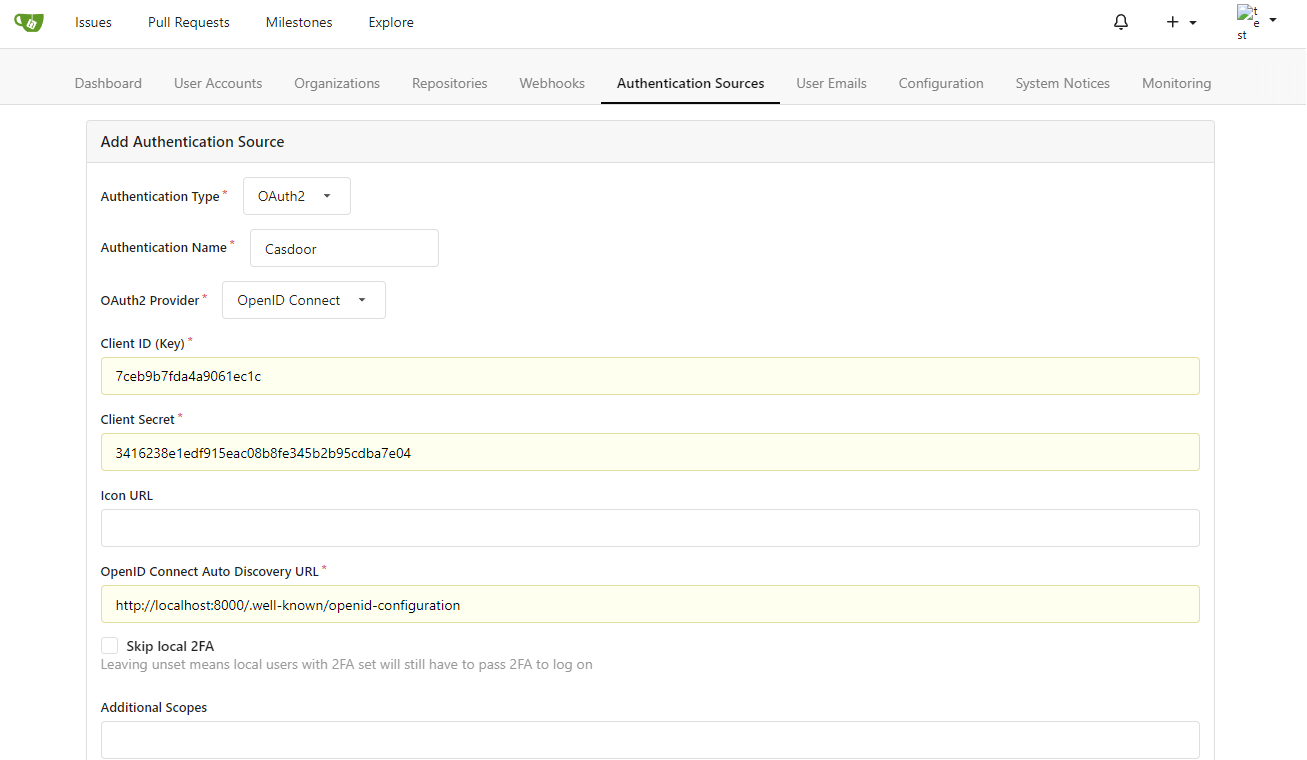
Click Add Authentication Source. Set Authentication Type to OAuth2 and OAuth2 Provider to OpenID Connect. Set a name for this source and remember it (used for the callback URL). Enter the Client ID and Client Secret from step 1. Set the OpenID Connect Auto Discovery URL to https://<casdoor-endpoint>/.well-known/openid-configuration. Save.
3. Set the callback URL in Casdoor
In the Casdoor application, add this redirect URL:
<gitea-endpoint>/user/oauth2/<authentication-source-name>/callback
Replace <authentication-source-name> with the name you set in Gitea (e.g. casdoor).
4. Test
Sign out of Gitea. On the login page you should see:
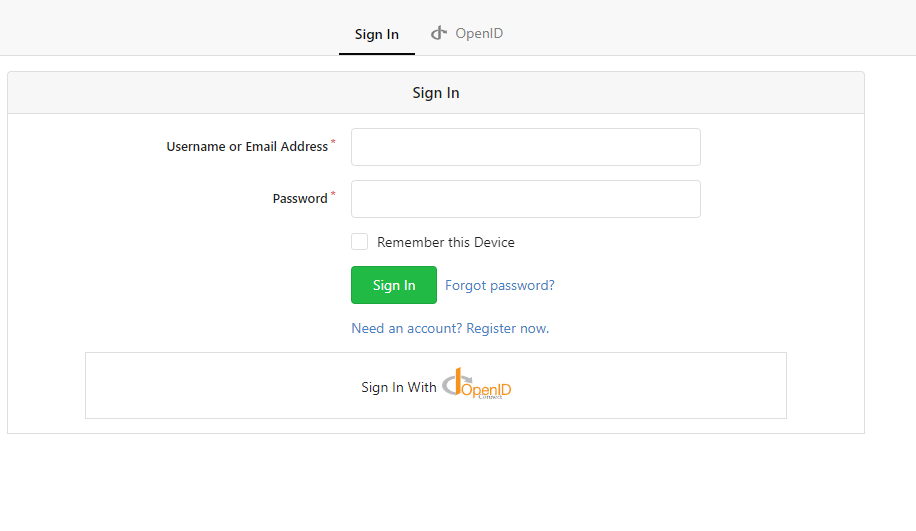
Press the 'sign in with openid' button and you will be redirected to casdoor login page.
After login you will see this:
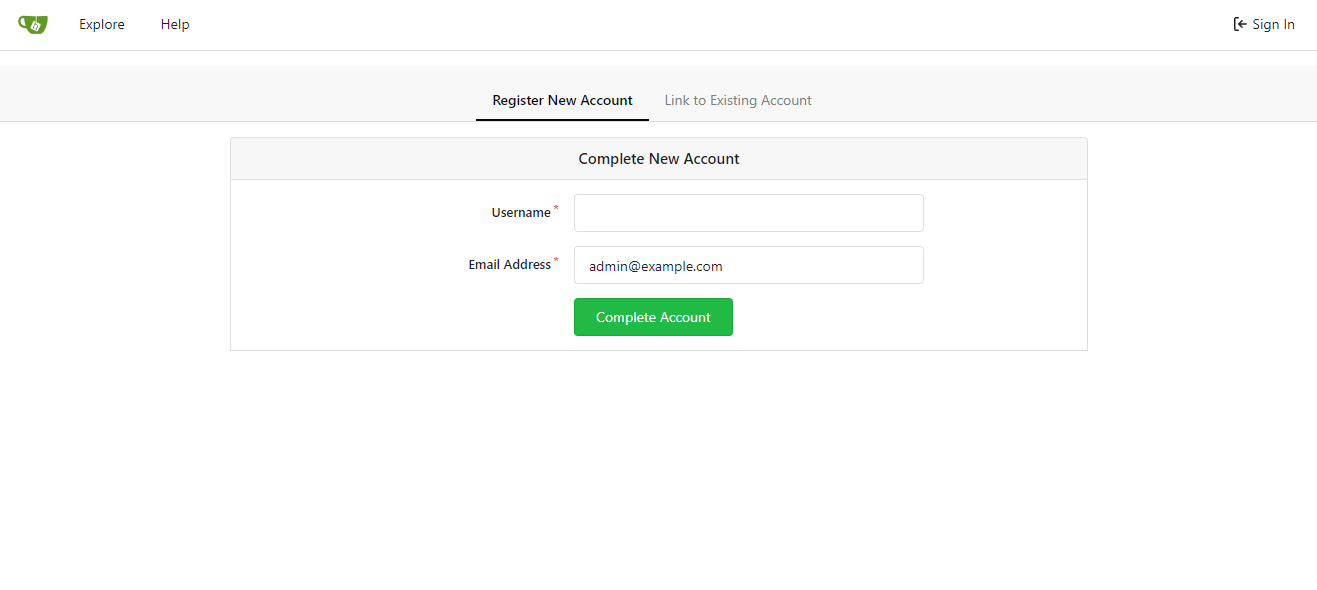
Follow the instructions and bind the casdoor account with a new gitea account or existing account.
Then everything will be working correctly.