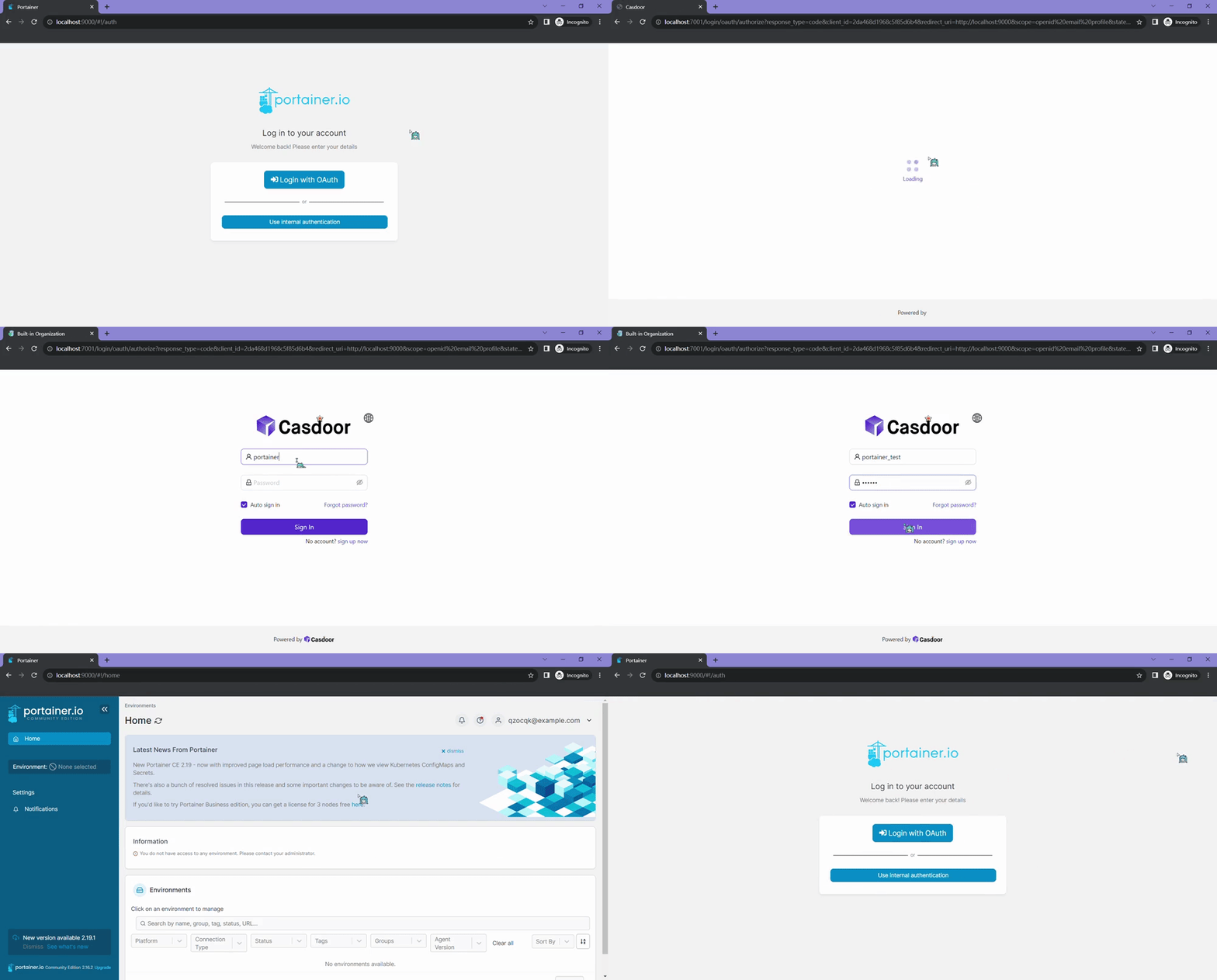
Portainer
Portainer supports OAuth for sign-in. This guide configures Casdoor as the identity provider. Ensure Portainer is installed and running.
The following are the configuration names:
CASDOOR_HOST: The domain name or IP address where the Casdoor server is deployed.
PORTAINER_HOST: The domain name or IP address where Portainer is deployed.
Step 1: Create an app for Portainer in Casdoor
Here is an example of creating an app in Casdoor:
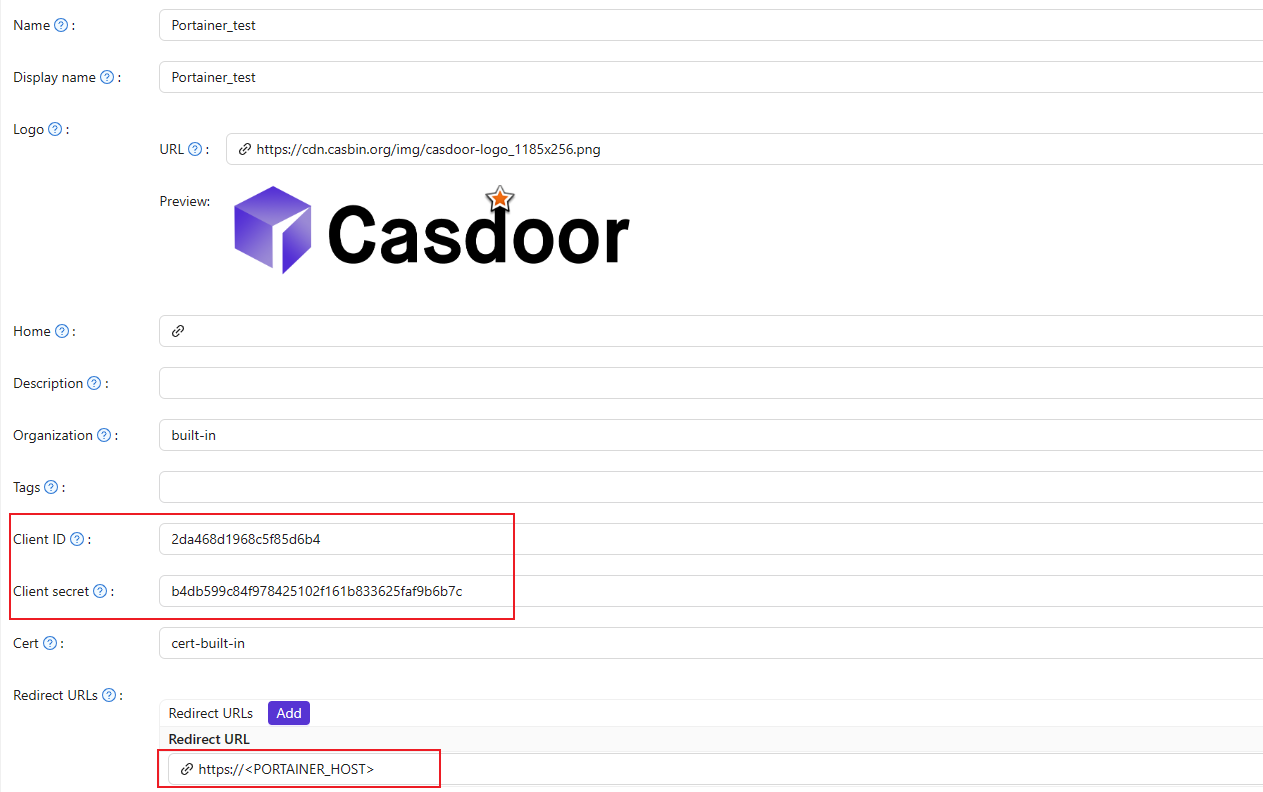
-
Copy the client secret and client ID for the next step.
-
Add a Redirect URL. It's your Portainer host.
Step 2: Configure Portainer
Expand the Settings from the left navigation bar, click on the Authentication option from this list.
-
Enable Use SSO and Automatic user provisioning:
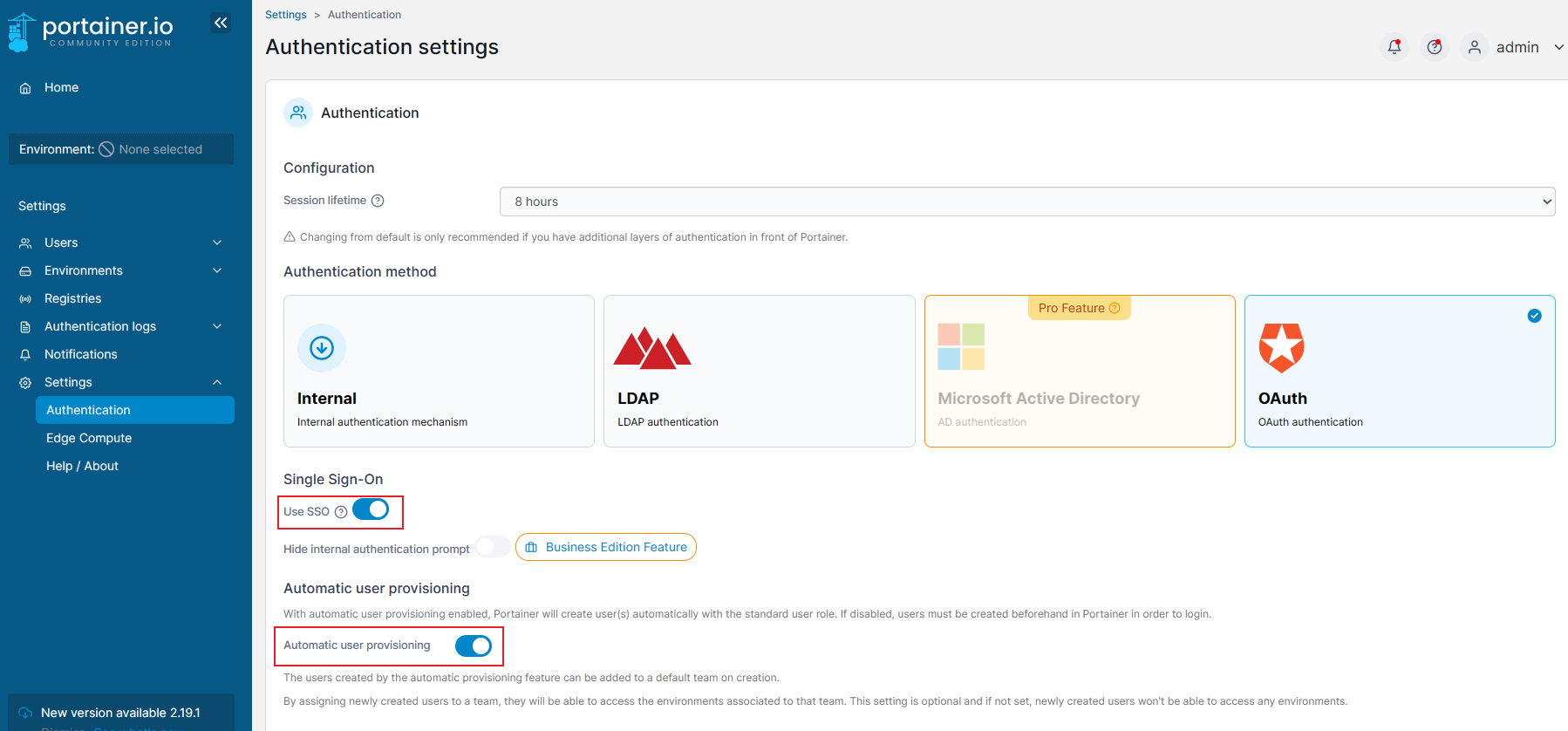
-
Fill in the necessary information as follows:
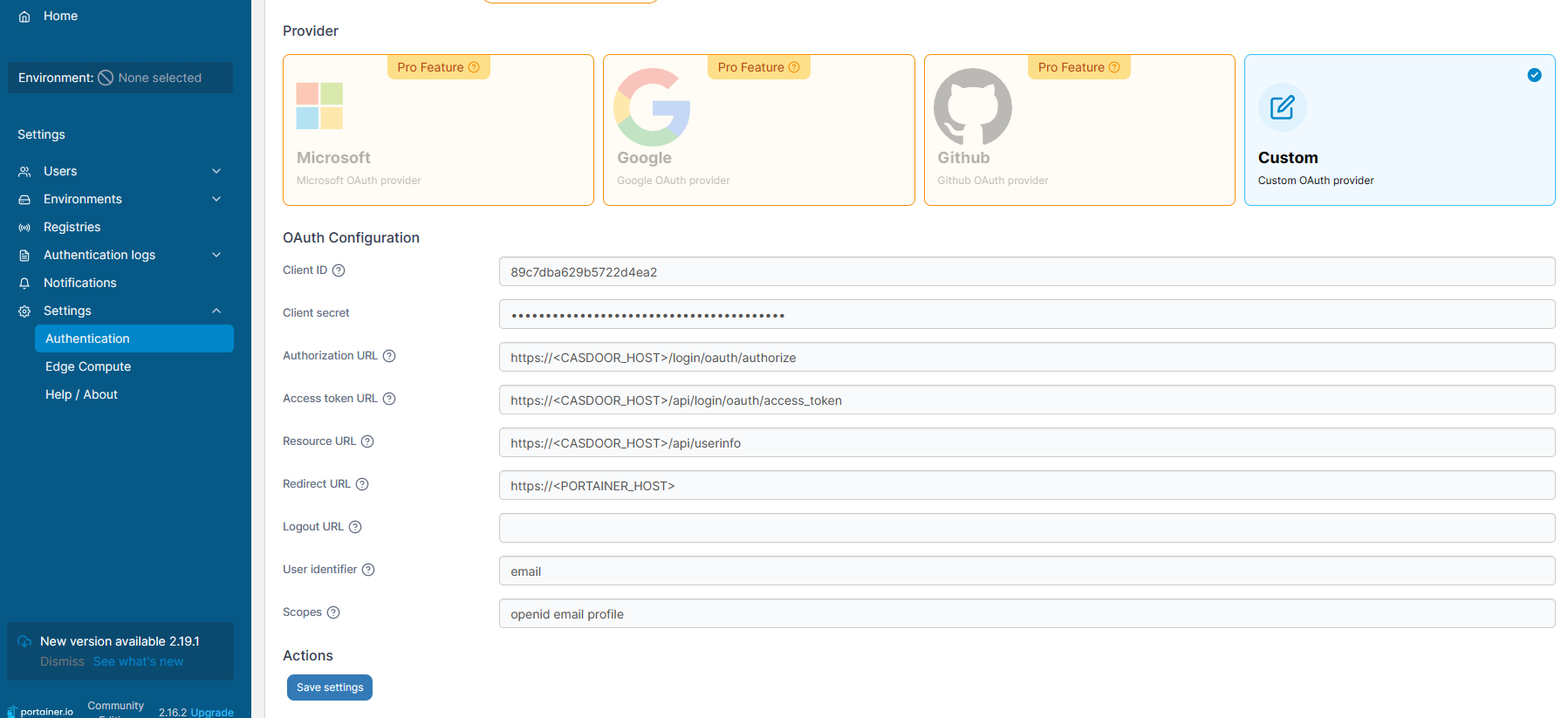
-
Authorization URL: https://CASDOOR_HOST/login/oauth/authorize -
Access token URL: https://CASDOOR_HOST/api/login/oauth/access_token -
Resource URL: https://CASDOOR_HOST/api/userinfo -
Redirect URL: https://PORTAINER_HOST
Log out of Portainer and test.