Jenkins (OIDC)
Use Casdoor as the OIDC identity provider for Jenkins so users sign in with their Casdoor accounts.
Terms: CASDOOR_HOSTNAME — Casdoor server URL; JENKINS_HOSTNAME — Jenkins server URL.
Step 1: Deploy Casdoor and Jenkins
Deploy Casdoor and Jenkins. Then:
-
Set the Jenkins URL (Manage Jenkins -> Configure System -> Jenkins Location) to
JENKINS_HOSTNAME.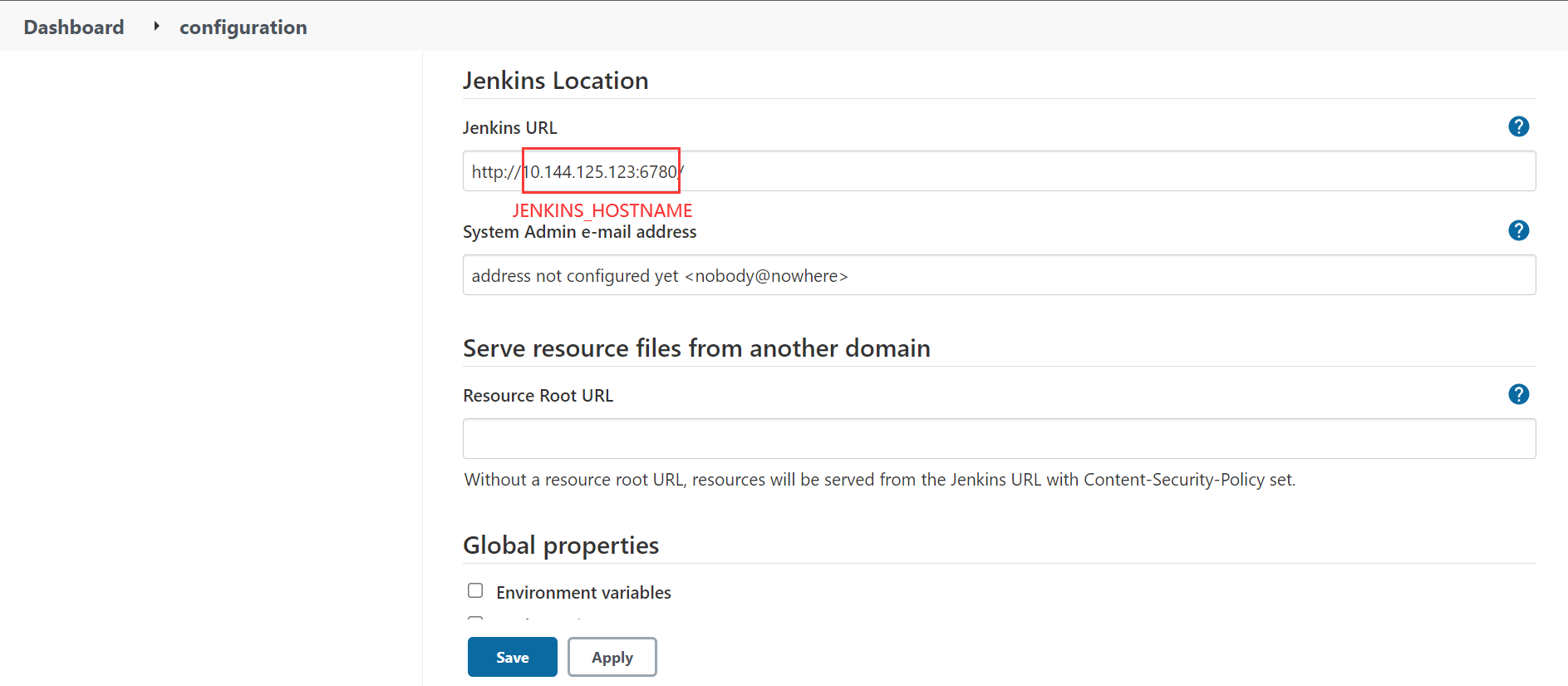
-
Ensure that Casdoor can be logged in and used normally.
-
Set Casdoor's
originvalue (conf/app.conf) toCASDOOR_HOSTNAME.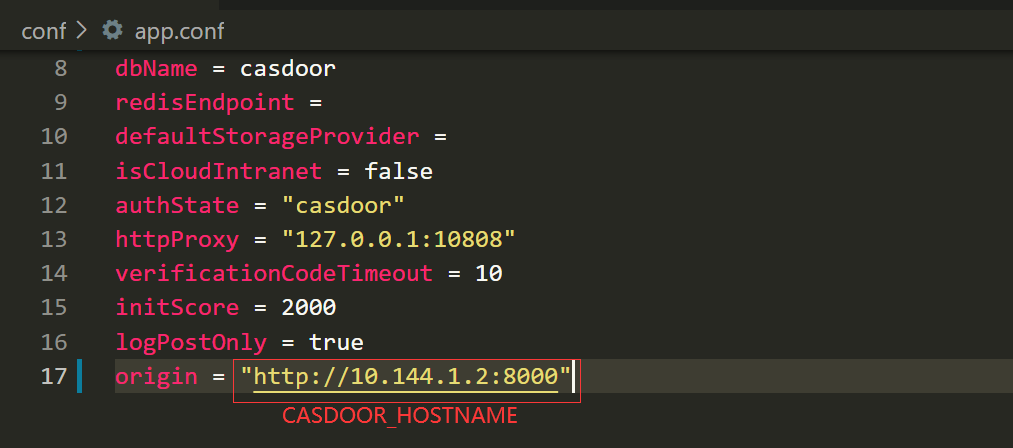
Step 2: Configure the Casdoor application
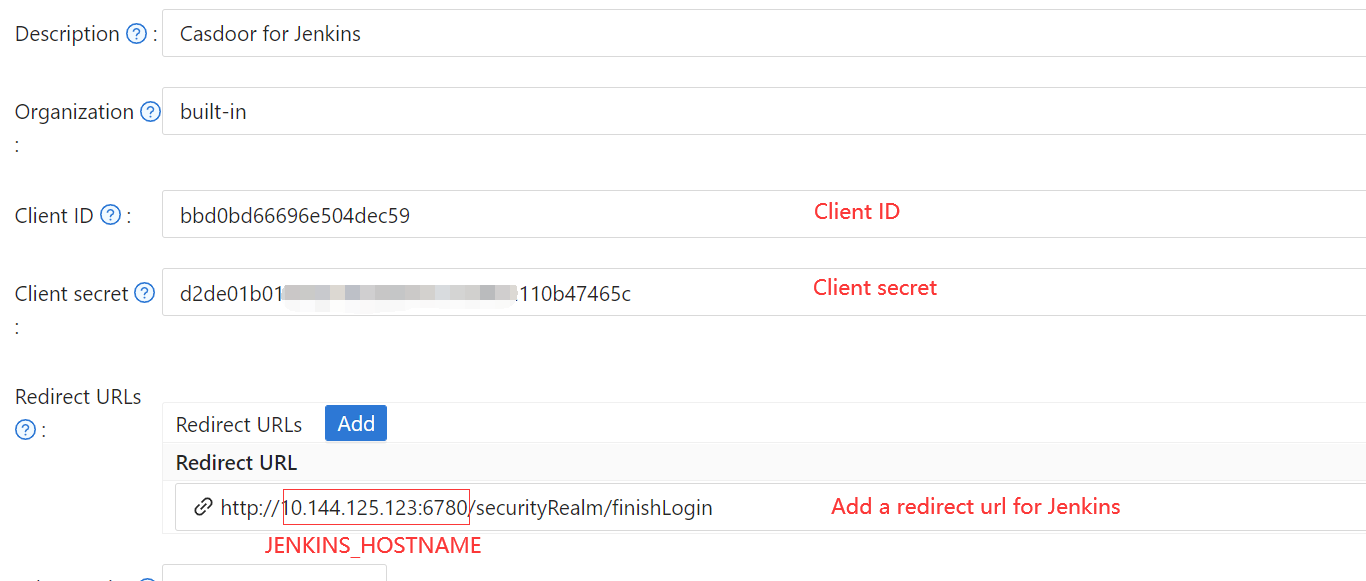
- Create or edit a Casdoor application.
- Add redirect URL:
http://JENKINS_HOSTNAME/securityRealm/finishLogin. - Add providers as needed. Note the Client ID and Client secret from the application page.
OIDC discovery URL: http://CASDOOR_HOSTNAME/.well-known/openid-configuration
Step 3: Configure Jenkins
Install the OpenId Connect Authentication plugin (Jenkins does not support OIDC by default).
After the installation is complete, go to Manage Jenkins -> Configure Global Security.
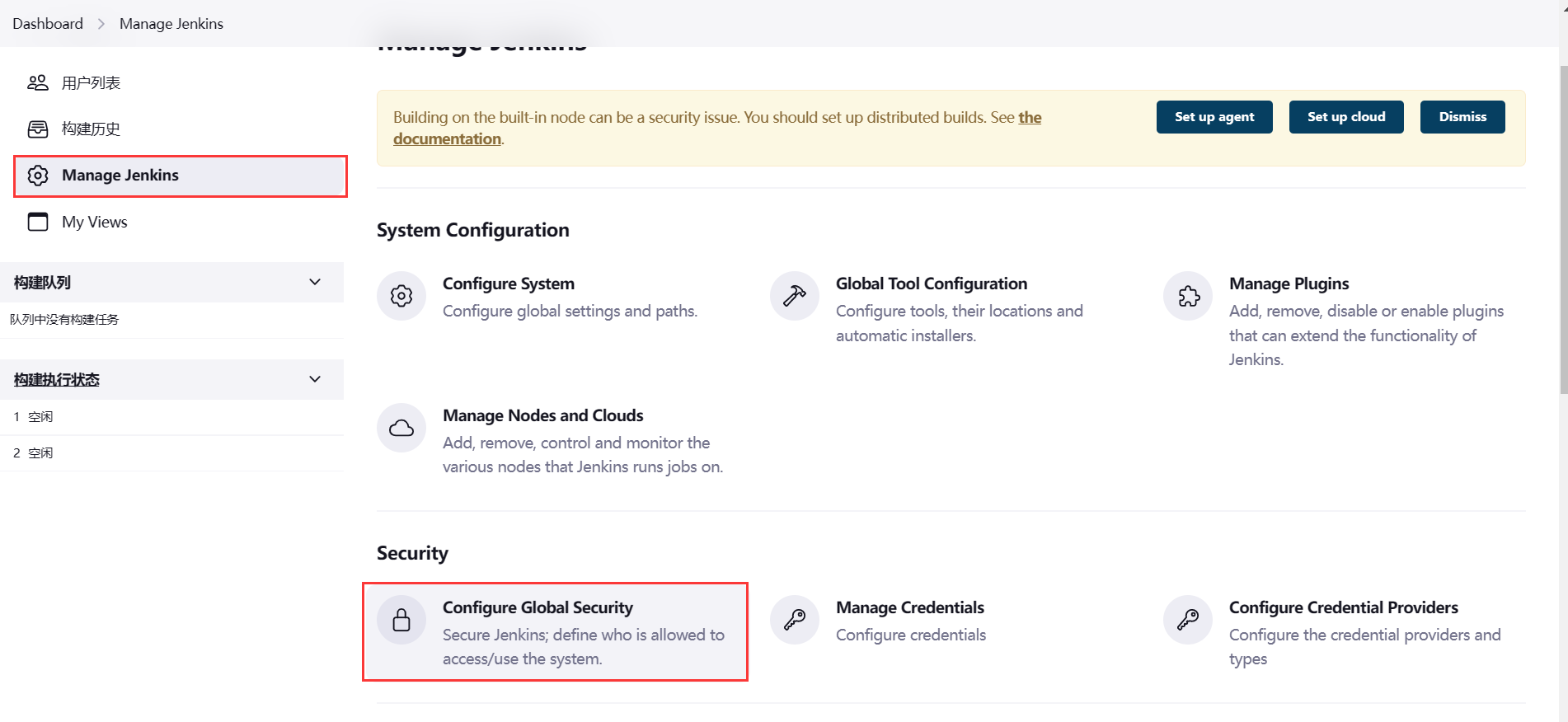
Make sure to back up the Jenkins config.xml file to recover in case of any setup errors.
-
In Access Control, select
Login with Openid Connectas the Security Realm. -
Specify the
Client IDnoted above in the Client ID field. -
Specify the
Client secretnoted above in the Client secret field. -
In the Configuration mode, select
Automatic configurationand enter http://CASDOOR_HOSTNAME/.well-known/openid-configuration as the Well-known configuration endpoint.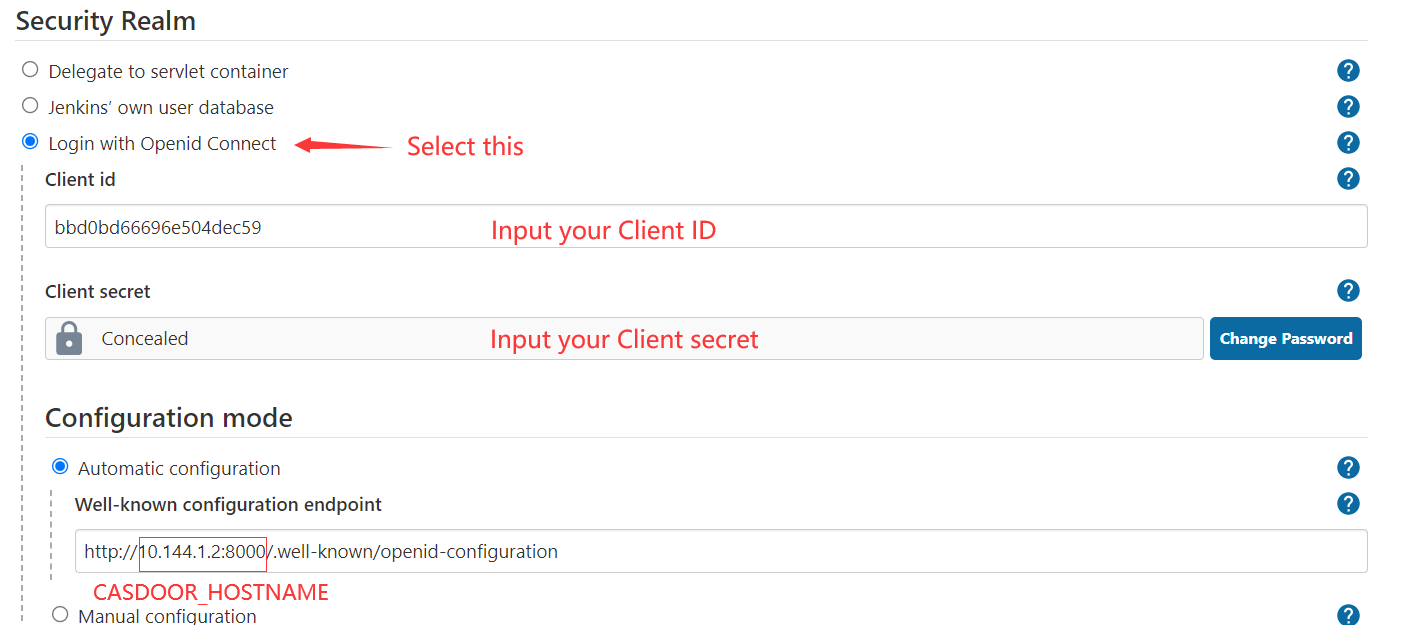
If your Casdoor is deployed locally, you may need to select
Manual configurationand provide the following information:- Token server URL: http://
CASDOOR_HOSTNAME/api/login/oauth/access_token - Authorization server URL: http://
CASDOOR_HOSTNAME/login/oauth/authorize - UserInfo server URL: http://
CASDOOR_HOSTNAME/api/get-account - Scopes:
address phone openid profile offline_access email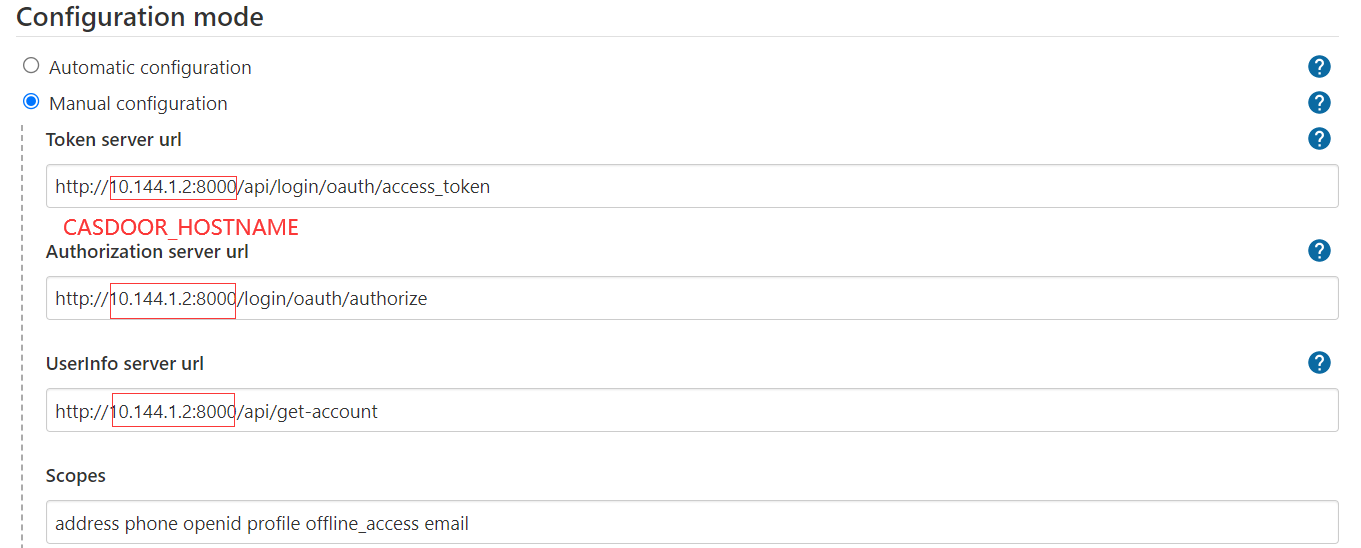
- Token server URL: http://
-
Click on Advanced settings and fill in the following:
- In the User name field, specify
name. - In the Full name field, specify
displayName. - In the Email field, specify
email.
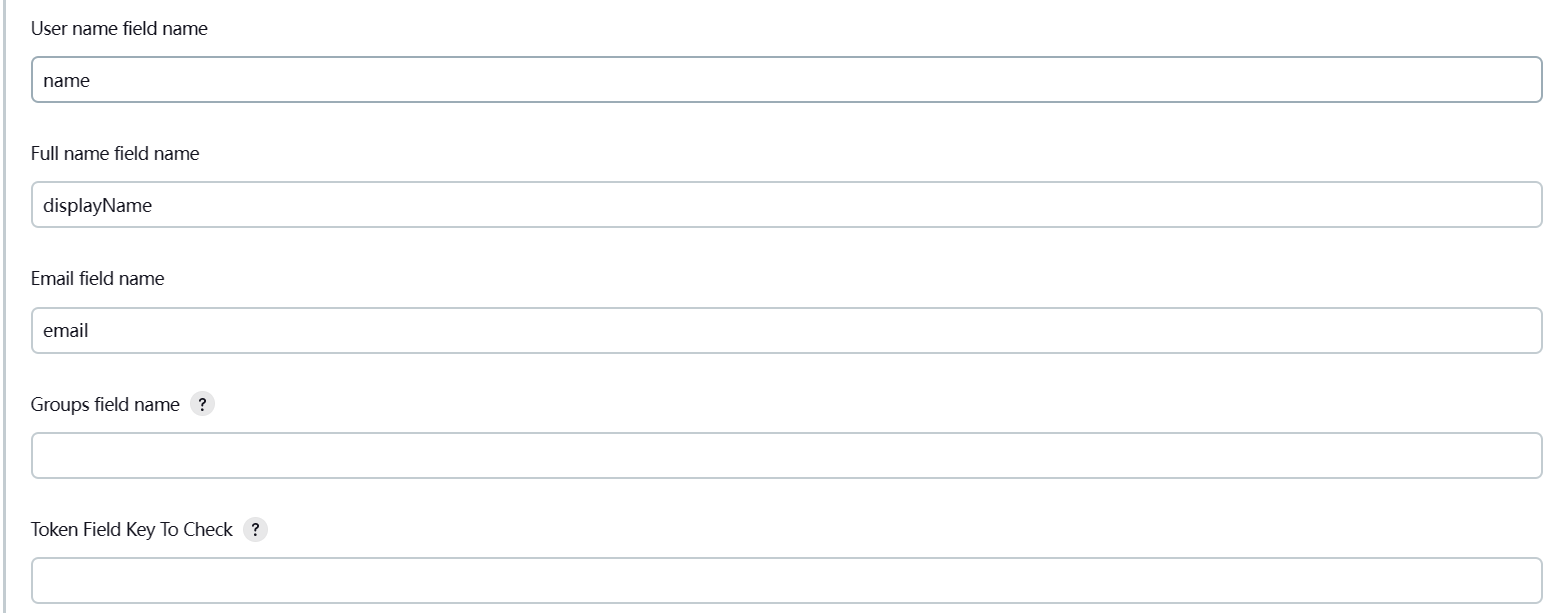
- In the User name field, specify
-
In the Authorization section, enable “Logged-in users can do anything” and disable “Allow anonymous read access”. You can configure more complex authorization later, but for now, check if OpenID works correctly.
Log out of Jenkins, and it should redirect you to Casdoor for authentication.