Apache DolphinScheduler
Casdoor is one of the supported login methods for Apache DolphinScheduler.
Step 1: Deploy Casdoor
Deploy Casdoor. See Server installation. Ensure the server is running (e.g. http://localhost:8000) and you can open the login page (e.g. http://localhost:7001) and sign in with admin / 123.
Step 2: Configure Casdoor Application
- Create a new Casdoor application or use an existing one.
- Add your redirect URL (see the next section for how to obtain it).
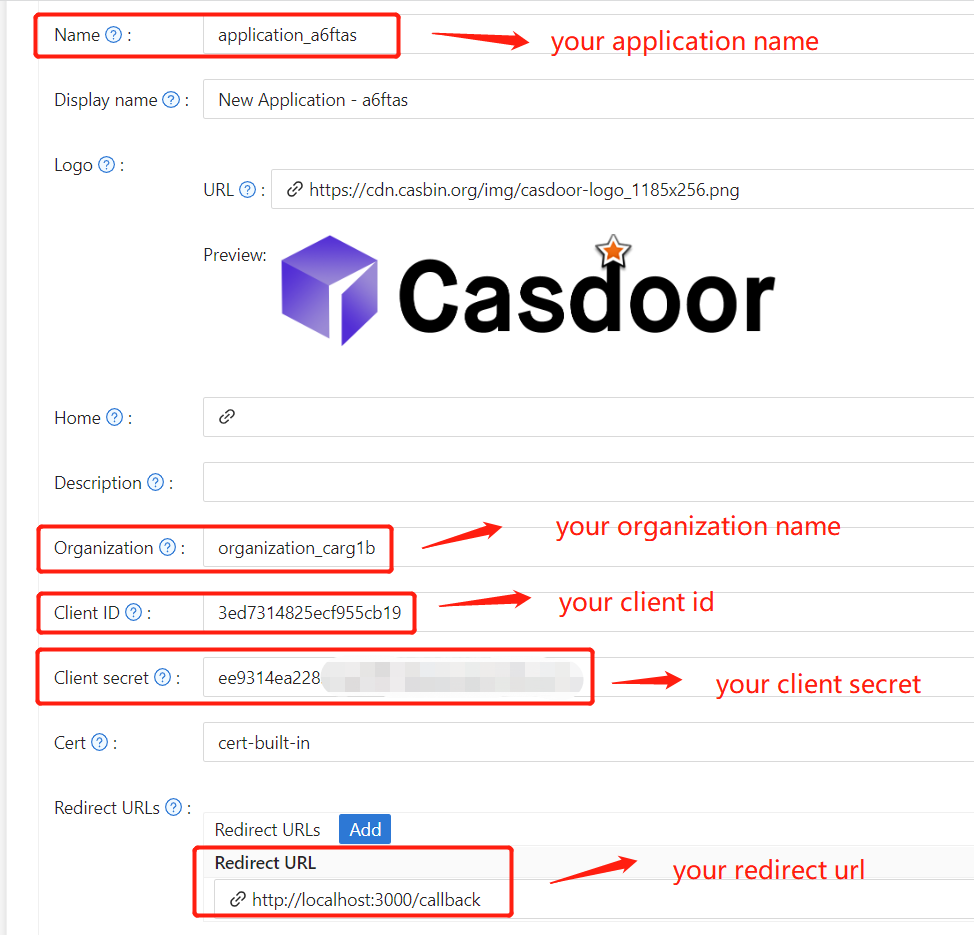
- Add the desired provider and fill in other necessary settings.
Note Client ID and Client secret from the application page for the next step.
Open your favorite browser and visit http://CASDOOR_HOSTNAME/.well-known/openid-configuration to view the OIDC configuration of Casdoor.
Step 3: Configure DolphinScheduler
dolphinscheduler-api/src/main/resources/application.yaml
security:
  authentication:
    # Authentication types (supported types: PASSWORD, LDAP, CASDOOR_SSO)
    type: CASDOOR_SSO
casdoor:
  # The URL of your Casdoor server
  endpoint:
  client-id:
  client-secret:
  # Use `|-` for multi-line certificate
  certificate:
  # The organization name you added in Casdoor
  organization-name:
  # The application name you added in Casdoor
  application-name:
  # The DolphinScheduler login URL
  redirect-url: http://localhost:5173/login
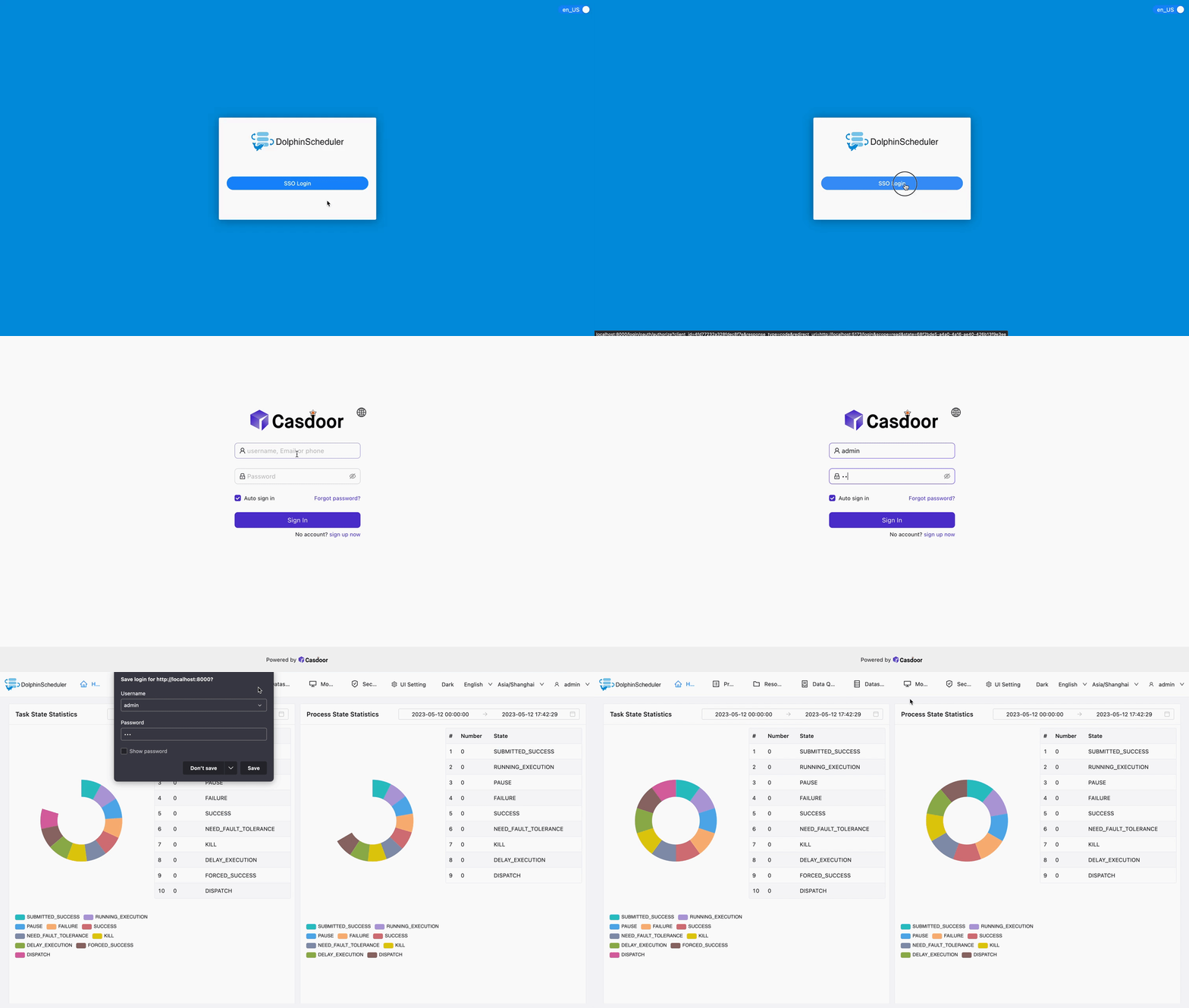
Now, DolphinScheduler will automatically redirect you to Casdoor for authentication.