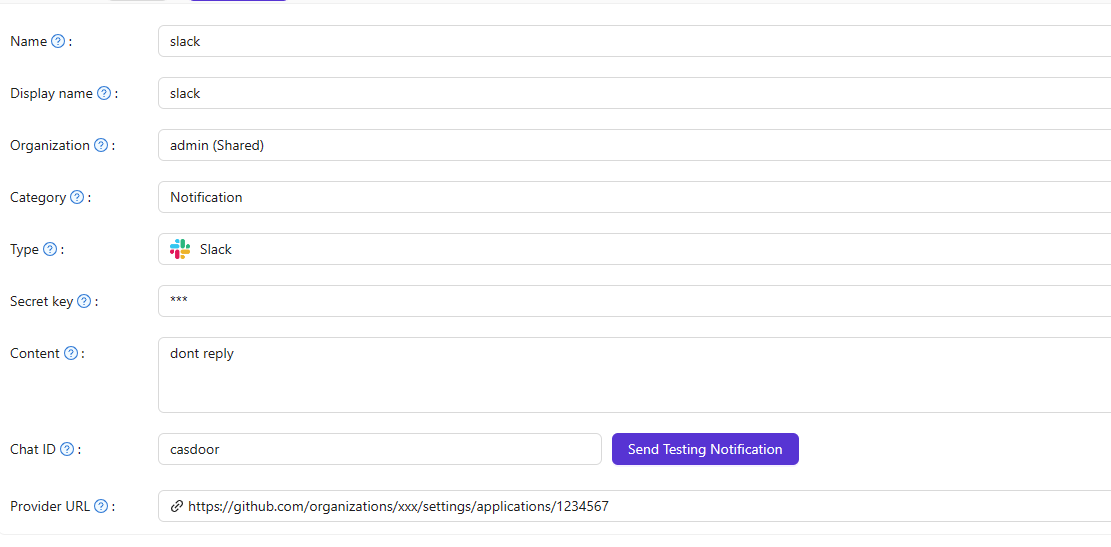
Slack notification
1. Create a Slack app
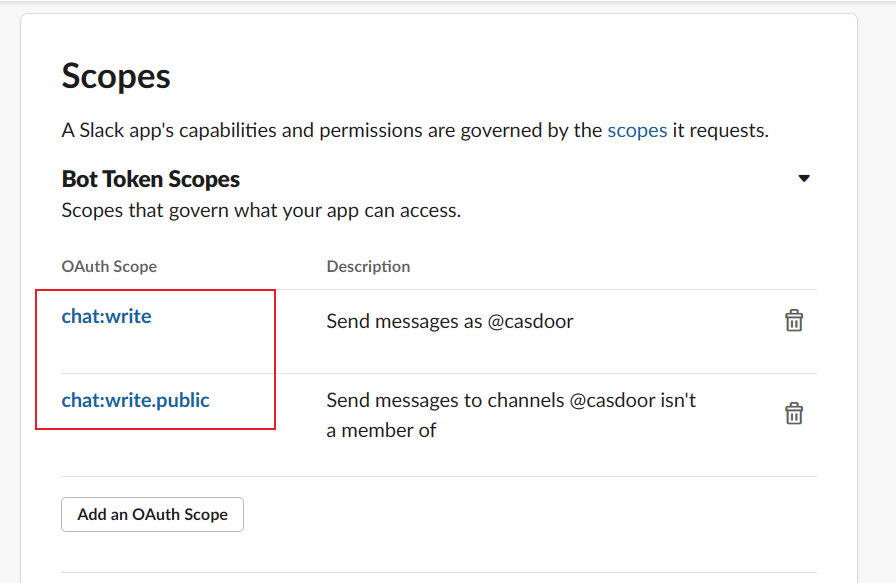
At Slack API, create an app and add the OAuth scopes chat:write and chat:write.public for the bot.
2. Get token and channel ID
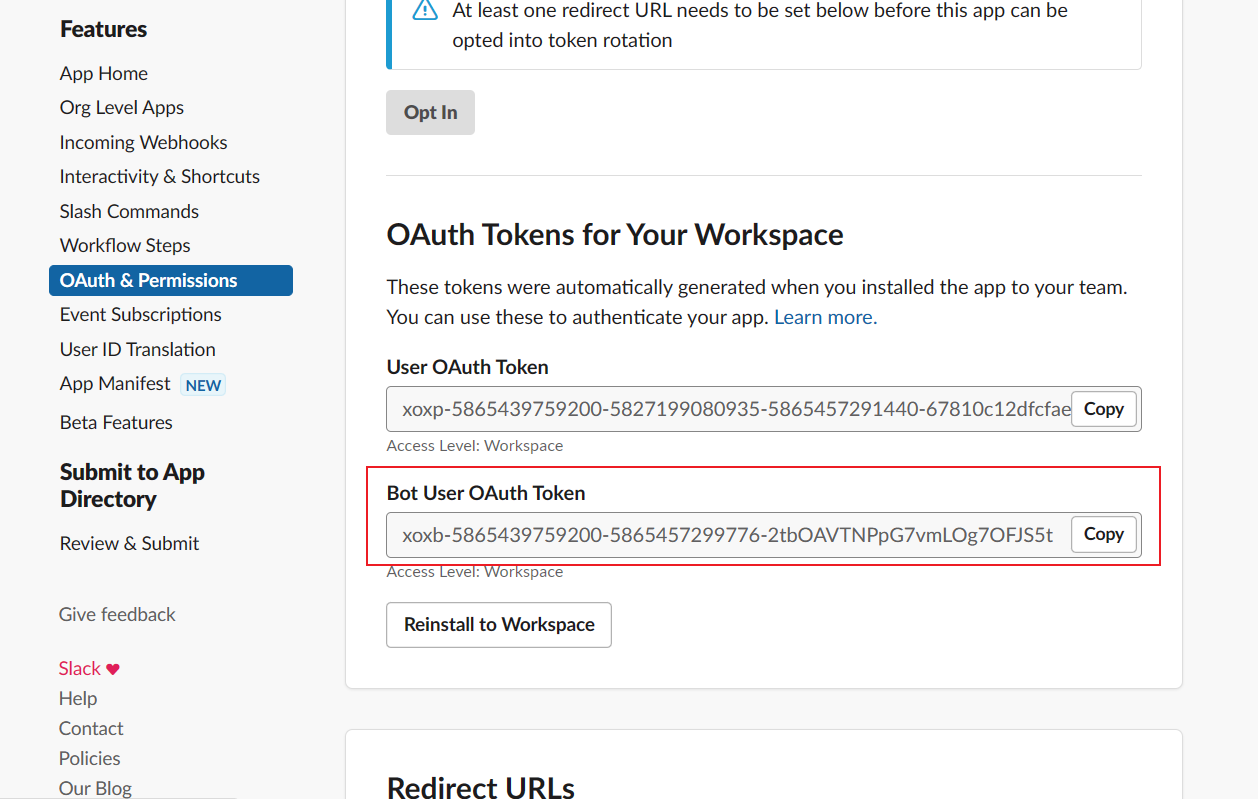
- Copy the Bot User OAuth Access Token from OAuth & Permissions.
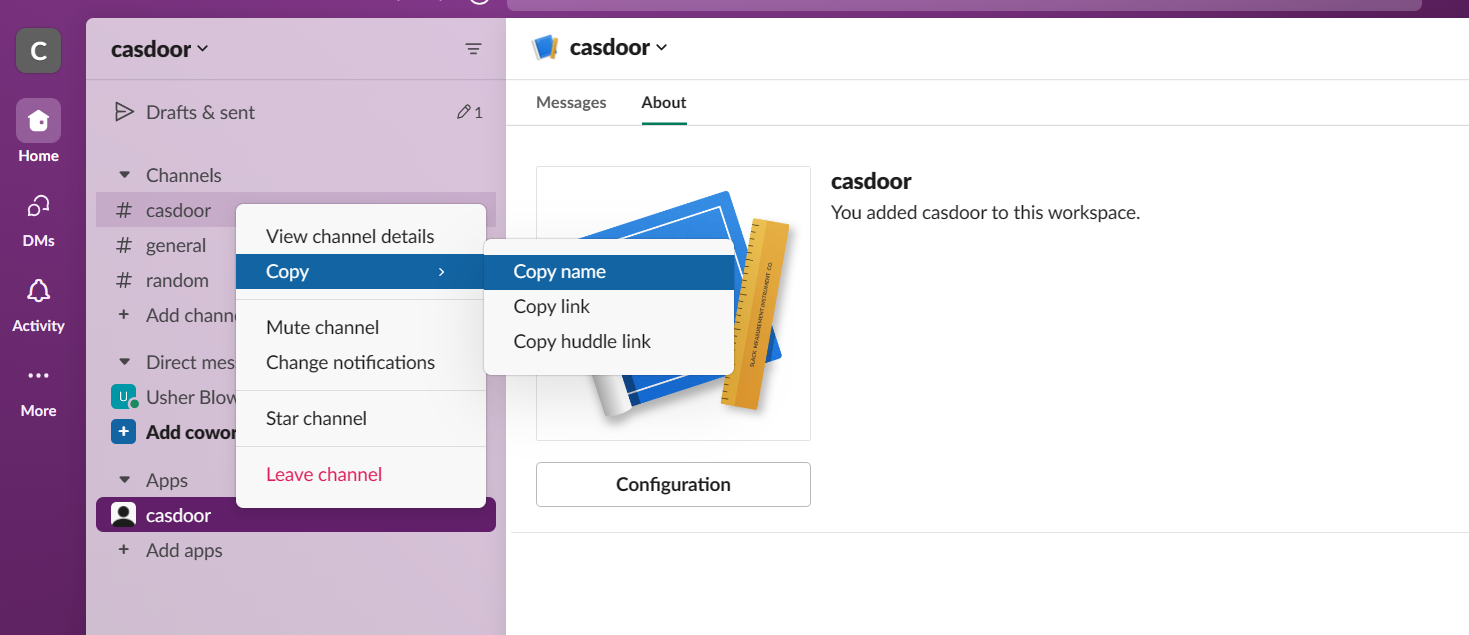
- Get the Channel ID: right-click the channel in Slack and choose Copy link (or “copy name”); the ID is in the URL or you can use Slack’s channel details.
3. Configure the provider in Casdoor
Create a Notification provider, set Type to Slack, and fill in:
| Casdoor field | Value |
|---|---|
| Secret key | Access Token |
| Chat ID | Channel ID |
| Content | Message template (optional) |