AirWallex
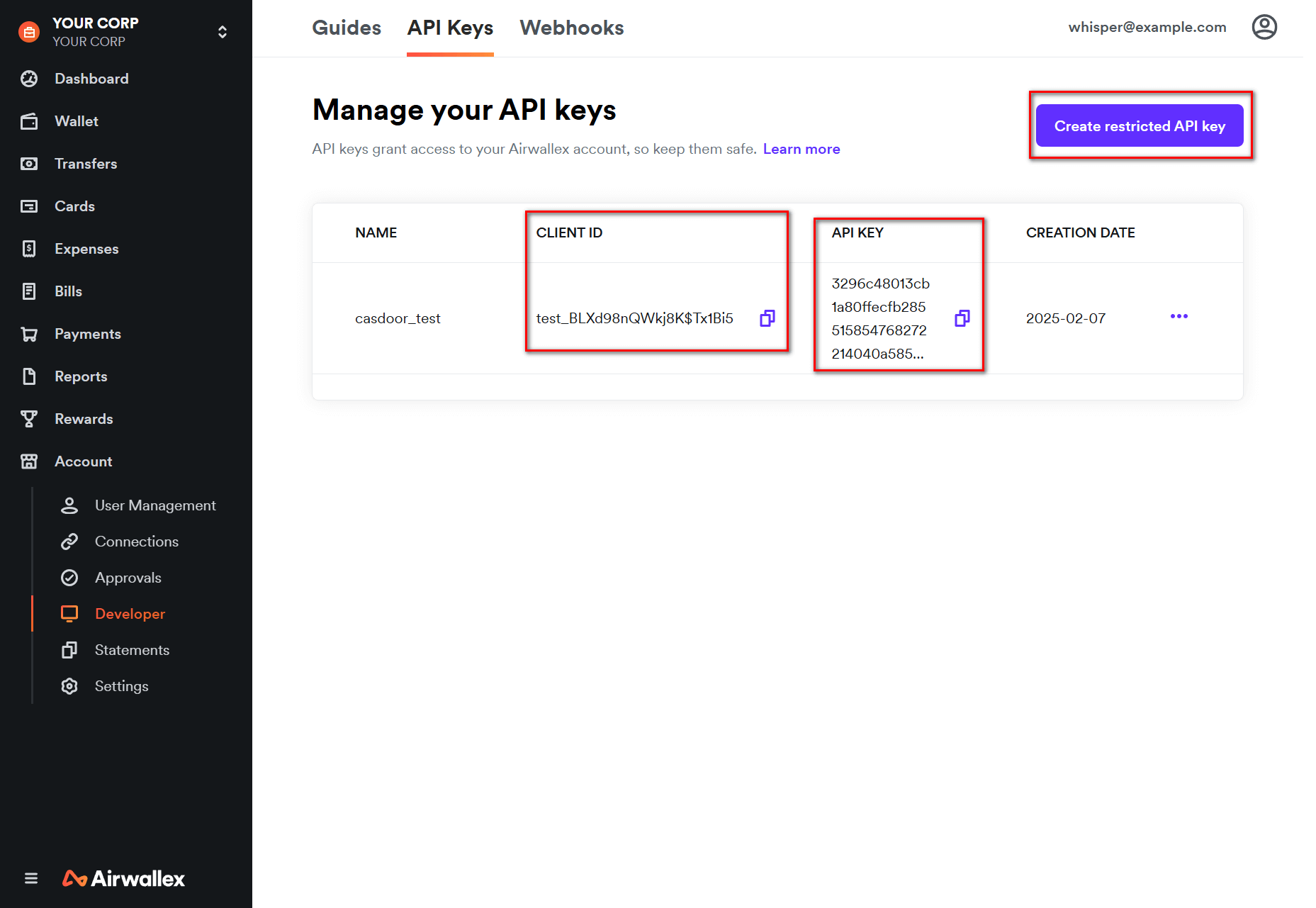
1. Get credentials
Create an account at AirWallex and sign in to the Developer Dashboard. Under API Keys, copy CLIENT ID and API KEY (or create a new custom permission key).
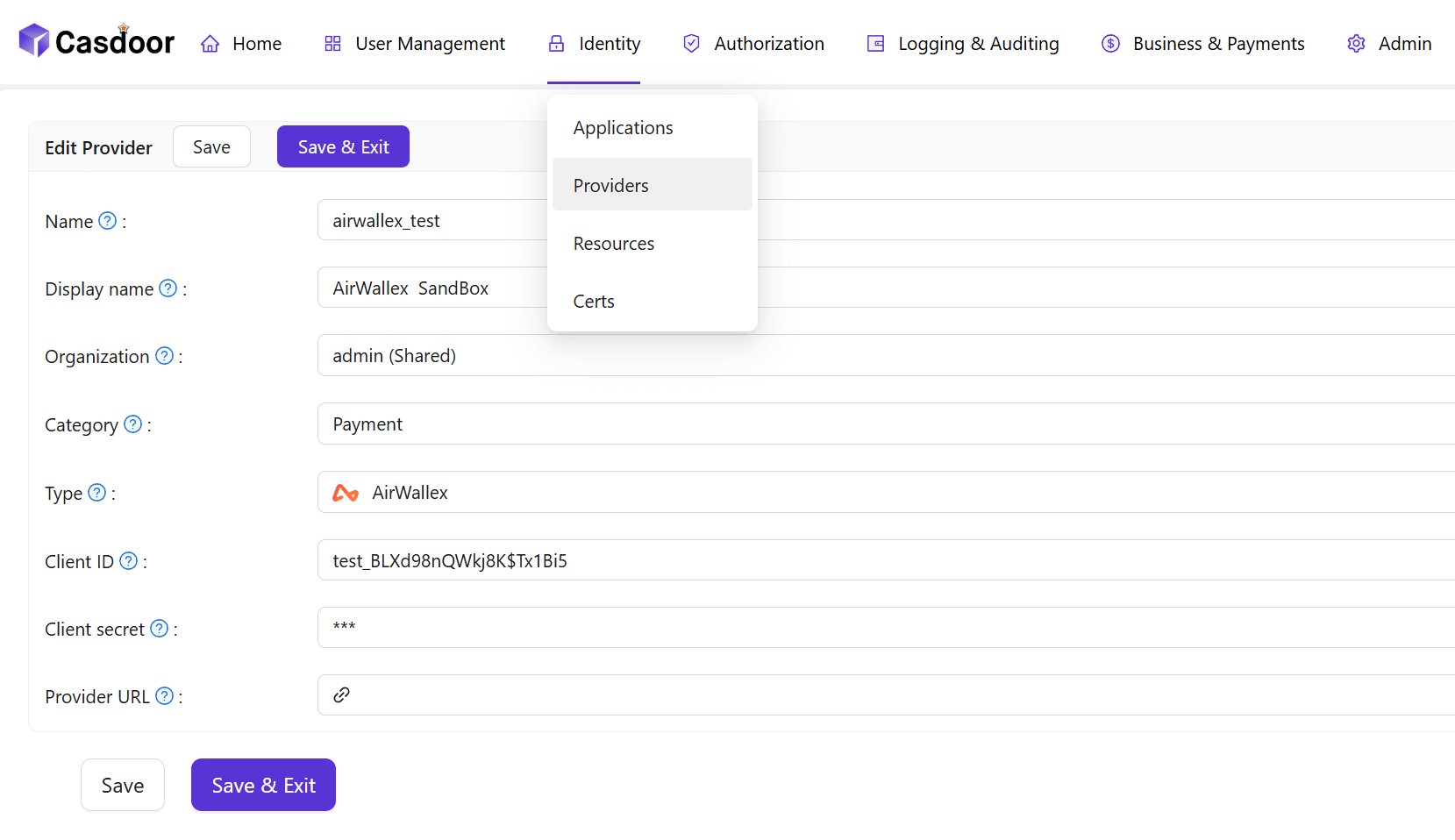
2. Create the provider in Casdoor
Providers → Add. Set Category to Payment, Type to AirWallex. Map:
| Casdoor | AirWallex |
|---|---|
| Client ID | CLIENT ID |
| Client secret | API KEY |
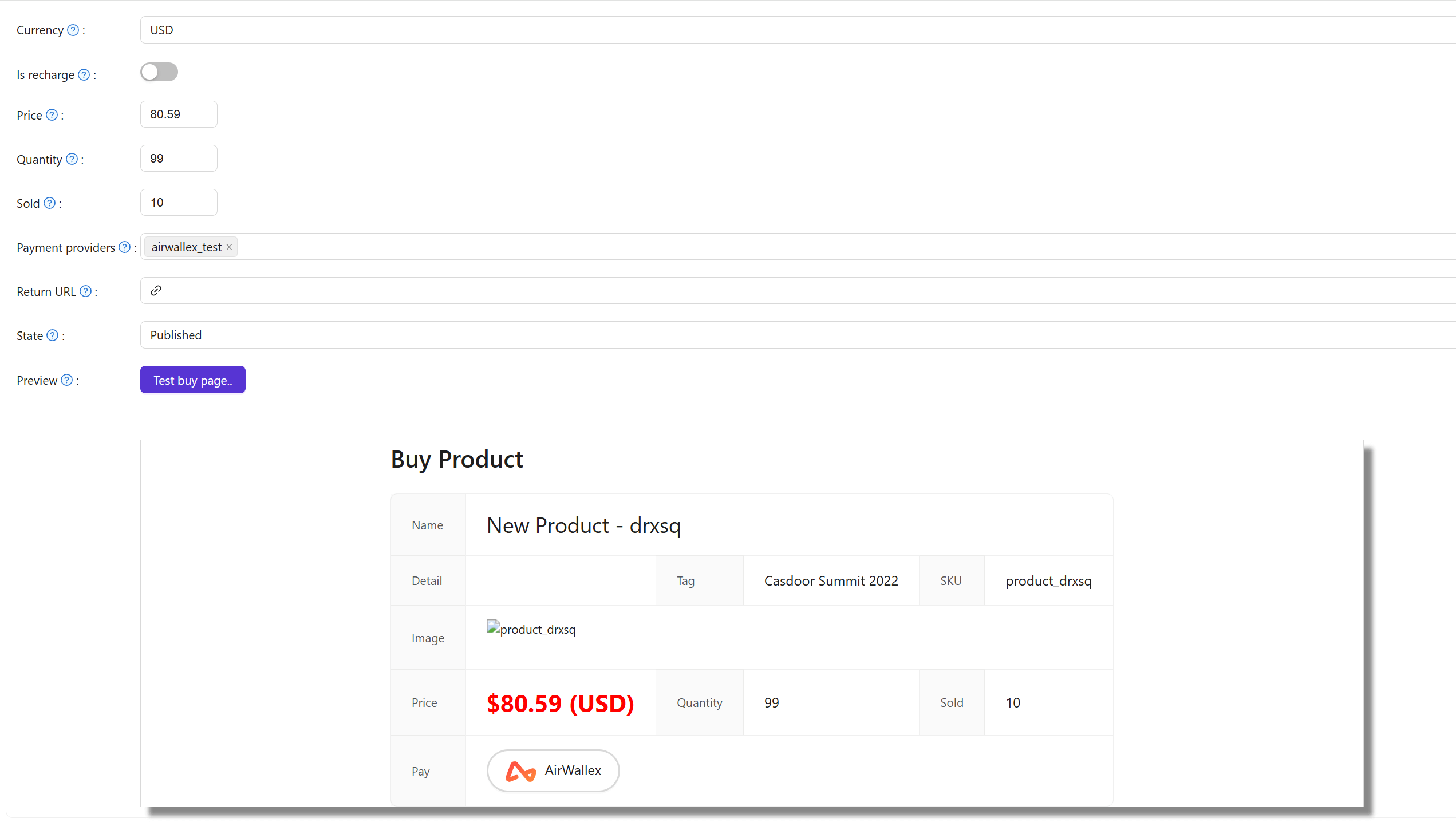
3. Attach to a product
Add the AirWallex provider to the product so users can pay with AirWallex.