FireZone
This guide configures FireZone to use Casdoor as the OIDC IdP.
Step 1: Deploy Casdoor and FireZone
Deploy Casdoor and FireZone.
After a successful deployment, ensure the following:
-
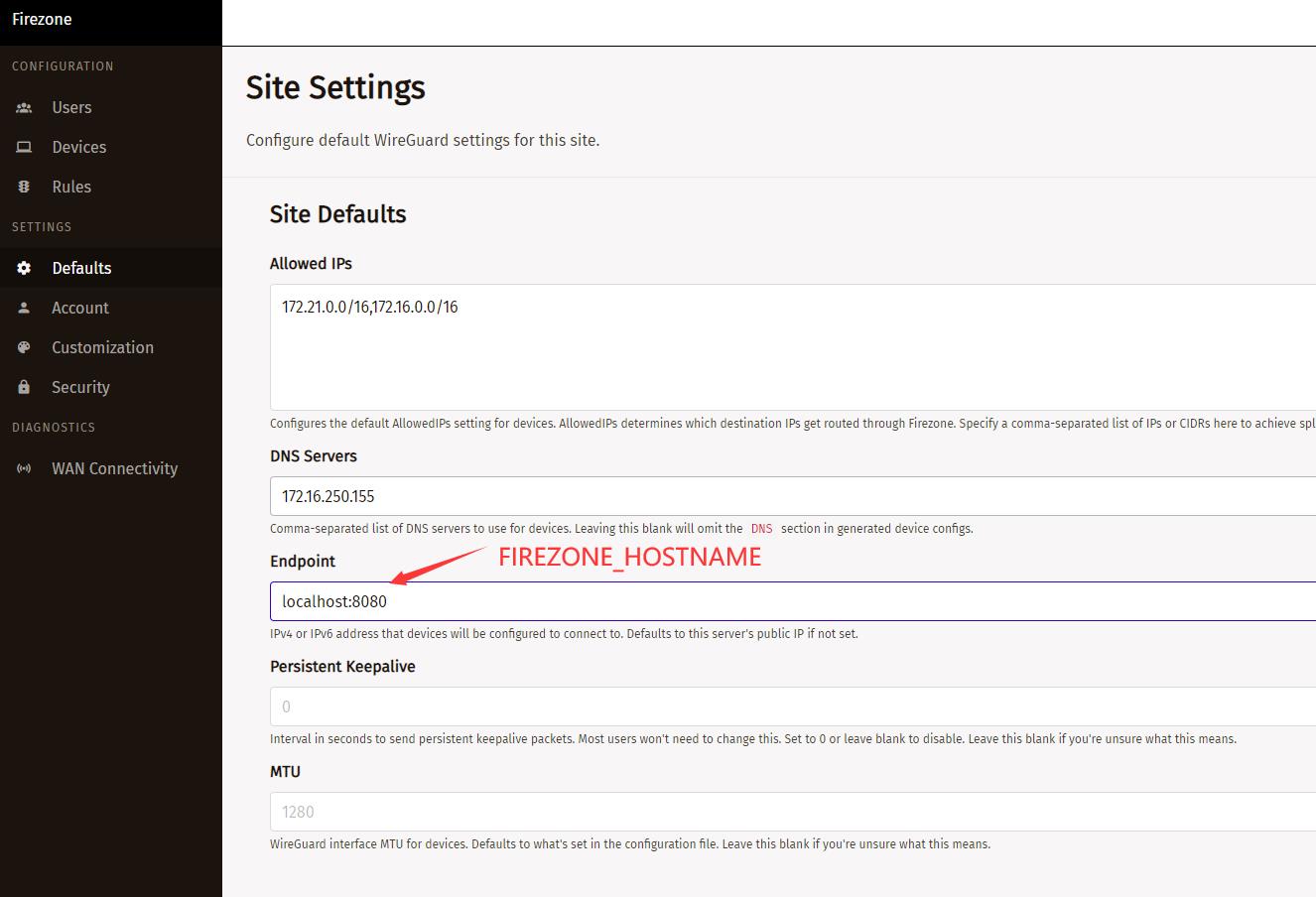
Set the FireZone URL (Sigin -> Security -> Add OpenID Connect Provider) to FIREZONE_HOSTNAME.
-
Casdoor can be logged in and used normally.
-
CASDOOR_HOSTNAME:http://localhost:8000, if you deploy Casdoor using the defaultapp.conf.
Step 2: Configure Casdoor application
-
Create a new Casdoor application or use an existing one.
-
Add a redirect URL:
For example, if the Configid in the FireZone Provider is TEST, the redirect URL should be
http://[FIREZONE_HOST]/auth/oidc/[PROVIDER_CONFIG_ID]/callback/.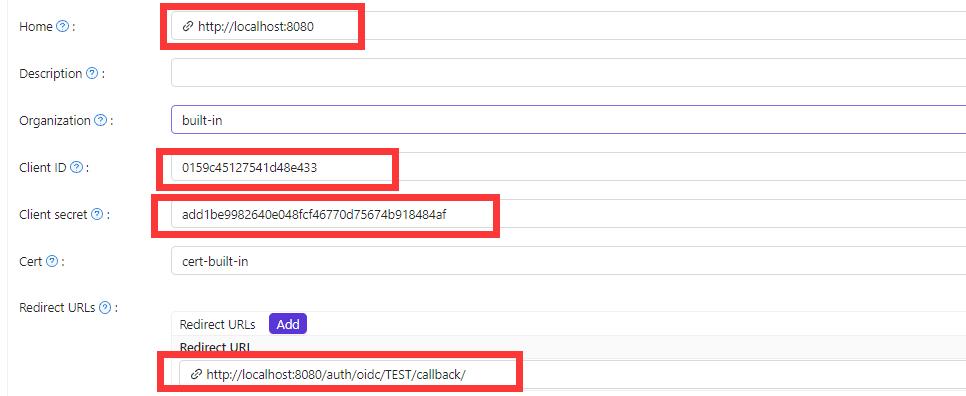
OIDC discovery:
http://<CASDOOR_HOSTNAME>/.well-known/openid-configuration. -
Configure FireZone: Security -> Add OpenID Connect Provider
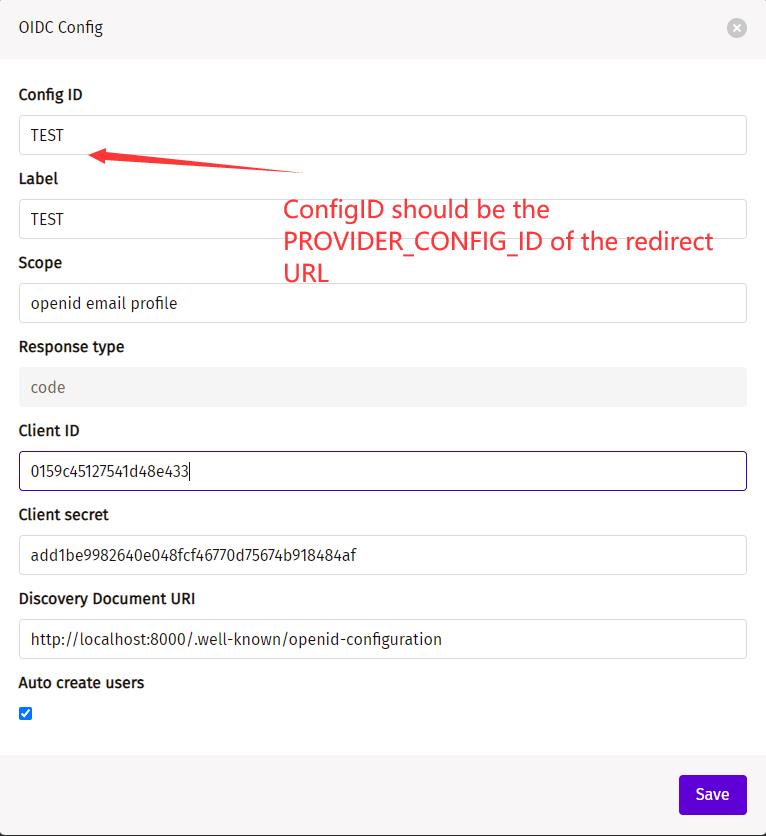
Discovery Document URI: The FireZone Provider Discovery Document URI should behttps://[CASDOOR_HOST]/.well-known/openid-configuration.Scopes:openid email profile- ConfigID: Must match the provider config ID used in the redirect URL (e.g. if redirect URL is
.../auth/oidc/TEST/callback/, use ConfigIDTEST). Auto-create users: Successful login will automatically create a user.
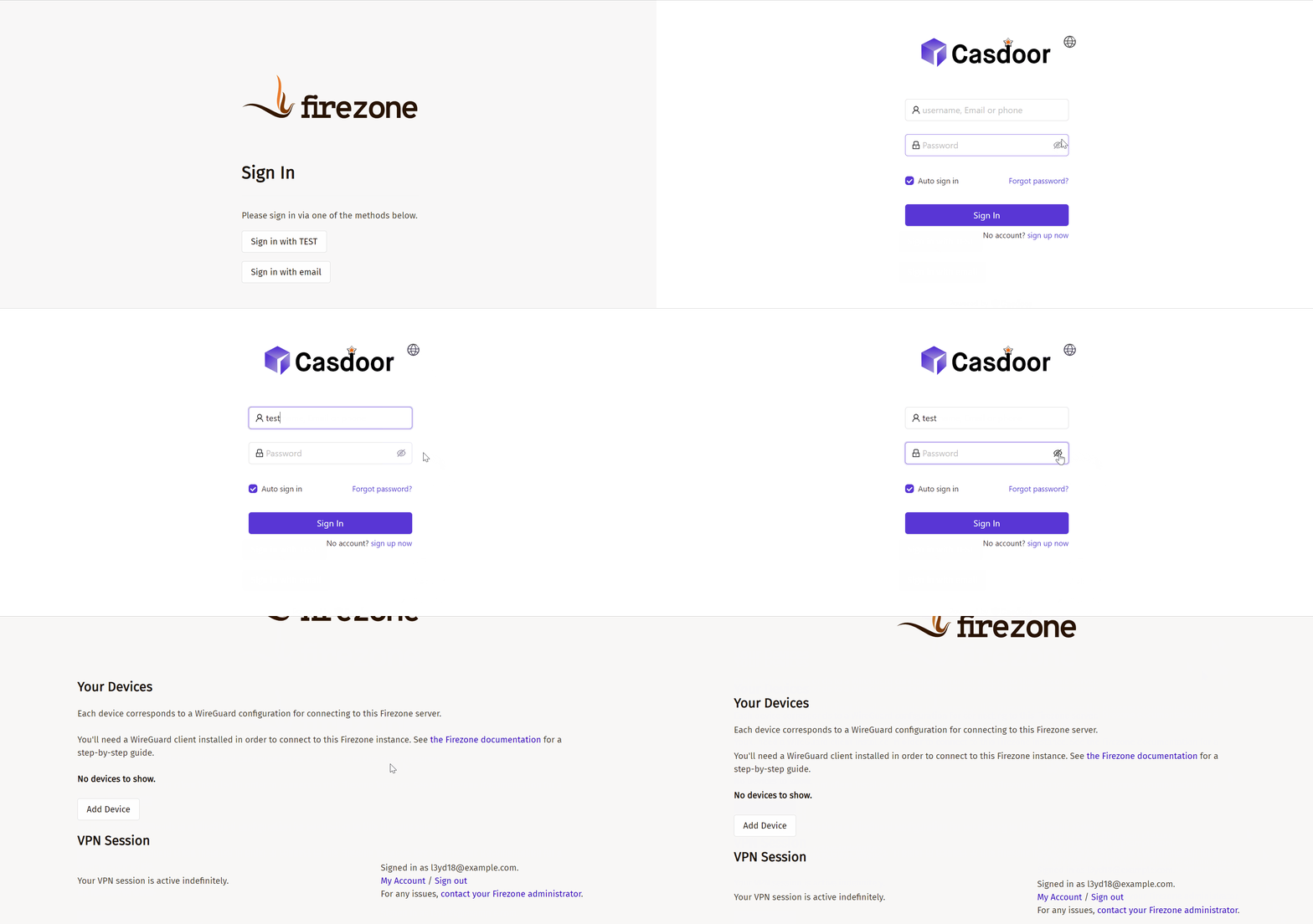
Log out of FireZone and test SSO