Visão Geral
Introduction
Users in a Casdoor organization can access that organization’s applications by default. When you need to restrict access to specific applications or resources, use the Permission feature powered by Casbin.
Casbin concepts
To use permissions effectively, it helps to understand how Casbin works:
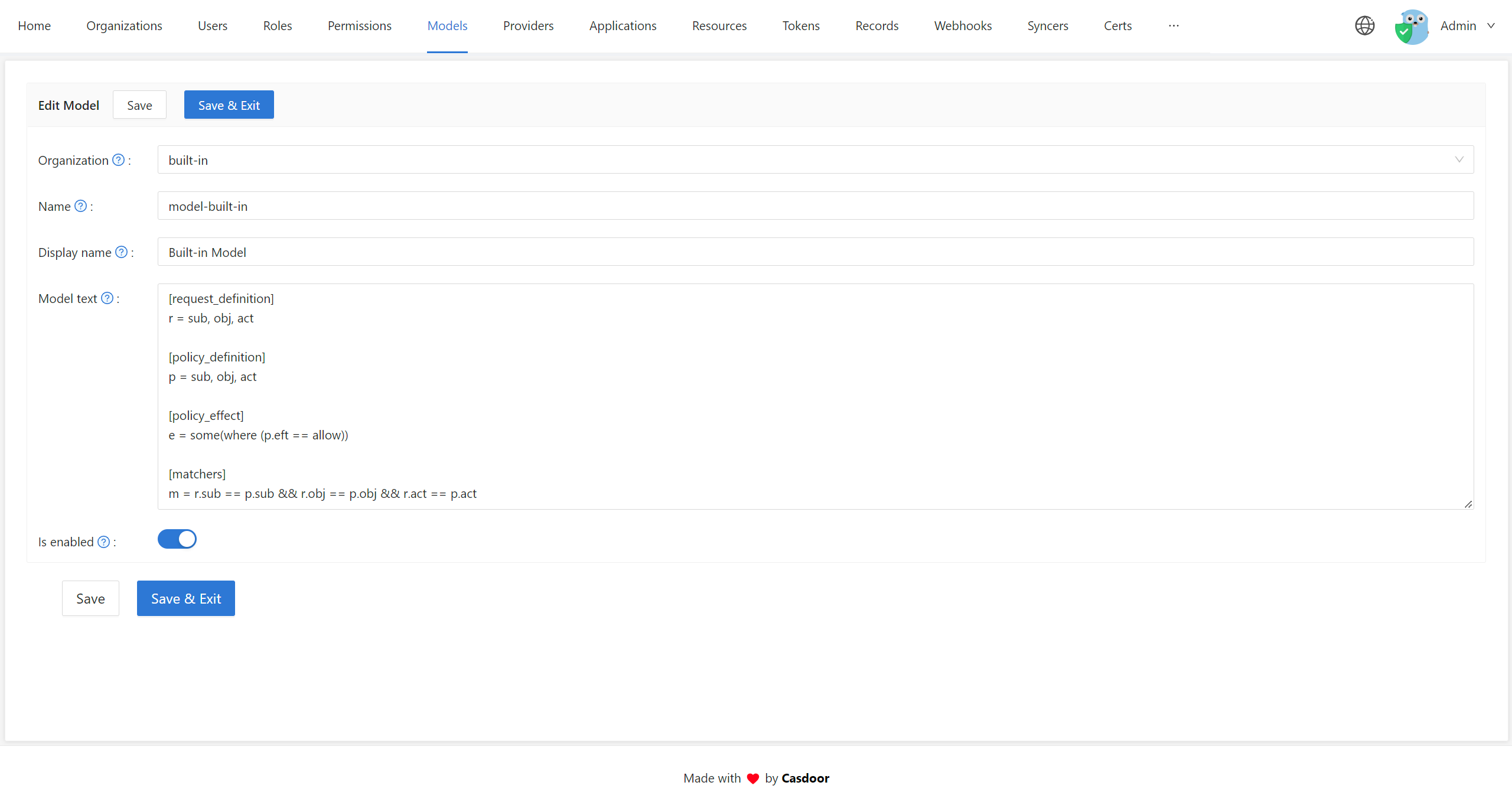
- Model: Defines the structure of your permission policies and how requests are matched and evaluated. Configure models on the Models page in Casdoor.
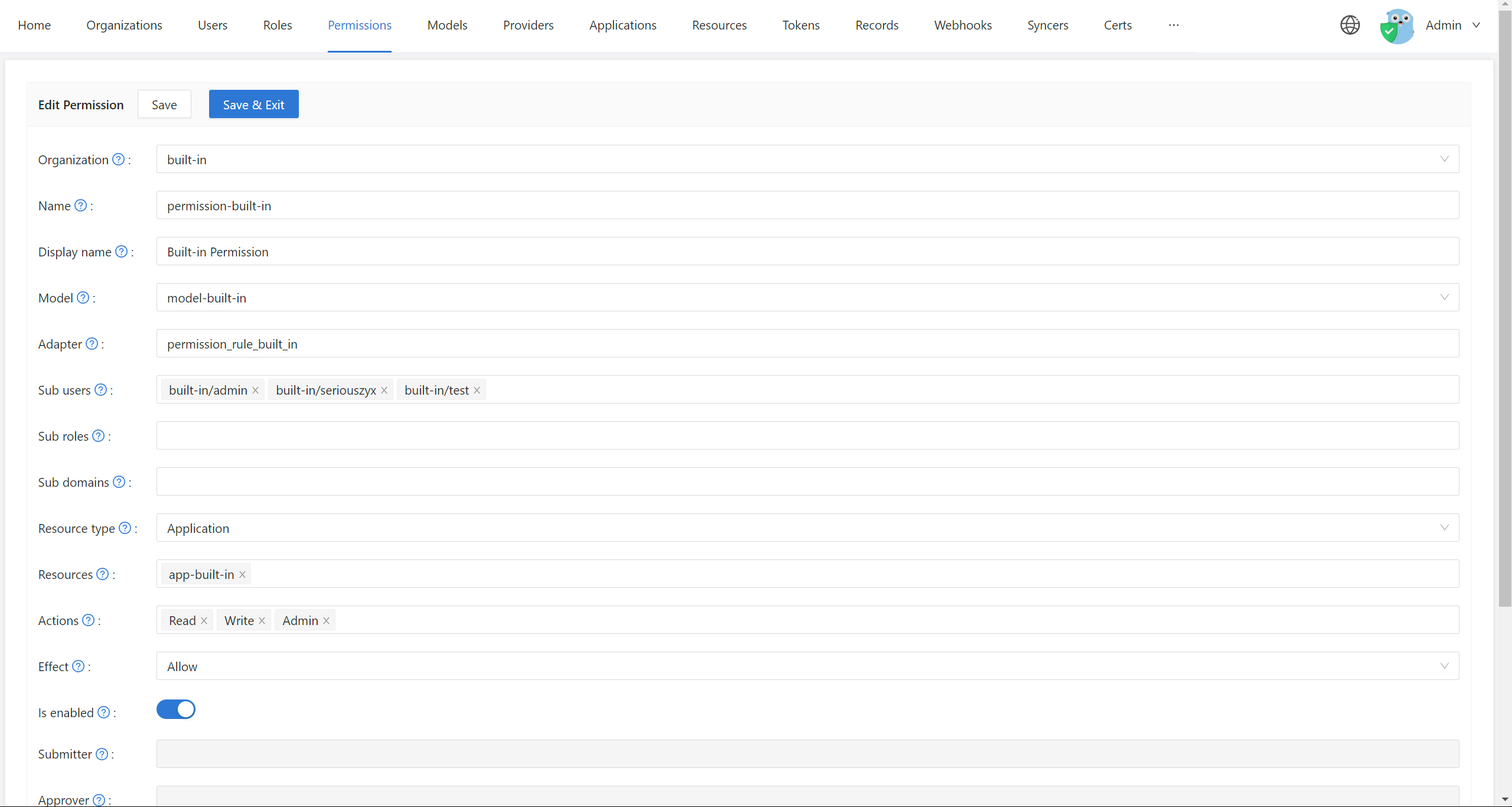
- Policy: Defines concrete permission rules (who can do what on which resources). Configure policies on the Permissions page in Casdoor.
- Adapter: Abstracts where policies are stored (e.g. files or a database). See Adapters for details.
For more on Casbin’s access control models and patterns, see the Casbin documentation. Use the Casbin Online Editor to create and test Model and Policy files.
Configuring permissions in Casdoor
Where to configure
In the Casdoor web UI, use these two areas:
-
Models: Open Models in the sidebar to add or edit models for your organization.
-
Permissions: Open Permissions in the sidebar to configure permission policies.
How permissions work
- Add a model: Create a model for your organization on the Models page.
- Configure a policy: Add a policy (permission rules) for that organization on the Permissions page.
Generate Model and Policy files in the Casbin Online Editor, then import the model into Casdoor via the web UI. For step-by-step policy configuration, see Permission configuration.
Using permissions from your application
Casdoor uses its own Casbin model and policy to control access to its APIs. External applications cannot call Casbin directly; they must use the APIs that Casdoor exposes for the built-in Casbin engine.
See Exposed Casbin APIs for API definitions and usage.
Related features
Account item permissions
On the Edit Organization page, control access to individual user account fields:
- View rule: Who can view each field
- Modify rule: Who can modify each field
Options: Public (everyone), Self (only the user), or Admin (administrators only). See Account customization for details.
Role-based access control
Casdoor supports roles: assign roles to users and attach permission policies to roles so access is managed at the role level instead of per user.
Next steps
- Permission configuration — Configure each field on the Permissions page
- Exposed Casbin APIs — Call Casbin from your application
- Adapters — Configure where policies are stored
- Account customization — Field-level permissions for user accounts