Configuração da Aplicação
After you deploy Casdoor on your server and set up your organization, you can now configure your applications!
Let's see how to configure your application's authentication using Casdoor.
Por exemplo, quero configurar meu Fórum usando Casnode.
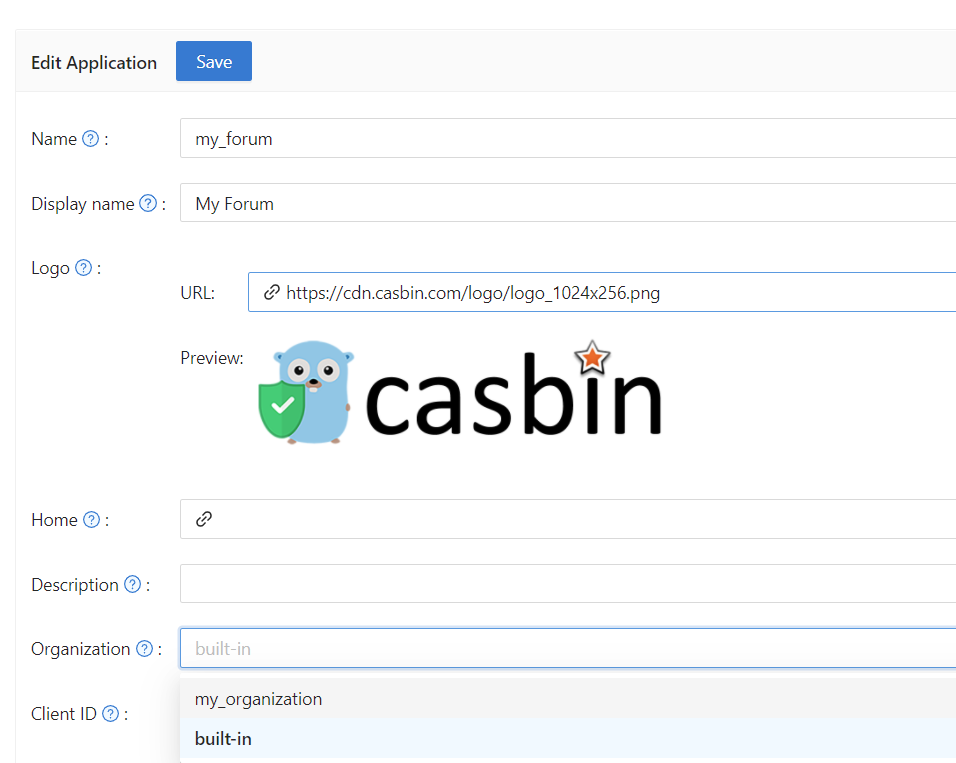
I create my application and fill in the necessary configuration details.
Select the organization I created so that users in this organization can access this application.

Como esta organização é chamada my_organization, eu a escolho no menu suspenso.
A seguir, quero que meus usuários possam usar o Casdoor para autenticação quando se cadastrarem. I fill in the redirect URL here as https://your-site-url.com/callback.
Please note that the callback URL in the provider application should be Casdoor's callback URL, while the Redirect URL in Casdoor should be your website's callback URL.
Entendimento Adicional
Para fazer o processo de autenticação funcionar, os passos detalhados são os seguintes:
- Os usuários enviam uma solicitação ao Casdoor.
- O Casdoor usa o
Client IDe oClient Secretpara se autenticar com o GitHub, Google ou outros provedores. - If the authentication is successful, GitHub calls back to Casdoor to notify it about the successful authentication. Therefore, the GitHub authorization callback URL should be your Casdoor callback URL, which is http://your-casdoor-url.com/callback.
- O Casdoor então informa a aplicação sobre o sucesso da autenticação. Isso significa que a URL de callback do Casdoor deve ser a URL de callback da sua aplicação, que é http://your-site-url.com/callback.
Verification Code Settings
You can configure the Code resend timeout to control how long users must wait before requesting another verification code via email or SMS. Set the value in seconds (default is 60). This setting determines the countdown timer duration shown to users on the login page. A value of 0 will use the global default.
Se você quiser fazer uma configuração mais personalizada dos métodos de login da aplicação, como desativar um determinado método de login ou desligar um determinado método de login, você pode consultar o Métodos de Login