User impersonation
Impersonation lets admins act as another user temporarily—useful for support, testing permissions, and debugging.
Casdoor supports two methods:
- Session-based — One-click from the Users page (no password).
- Master password — Sign in with an org-wide master password as any user.
Both give you the same access as the impersonated user.
Session-based impersonation
Start from the Users page: each row has an Impersonation button. Click it to switch your session to that user; the UI and permissions match theirs.
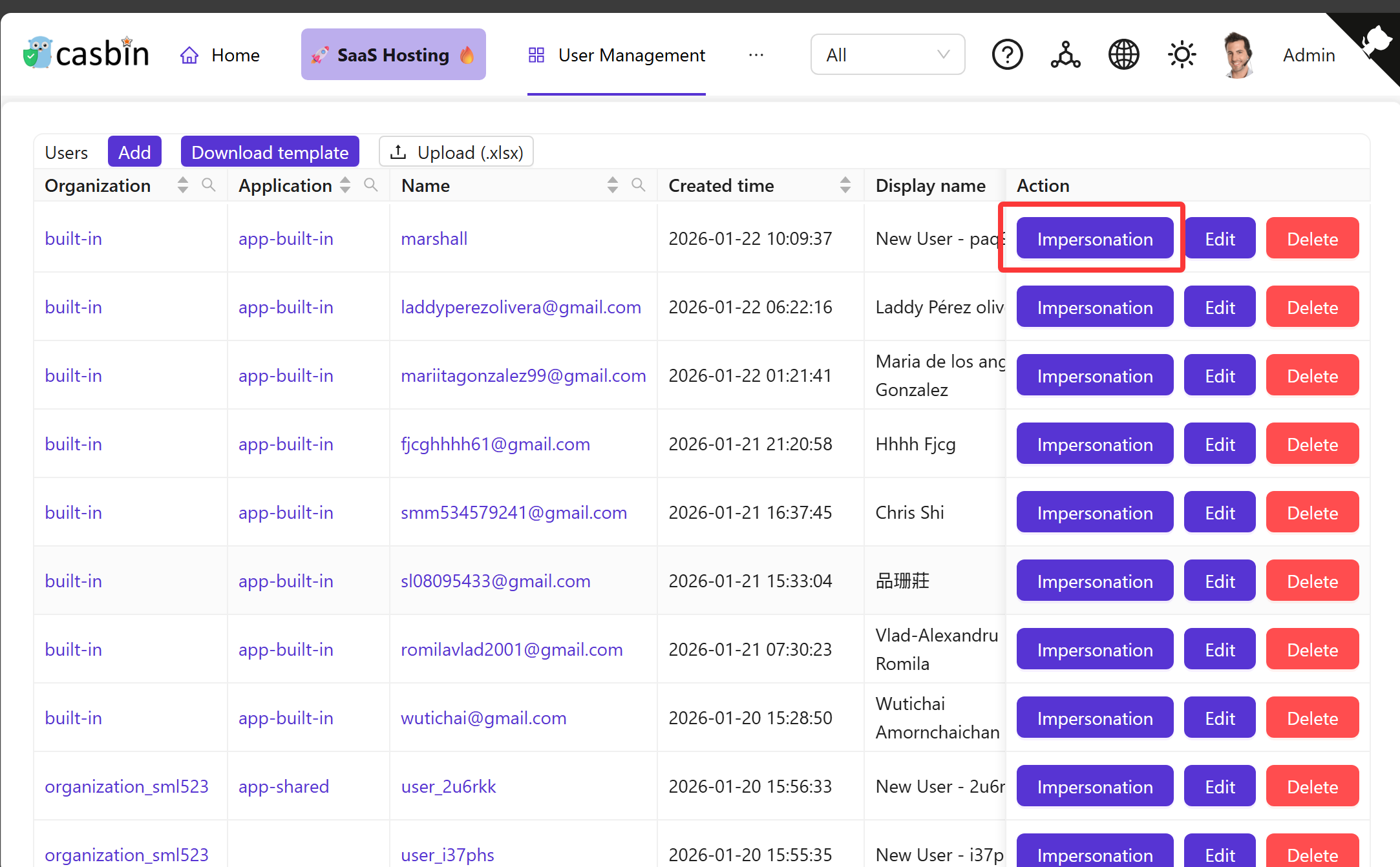
You stay in the impersonated user’s context until you exit. Casdoor tracks that you’re impersonating so it can restore your admin session.
Exiting
Open the user menu (top right). Choose Exit impersonation (instead of Logout) to return to your admin session.
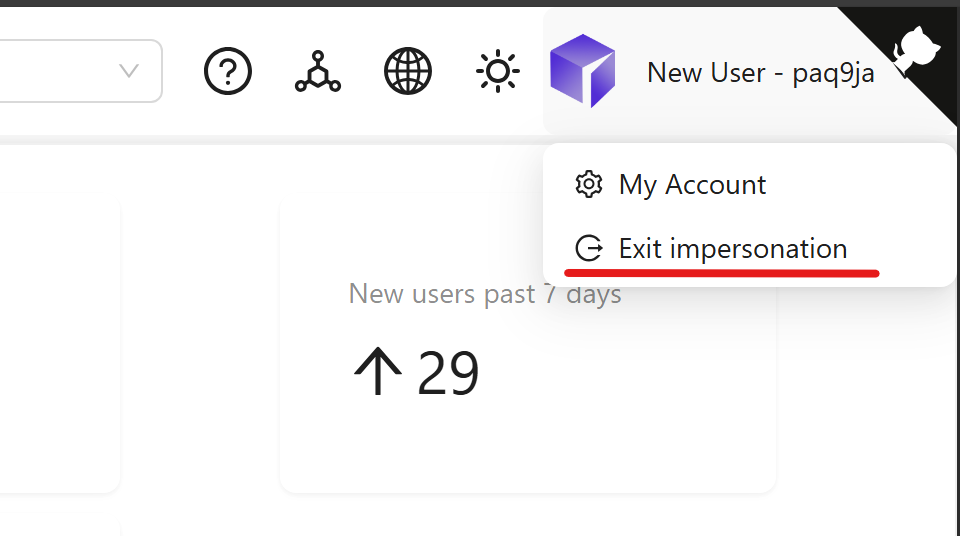
Only administrators can impersonate; normal users do not see the impersonation button.
Master password
Impersonation is also available at login: set an organization master password; admins can then sign in as any user in that org by entering the master password instead of the user’s password.
Behavior
On login, Casdoor checks the organization’s master password first, then the user’s password. If the master password matches, login succeeds for that user without their real password.
Setting up master password
To configure this feature, open your Organization settings and locate the Master Password field. Enter a strong password and save. From then on, use this password at the login screen with any username in that organization to sign in as that user.
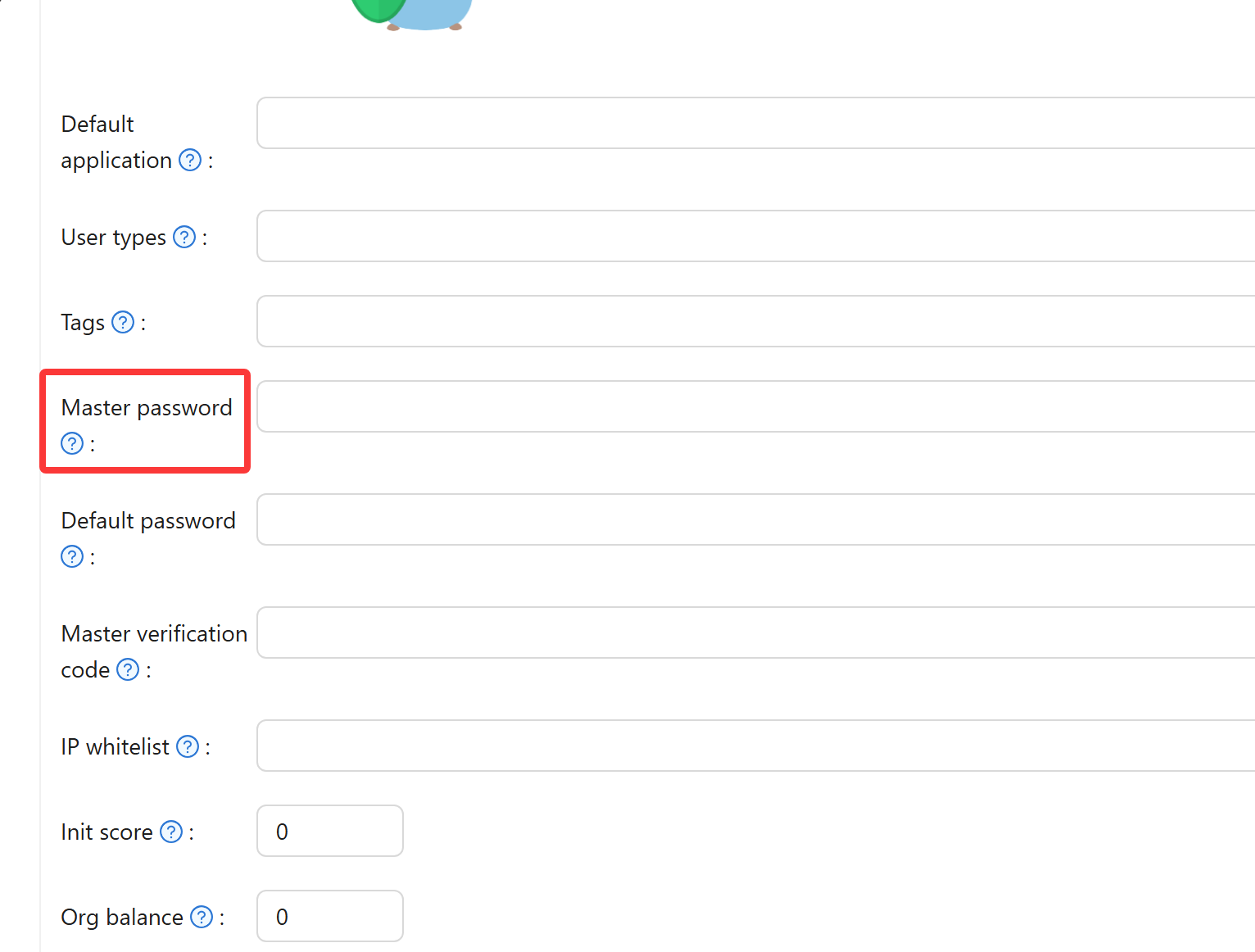
Handle with care
The master password grants access to any account in your organization. Treat it like a master key - share it only with trusted administrators, store it securely in a password manager, and rotate it immediately if you suspect it's been compromised.
Using master password
Navigate to your organization's login page at /login/<organization_name>. Enter the target user's username and the master password instead of their personal password. Casdoor authenticates you as that user, giving you their exact permissions and view of the system.
Example
For an organization called "my-company", visit https://your-casdoor-domain.com/login/my-company, enter the username you want to impersonate, and use the master password.
When to use impersonation
Impersonation becomes valuable when you need to see the system through a user's eyes. Support teams often use it to reproduce reported issues - seeing exactly what the user sees makes debugging much faster. Testing permission configurations also benefits from impersonation, letting you verify access controls work correctly for different roles without creating test accounts.
Emergency situations sometimes require immediate access to a user's data when they're unavailable. Similarly, investigating security concerns or unusual account activity becomes more effective when navigating the system in that user's context.
Security considerations
Session-based impersonation requires admin privileges and creates an audit trail of who impersonated whom. The system tracks these sessions separately from normal logins, maintaining accountability.
Master password authentication doesn't distinguish between administrator impersonation and regular login in basic audit logs, since it uses the standard authentication flow. This makes session-based impersonation preferable for most scenarios.
Both methods respect multi-factor authentication settings. If a user has MFA enabled, you'll need to complete those verification steps even when impersonating.
Disabling master password
To remove the master password option, clear the Master Password field in your Organization settings and save. This only affects password-based impersonation - the session-based method remains available to administrators regardless of master password configuration.
Related configuration
Organizations can set a default password assigned to newly created users, which differs from the master password used for impersonation. Password complexity rules apply to all passwords including the master password, helping maintain security standards across your organization.