Electron app
The casdoor-electron-example shows Casdoor sign-in in an Electron app (custom protocol + browser OAuth).
Run the example
Initialization
Set these 6 string parameters:
| Name | Description | Path |
|---|---|---|
| serverUrl | Your Casdoor server URL | src/App.js |
| clientId | The Client ID of your Casdoor application | src/App.js |
| appName | The name of your Casdoor application | src/App.js |
| redirectPath | The path of the redirect URL for your Casdoor application, will be /callback if not provided | src/App.js |
| clientSecret | The Client Secret of your Casdoor application | src/App.js |
| casdoorServiceDomain | Your Casdoor server URL | public/electron.js |
Defaults: Casdoor demo and app-casnode if not set.
Commands
In the project directory:
npm run dev or yarn dev
Builds the electron app and runs this app.
npm run make or yarn make
Packages and distributes your application. It will create the out folder where your package will be located:
// Example for macOS out/
├── out/make/zip/darwin/x64/casdoor-electron-example-darwin-x64-1.0.0.zip
├── ...
└── out/casdoor-electron-example-darwin-x64/casdoor-electron-example.app/Contents/MacOS/casdoor-electron-example
Preview
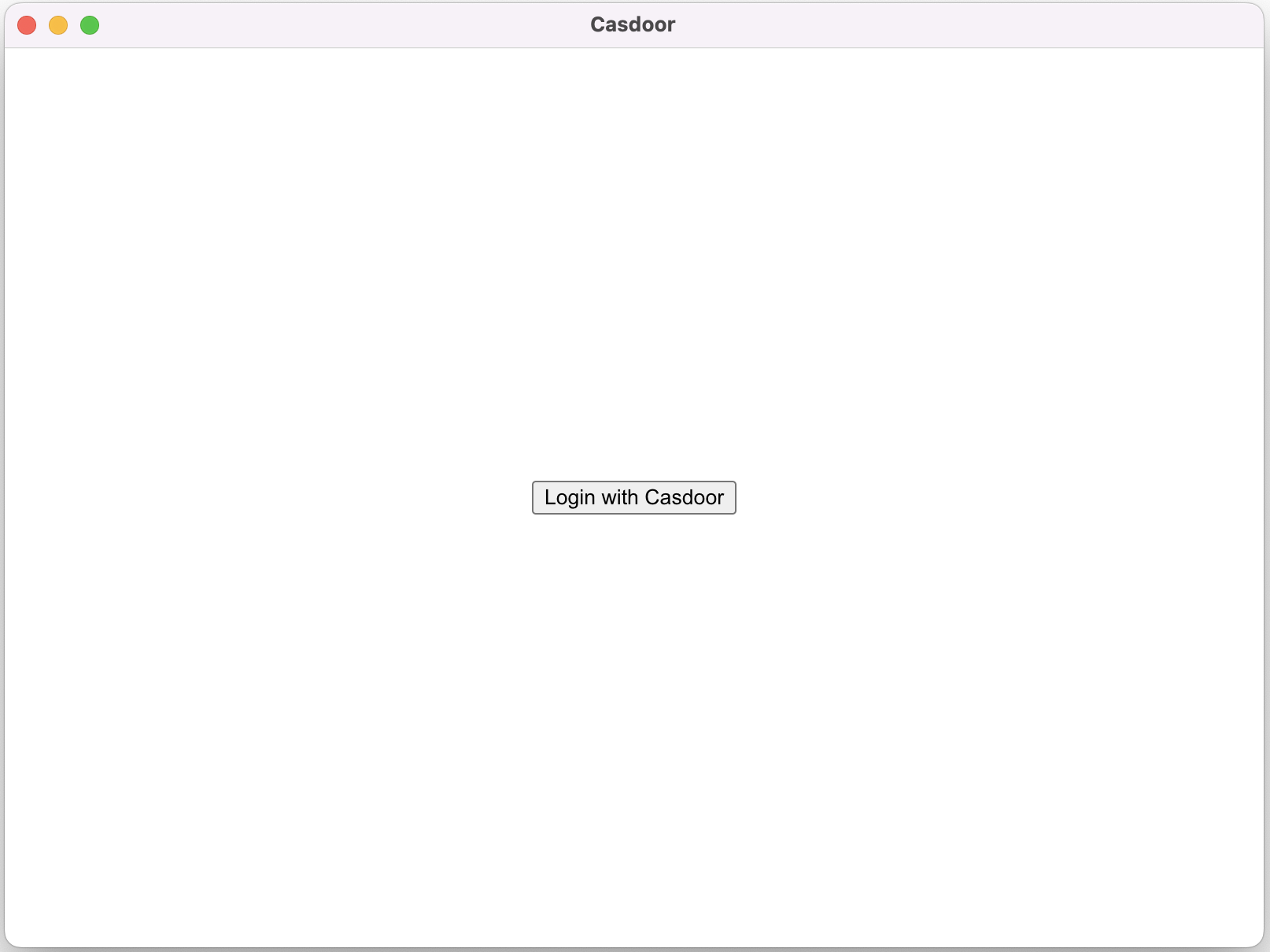
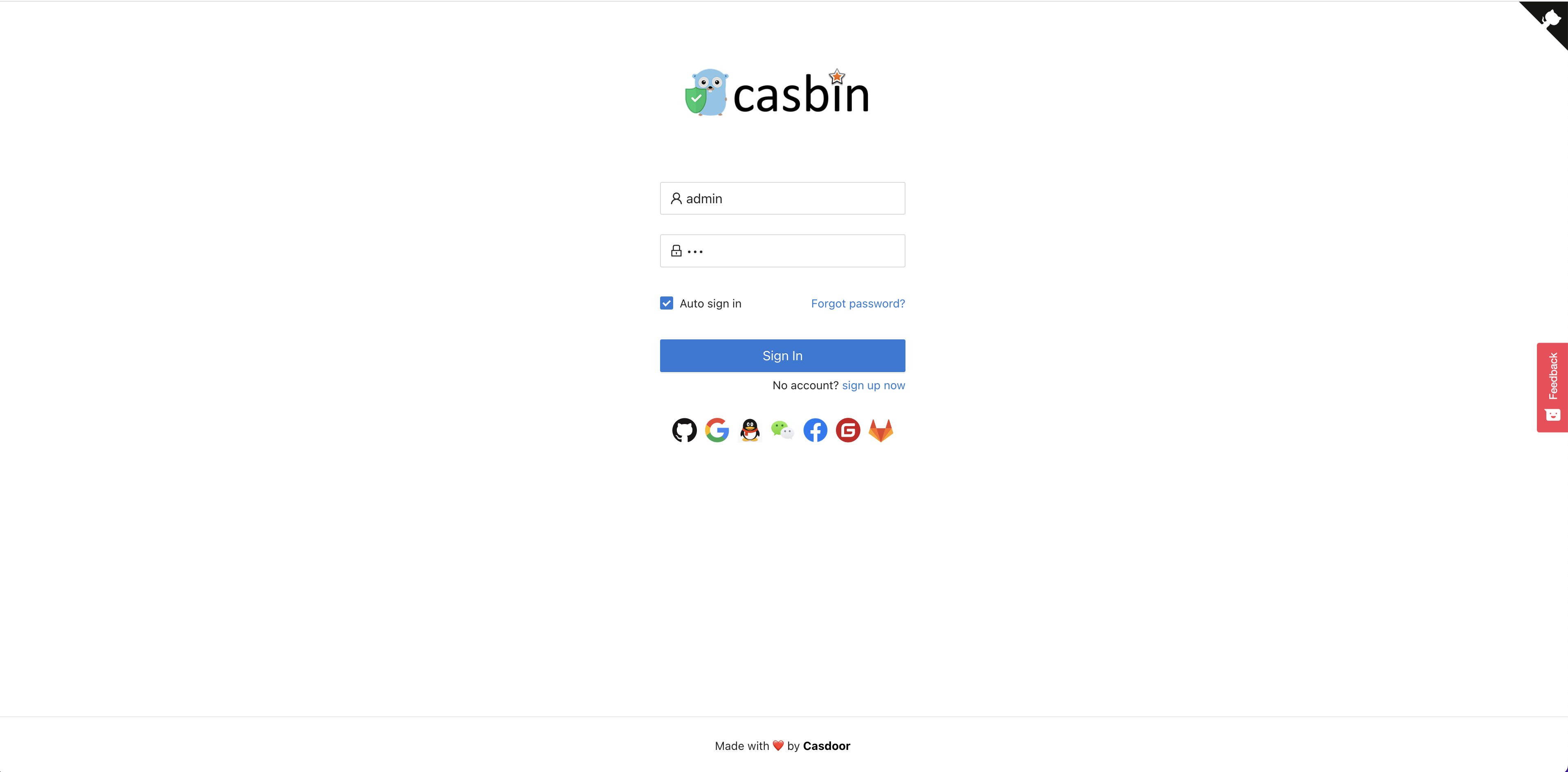
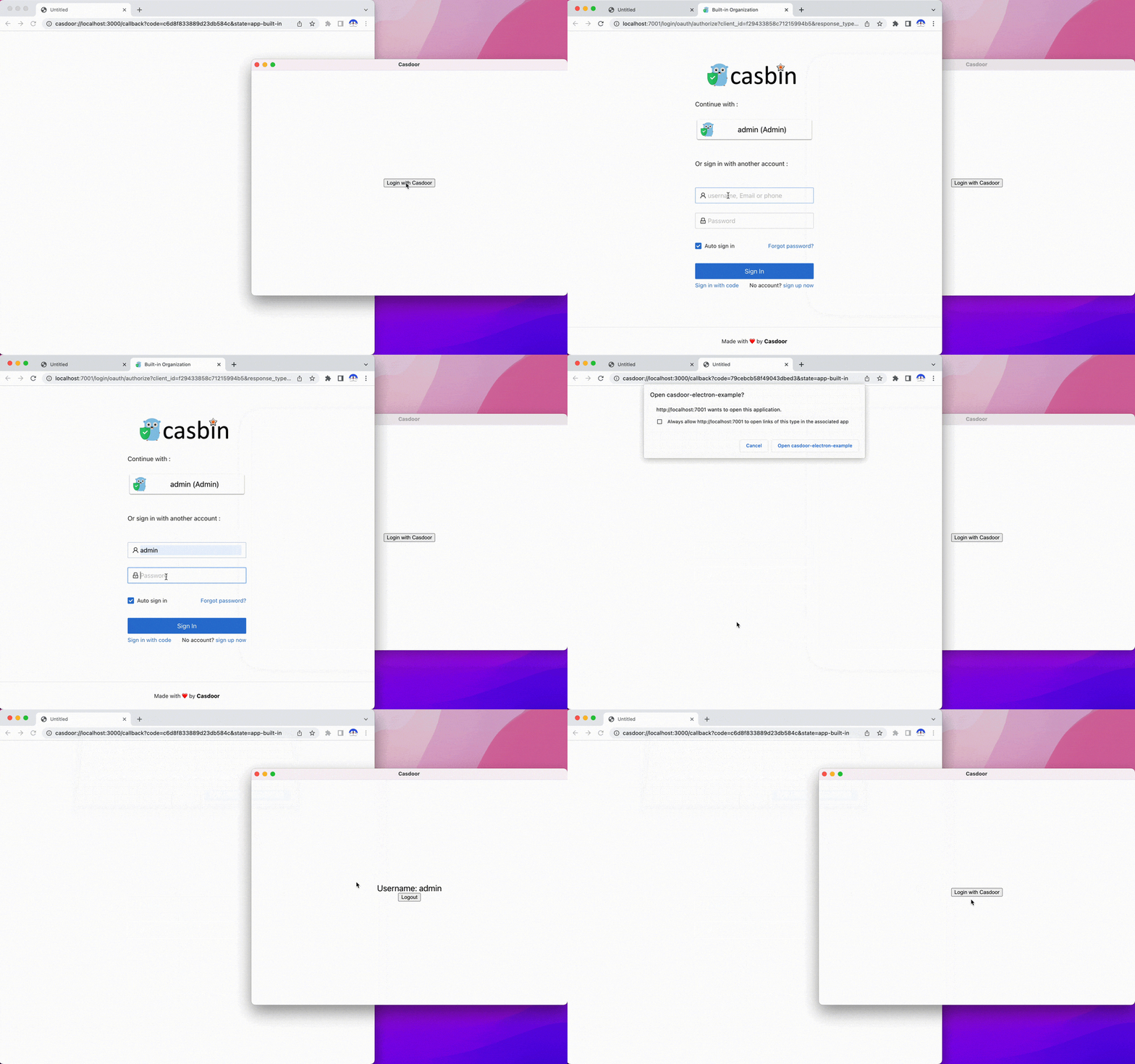
Running the app opens a window. Click Login with Casdoor to open the Casdoor login page in your browser.
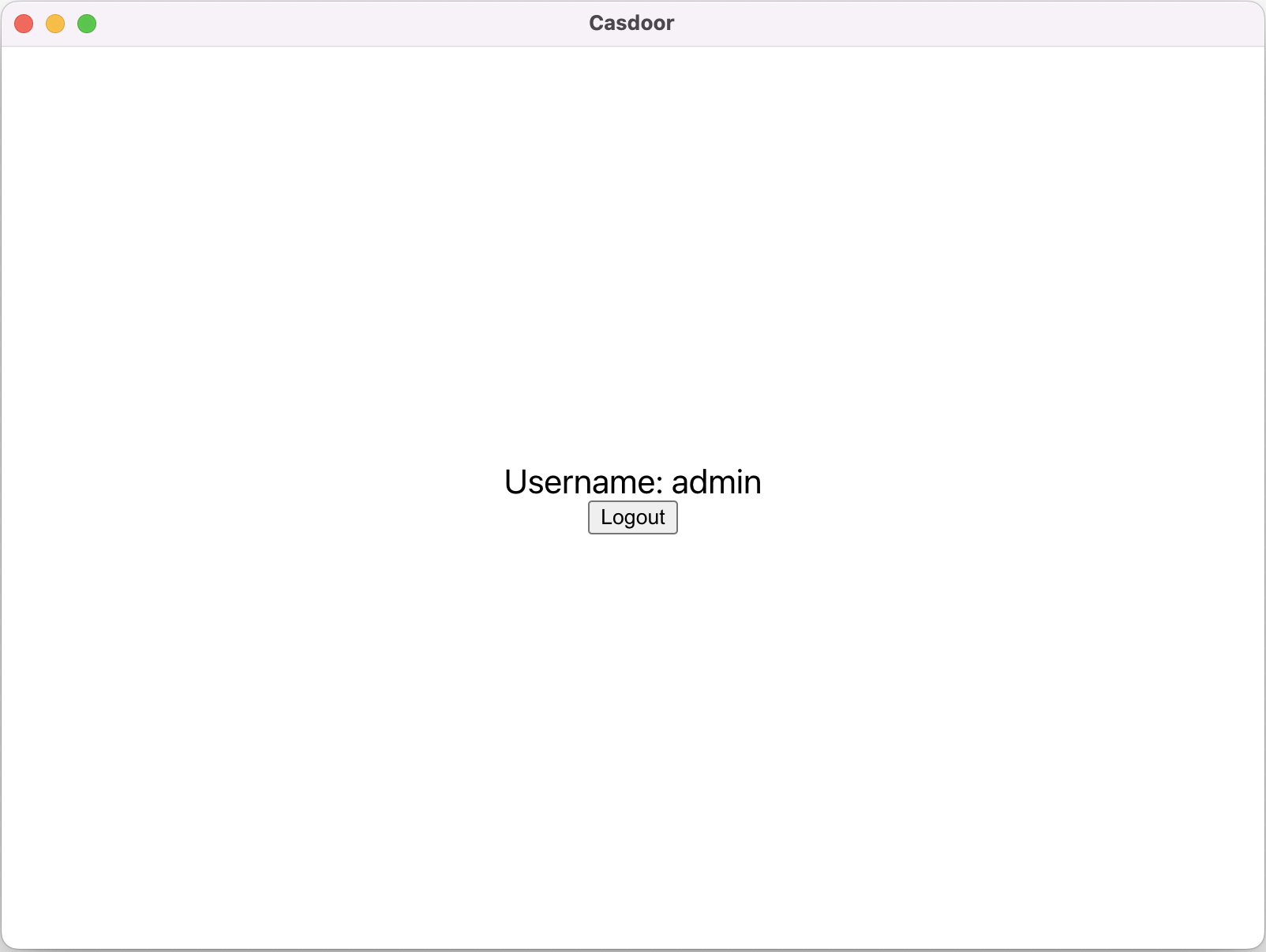
After sign-in, the app opens and shows your username.
Integration steps
1. Set the custom protocol
Register the casdoor custom protocol:
const protocol = "casdoor";

if (process.defaultApp) {
  if (process.argv.length >= 2) {
    app.setAsDefaultProtocolClient(protocol, process.execPath, [
      path.resolve(process.argv[1]),
    ]);
  }
} else {
  app.setAsDefaultProtocolClient(protocol);
}
The browser can then open your app and pass the auth code via the protocol.
2. Open the login URL in the browser
const serverUrl = "https://door.casdoor.com";
const appName = "app-casnode";
const redirectPath = "/callback";
const clientId = "014ae4bd048734ca2dea";
const clientSecret = "f26a4115725867b7bb7b668c81e1f8f7fae1544d";

const redirectUrl = "casdoor://localhost:3000" + redirectPath;

const signinUrl = `${serverUrl}/login/oauth/authorize?client_id=${clientId}&response_type=code&redirect_uri=${encodeURIComponent(redirectUrl)}&scope=profile&state=${appName}&noRedirect=true`;

shell.openExternal(signinUrl); //Open the login url in the browser
Adjust the first five variables for your Casdoor instance.
3. Listen for the app being opened
After sign-in in the browser, the browser opens your app via the custom protocol. Listen for that event:
const gotTheLock = app.requestSingleInstanceLock();
const ProtocolRegExp = new RegExp(`^${protocol}://`);

if (!gotTheLock) {
  app.quit();
} else {
  app.on("second-instance", (event, commandLine, workingDirectory) => {
    if (mainWindow) {
      if (mainWindow.isMinimized()) mainWindow.restore();
      mainWindow.focus();
      commandLine.forEach((str) => {
        if (ProtocolRegExp.test(str)) {
          const params = url.parse(str, true).query;
          if (params && params.code) {
            store.set("casdoor_code", params.code);
            mainWindow.webContents.send("receiveCode", params.code);
          }
        }
      });
    }
  });
  app.whenReady().then(createWindow);

  app.on("open-url", (event, openUrl) => {
    const isProtocol = ProtocolRegExp.test(openUrl);
    if (isProtocol) {
      const params = url.parse(openUrl, true).query;
      if (params && params.code) {
        store.set("casdoor_code", params.code);
        mainWindow.webContents.send("receiveCode", params.code);
      }
    }
  });
}
The auth code is in casdoor_code or params.code.
4. Exchange the code for user info
async function getUserInfo(clientId, clientSecret, code) {
  const { data } = await axios({
    method: "post",
    url: authCodeUrl,
    headers: {
      "content-type": "application/json",
    },
    data: JSON.stringify({
      grant_type: "authorization_code",
      client_id: clientId,
      client_secret: clientSecret,
      code: code,
    }),
  });
  const resp = await axios({
    method: "get",
    url: `${getUserInfoUrl}?accessToken=${data.access_token}`,
  });
  return resp.data;
}

ipcMain.handle("getUserInfo", async (event, clientId, clientSecret) => {
  const code = store.get("casdoor_code");
  const userInfo = await getUserInfo(clientId, clientSecret, code);
  store.set("userInfo", userInfo);
  return userInfo;
});
See OAuth for the full flow.