Shared Application
Introduction
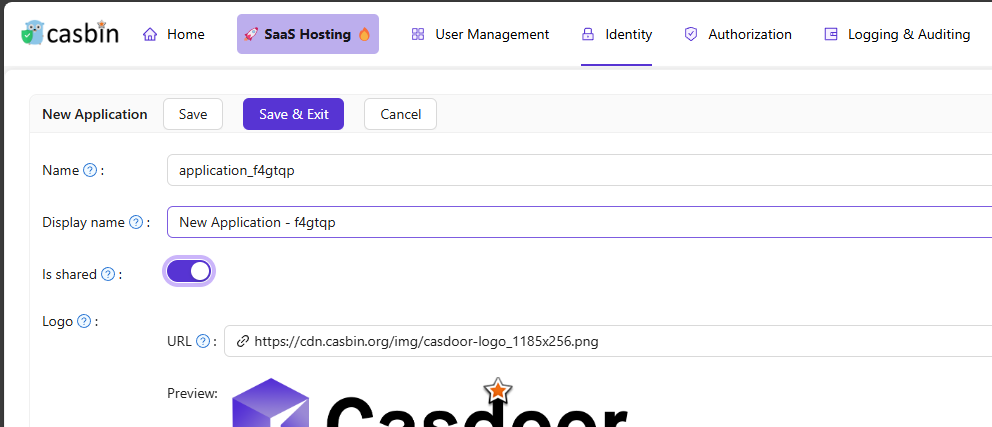
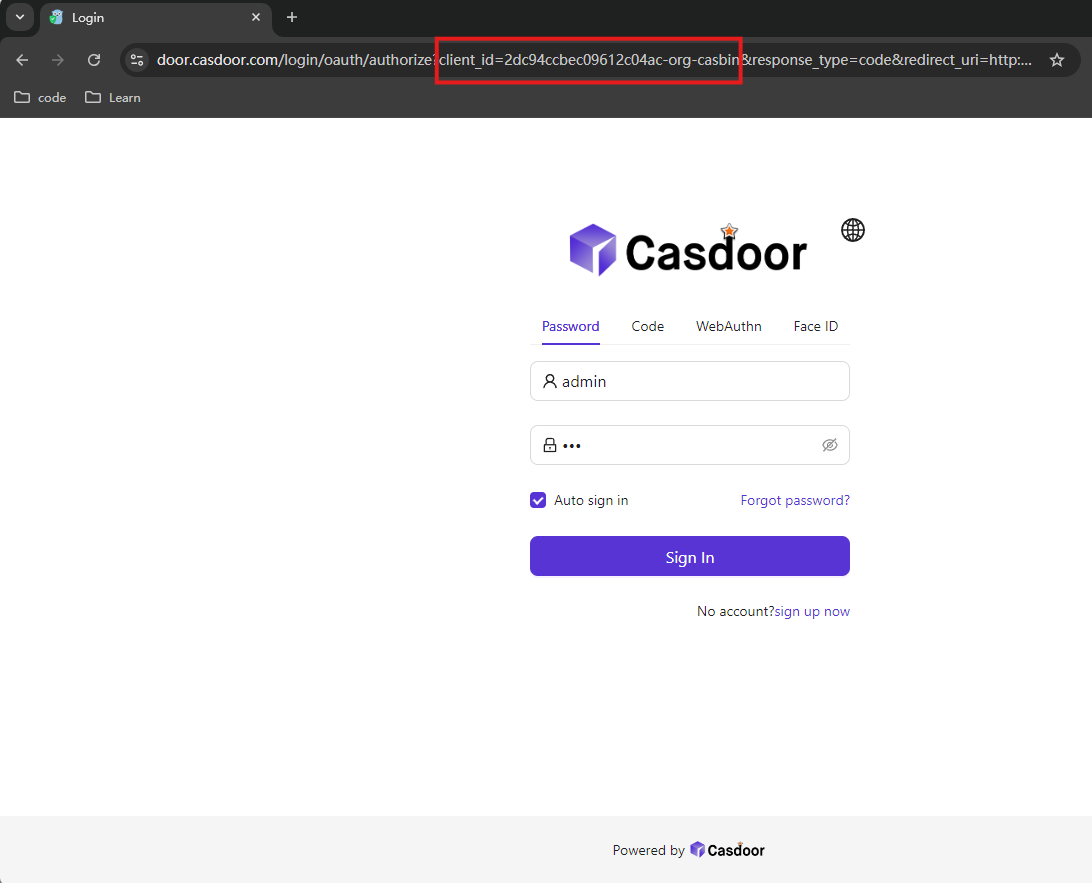
If you want to create an application that can be shared with other organizations, you can enable Is Shared field in application(for safety reasons, only built-in organization can create shared application). To specify the organization, you should add -org- and organization name after clientId / application name. For example, the clientId of application is 2dc94ccbec09612c04ac, your organization name is casbin, the clientId for your organization is 2dc94ccbec09612c04ac-org-casbin and the login url for oauth is https://door.casdoor.com/login/oauth/authorize?client_id=2dc94ccbec09612c04ac-org-casbin&response_type=code&redirect_uri=http://localhost:9000&scope=read&state=casdoor.
Configuration
- First create a new application.
- Enable Is Shared field.
- add
-org-to split organization and clientId / application name.
Using Invitations with Shared Applications
When sending invitations using a shared application, Casdoor automatically generates the correct organization-specific invitation links. The system appends the -org-{orgName} suffix to ensure users can successfully register through the invitation, even when the application is shared across multiple organizations.
Once you shared an application, it can be used by all organizations, and cannot be disabled for a particular organization.
Here is a demo video that shows how to use shared application: