Shared application
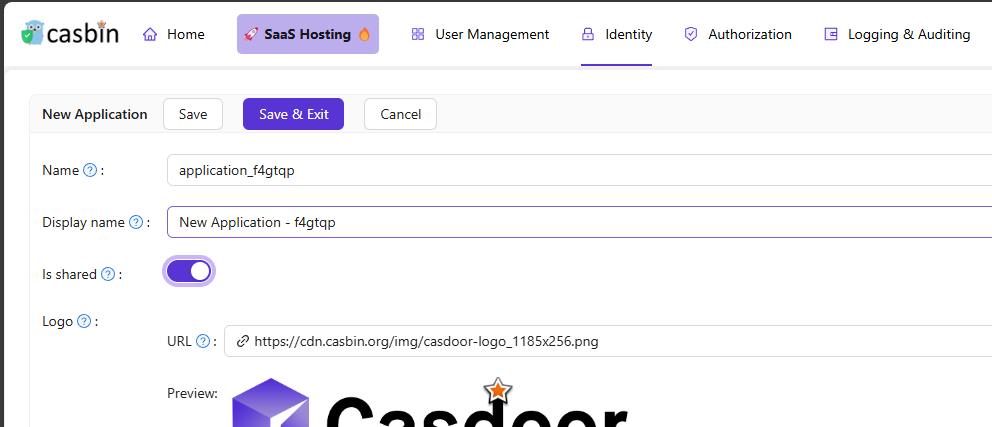
A shared application can be used by multiple organizations. Only the built-in organization can create shared applications. Each organization uses the same application with an org-specific identifier: append -org-<organizationName> to the client ID or application name.
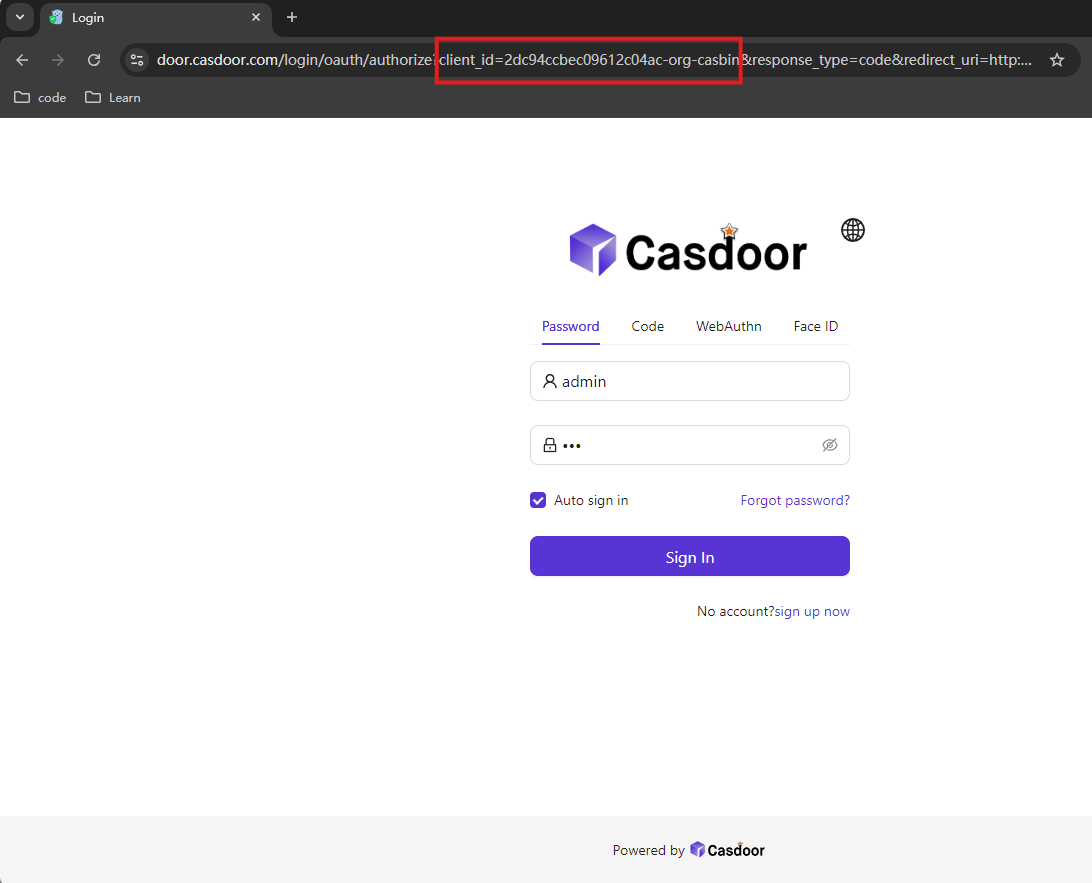
Example: application client ID 2dc94ccbec09612c04ac, organization casbin → use client ID 2dc94ccbec09612c04ac-org-casbin. OAuth authorize URL: https://door.casdoor.com/login/oauth/authorize?client_id=2dc94ccbec09612c04ac-org-casbin&response_type=code&redirect_uri=...&scope=read&state=casdoor.
Configuration
- Create the application.
- Enable Is Shared.
- Use
-org-<orgName>when referring to the app (e.g. in client_id or login URLs).
Invitations
For invitations with a shared application, Casdoor generates organization-specific links with the -org-{orgName} suffix so users register in the correct organization.
Once an application is shared, it is available to all organizations and cannot be restricted to a subset.
Here is a demo video that shows how to use shared application: