Overview
Providers in Casdoor are connectors to third-party services. This section describes the provider types and how to add and use them.
Provider types
Casdoor supports the following provider types:
| Type | Purpose |
|---|---|
| OAuth | Sign-in via external identity providers (e.g. GitHub, Google, QQ). See OAuth. |
| SMS | Send SMS verification codes for phone number verification. |
| Send email (e.g. verification codes, notifications). | |
| Storage | Store files on the local filesystem or cloud object storage (e.g. S3, OSS). |
| Payment | Accept payments (e.g. Alipay, WeChat Pay, PayPal). Used for products and subscriptions. |
| Captcha | Protect sign-in and sign-up with captcha (Default, reCAPTCHA, hCaptcha, Cloudflare Turnstile, Alibaba Cloud, etc.). |
| Identity verification | Verify user identity via third-party services (e.g. Jumio) using ID documents. |
| MFA | Second-factor authentication (e.g. RADIUS) for multi-factor authentication. |
Scope and permissions
Only administrators can add and configure providers. Visibility of providers depends on who created them:
- Global administrators: Users in the
built-inorganization or withIsGlobalAdminenabled. Providers they create can be used by all applications. - Organization administrators: Users with
IsAdminenabled. Providers they create can be used only by applications in the same organization (behavior may evolve in future releases).
Adding a provider to an application
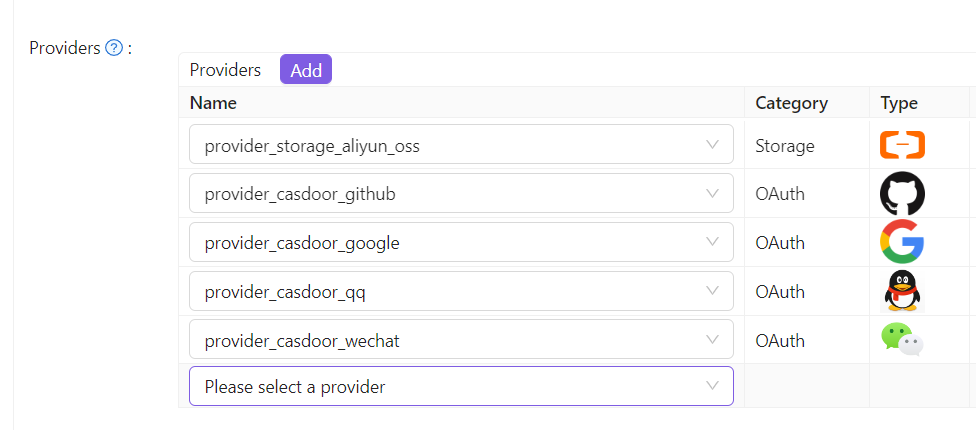
A provider must be added to an application before it can be used. Steps:
-
Open the application edit page and add a new provider row.
-
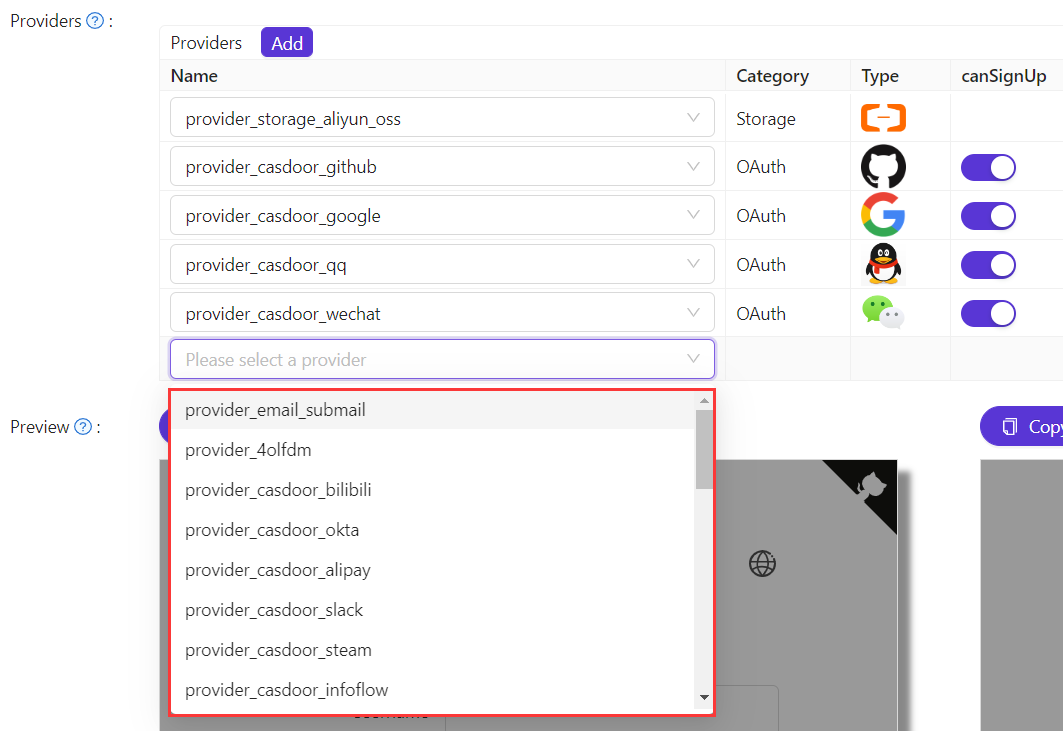
Choose the provider to attach. The list shows all providers available to that application.
-
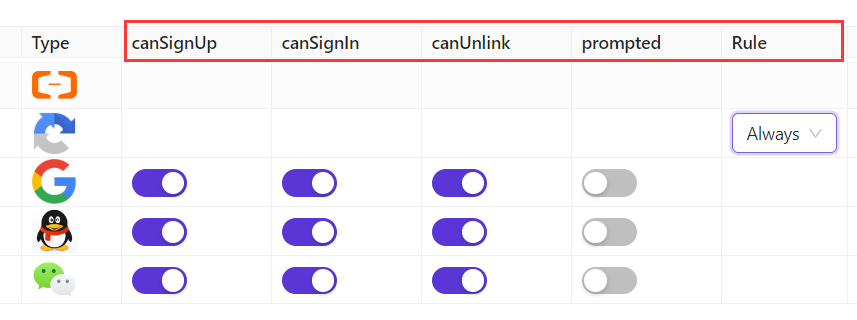
For OAuth and Captcha providers, further configure how they are used. See OAuth and Captcha.
-
Save the application. The provider is now available for that application.