애플리케이션 설정
After you deploy Casdoor on your server and set up your organization, you can now configure your applications!
Let's see how to configure your application's authentication using Casdoor.
:::노트
예를 들어, 저는 Casnode를 사용하여 내 포럼을 설정하고 싶습니다.
:::
I create my application and fill in the necessary configuration details.
Select the organization I created so that users in this organization can access this application.

이 조직의 이름이 my_organization이므로, 드롭다운 메뉴에서 이를 선택합니다.
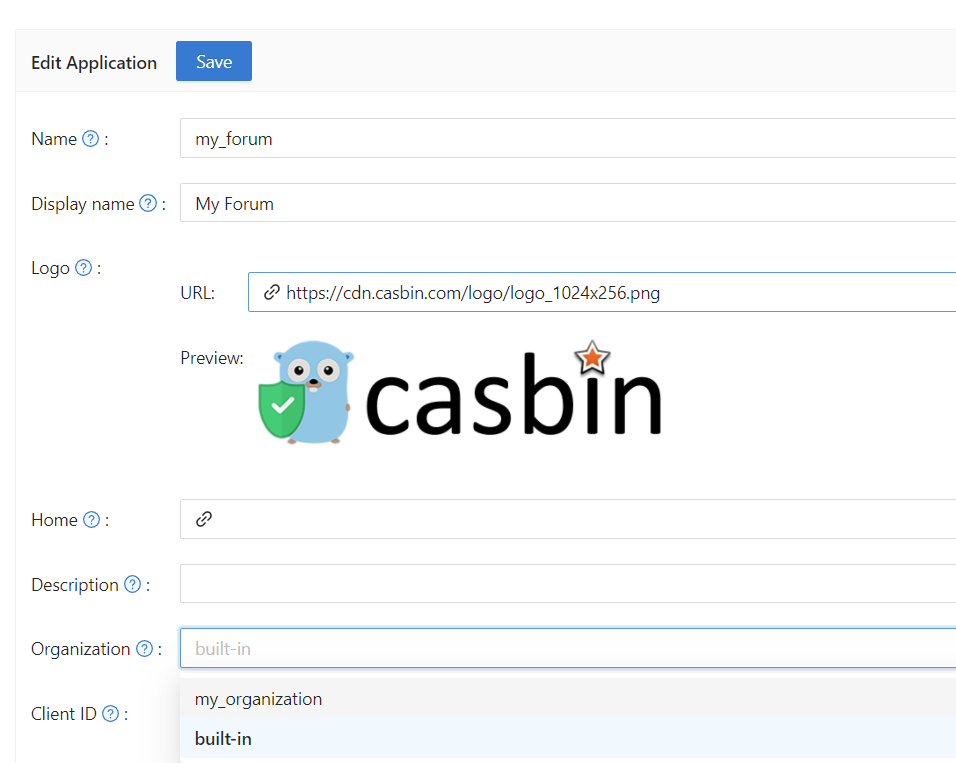
다음으로, 사용자가 가입할 때 Casdoor를 인증에 사용할 수 있도록 하고 싶습니다. I fill in the redirect URL here as https://your-site-url.com/callback.
:::주의
Please note that the callback URL in the provider application should be Casdoor's callback URL, while the Redirect URL in Casdoor should be your website's callback URL.
더 깊은 이해
인증 과정을 작동시키기 위해, 자세한 단계는 다음과 같습니다:
- 사용자는 Casdoor에 요청을 보냅니다.
- Casdoor는
Client ID와Client Secret을 사용하여 GitHub, Google 또는 다른 제공자와 인증합니다. - If the authentication is successful, GitHub calls back to Casdoor to notify it about the successful authentication. Therefore, the GitHub authorization callback URL should be your Casdoor callback URL, which is http://your-casdoor-url.com/callback.
- 그런 다음 Casdoor는 애플리케이션에 인증 성공에 대해 알립니다. 이는 Casdoor 콜백 URL이 귀하의 애플리케이션의 콜백 URL이어야 함을 의미합니다. 이는 http://your-site-url.com/callback입니다.
:::
Verification Code Settings
You can configure the Code resend timeout to control how long users must wait before requesting another verification code via email or SMS. Set the value in seconds (default is 60). This setting determines the countdown timer duration shown to users on the login page. A value of 0 will use the global default.
특정 로그인 방법을 비활성화하거나 특정 로그인 방법을 끄는 등 애플리케이션의 로그인 방법에 대해 더 개인화된 구성을 하고 싶다면, Signin Methods를 참조하십시오.