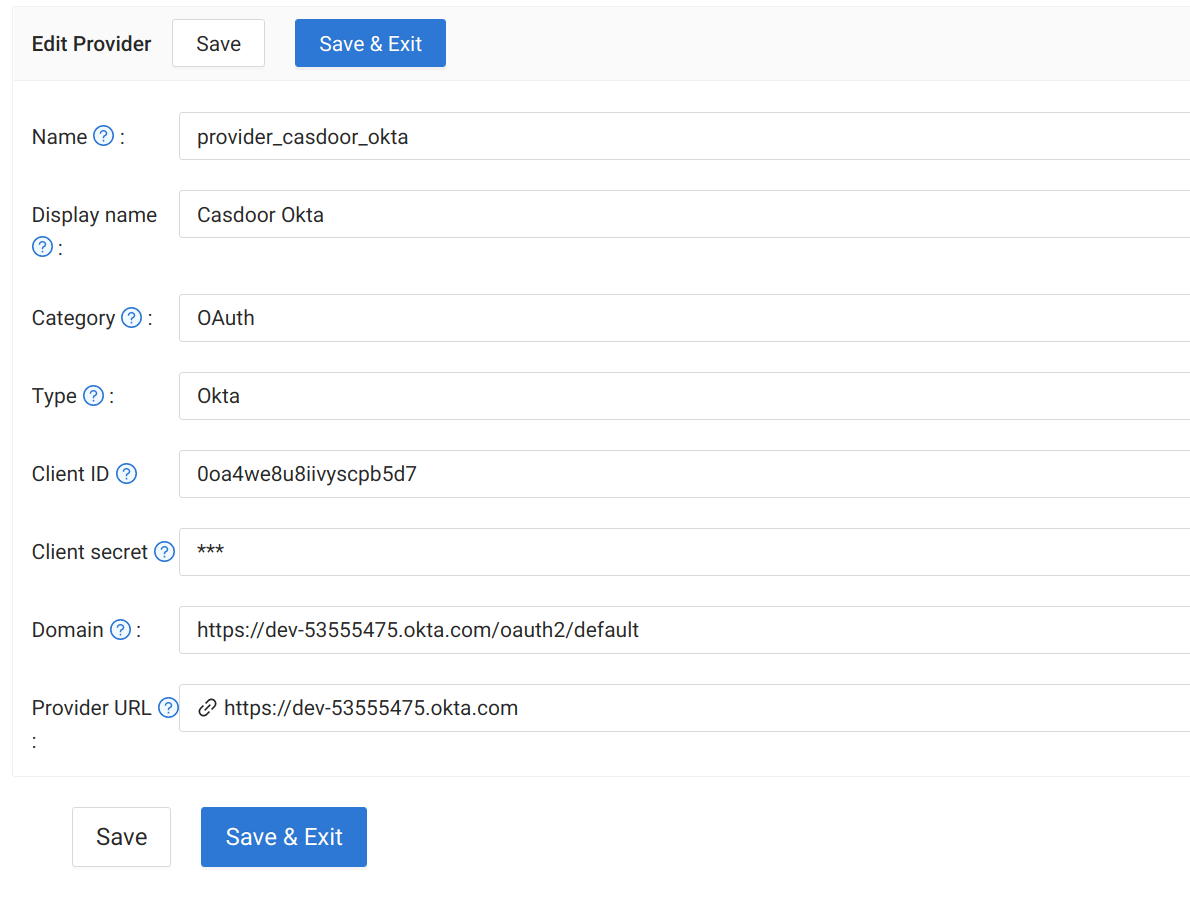
Okta OAuth
- Sign up at Okta Developer.
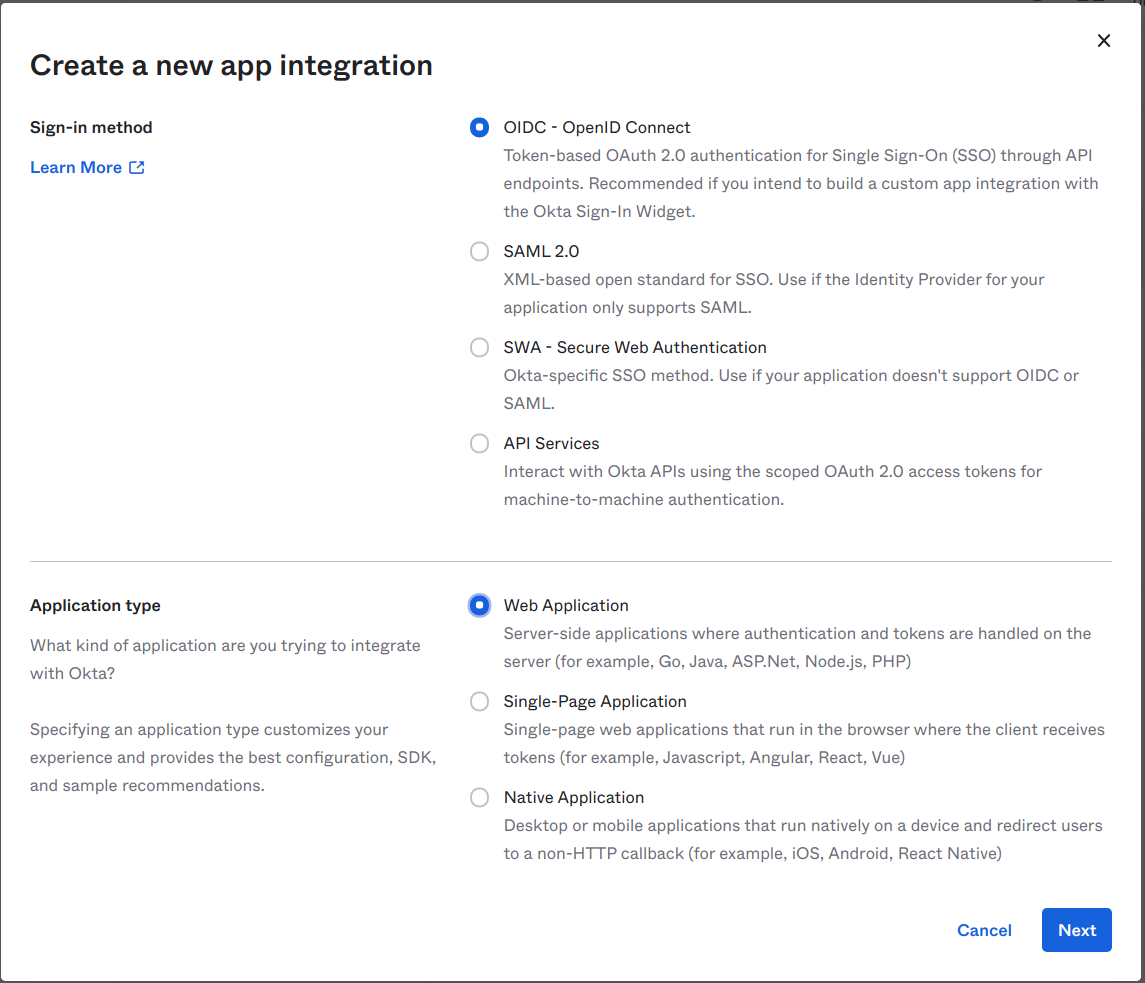
- Applications → Applications → Create App Integration. Choose OIDC - OpenID Connect, Web Application, then Next.
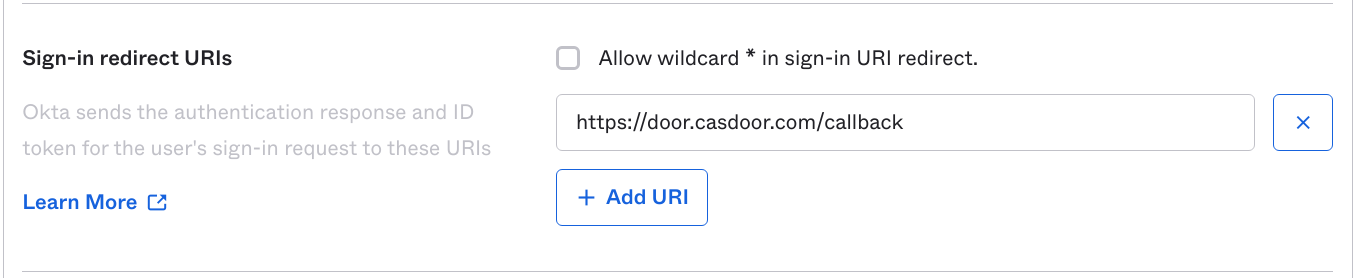
- Set Sign-in redirect URIs to your Casdoor callback URL (e.g.
https://door.casdoor.com/callback). In Assignments set Controlled access, then Save. - Copy Client ID, Client secret, and Okta domain from the app.
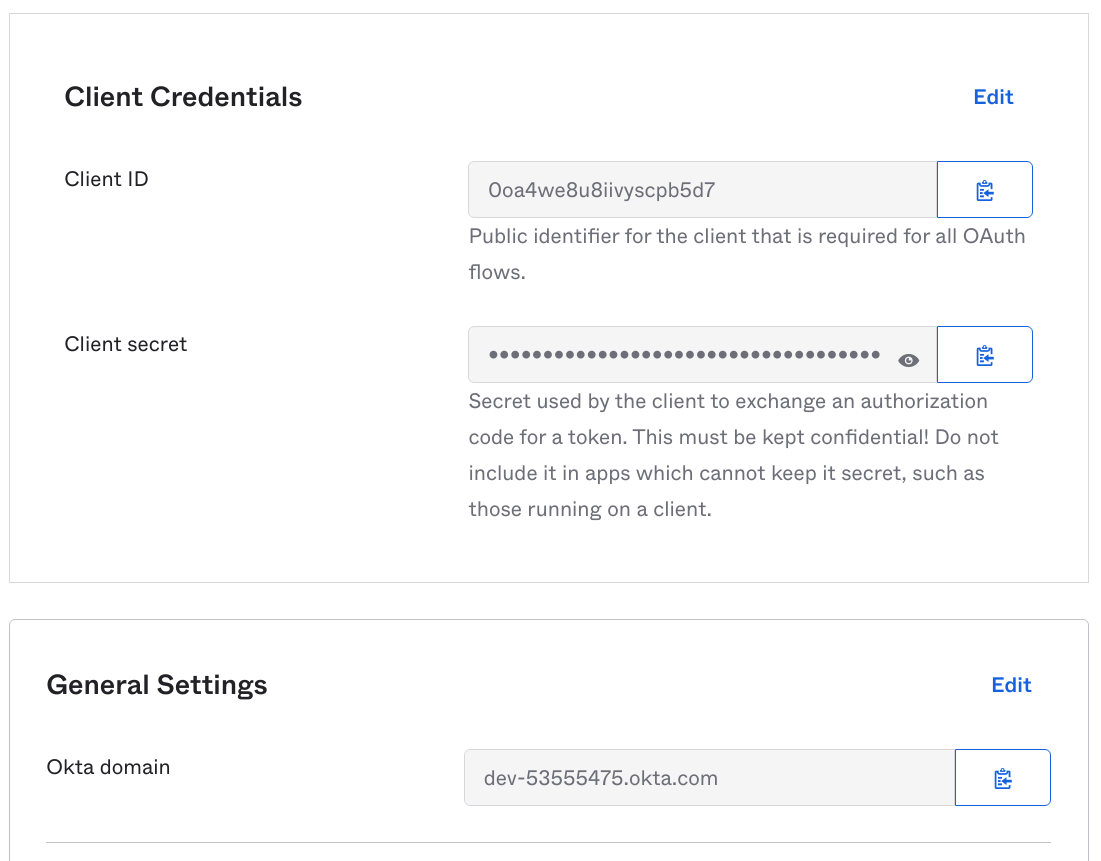
In Casdoor add an OAuth provider, set Type to Okta, and enter Client ID, Client secret, and Domain. Domain must include the auth server path: use https://<okta-domain>/oauth2/default (not just the Okta domain). See Okta authorization servers.