ShardingSphere
shardingsphere-elasticjob-ui includes Casdoor; configure it as below.
Schritt 1: Casdoor bereitstellen
Deploy Casdoor. See Server installation. Ensure the server is running and you can sign in at the Casdoor login page (e.g. admin / 123).
Schritt 2: Casdoor-Anwendung konfigurieren und Anwendung in ShardingSphere konfigurieren
-
Create or use an existing Casdoor application
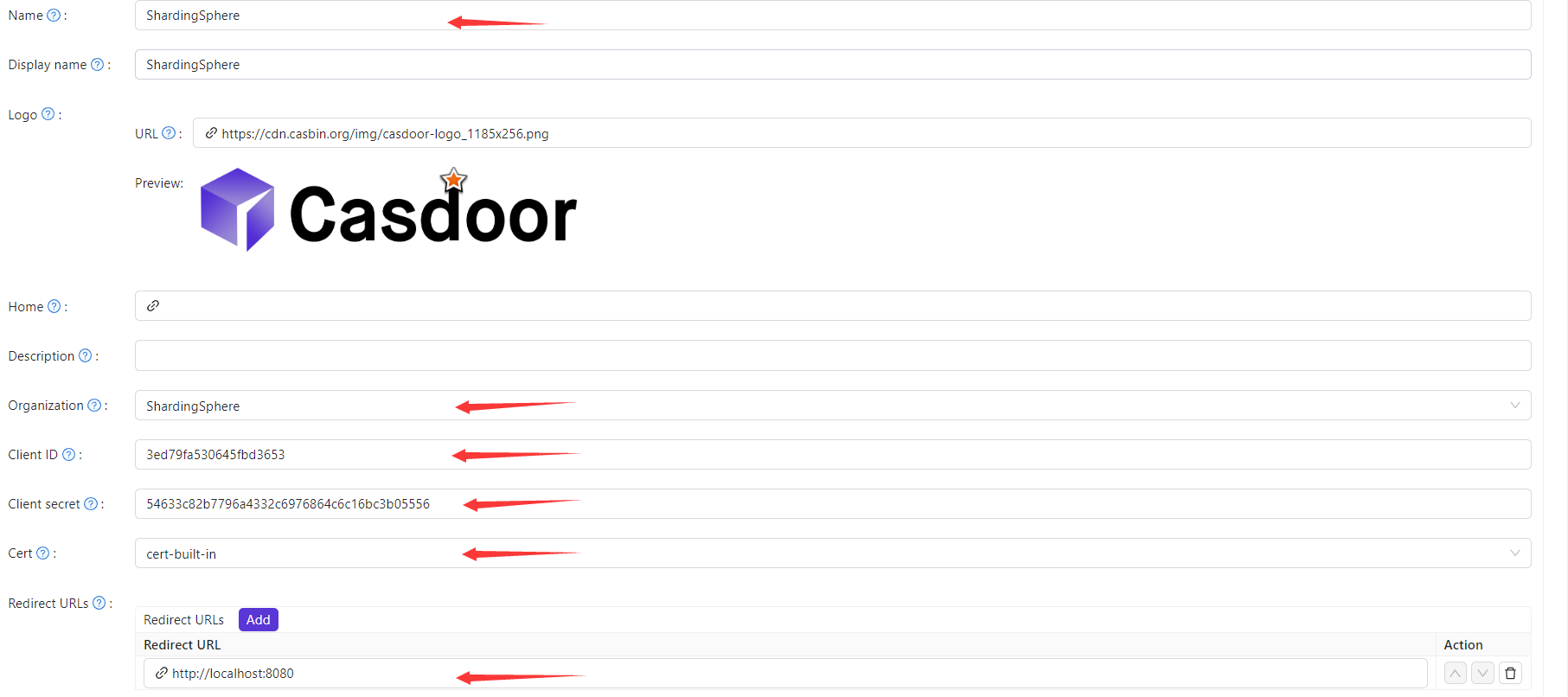 Set Redirect URLs to where your app should redirect after login; note the chosen values for the next step.
 -
On the certificate editing page, copy your
Certificate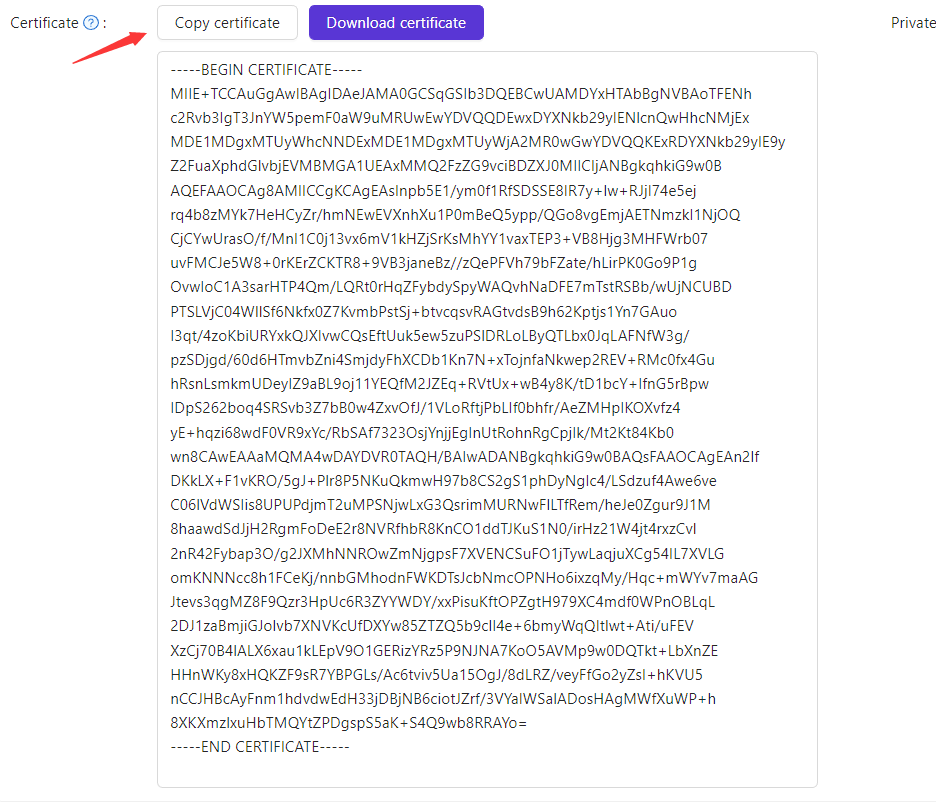
-
Auf der Zertifikatsbearbeitungsseite können Sie Ihr
ZertifikatsehenLocate the
application.properties(or equivalent) to configure.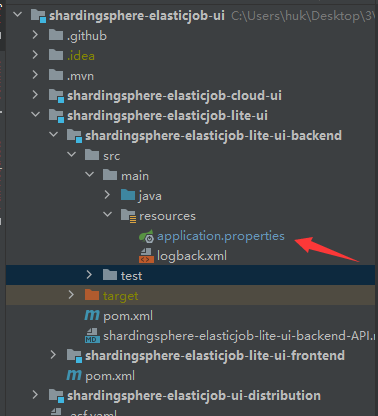
Zuerst müssen wir die application.properties finden, die wir konfigurieren müssen.
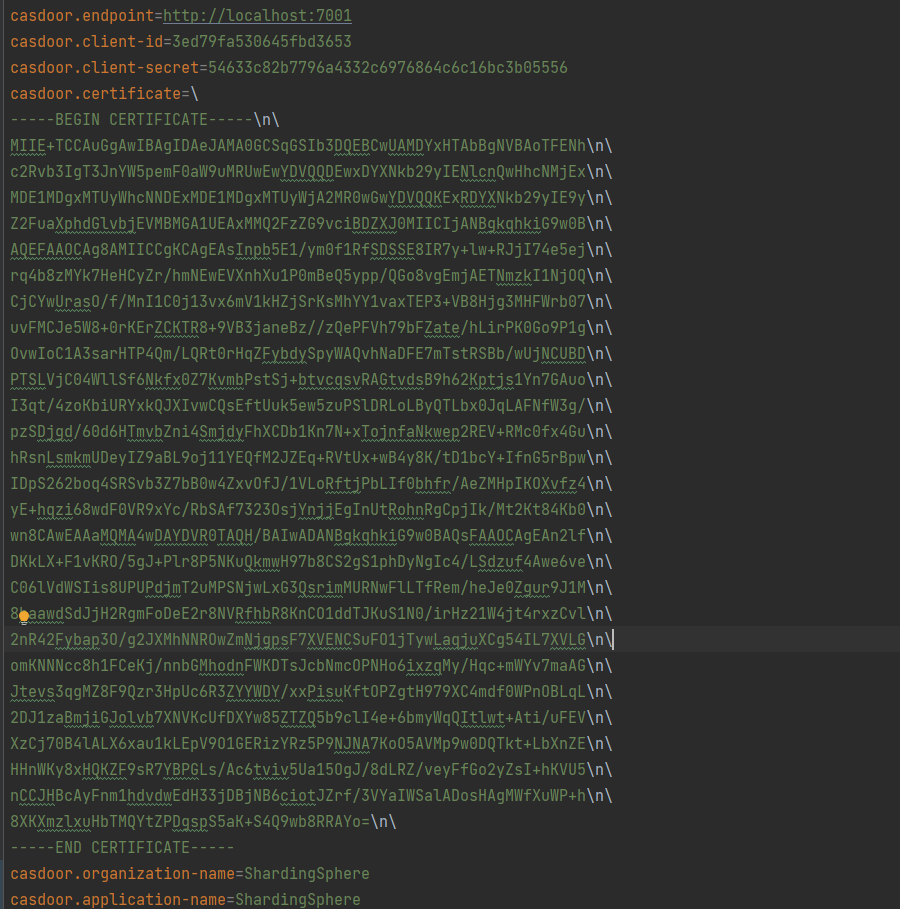
-
Als Nächstes müssen wir die Daten aus der Casdoor-Anwendung kopieren und in die Anwendung einfügen.