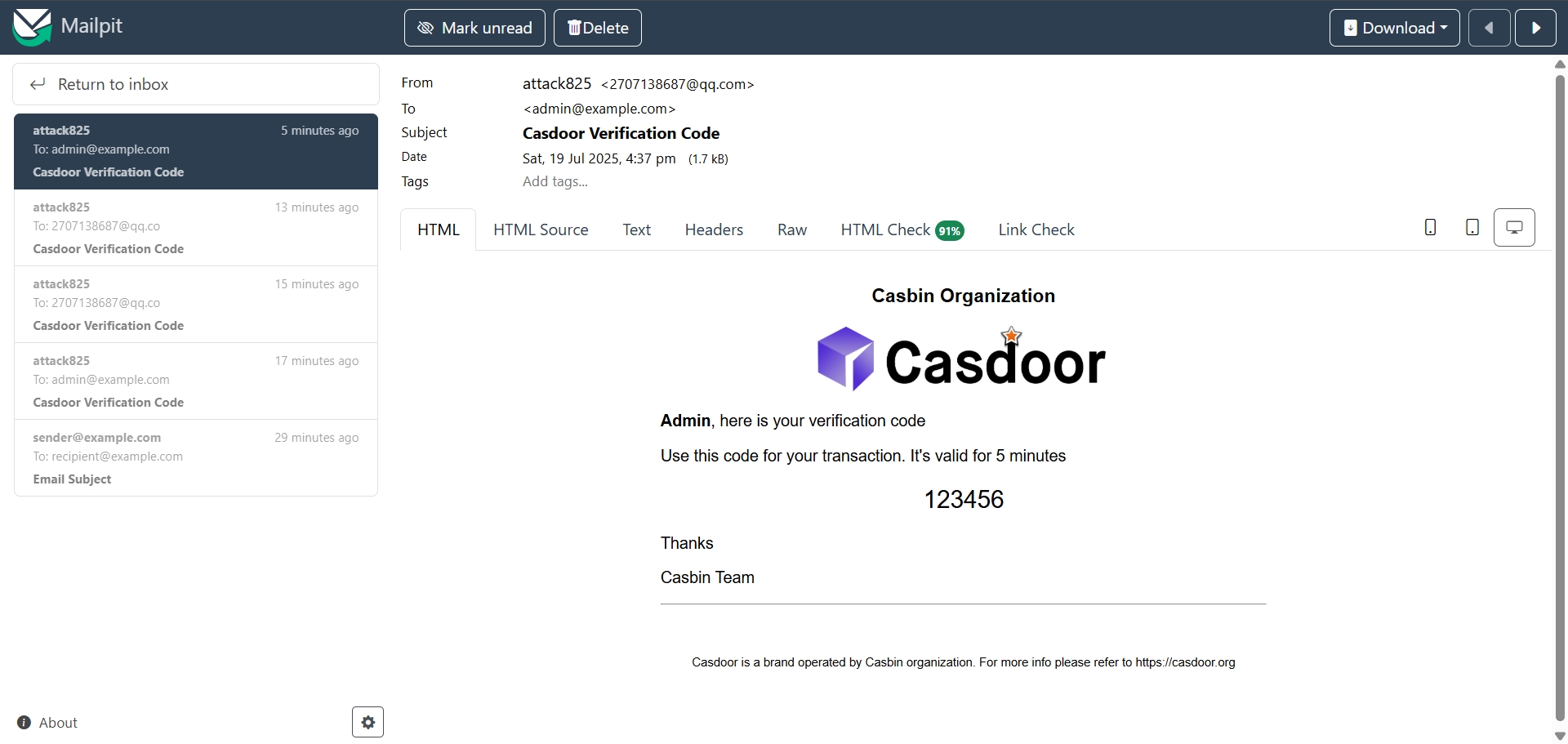
Mailpit email
Mailpit is a test SMTP server that catches outgoing mail. By default it listens on 127.0.0.1:1025 with no TLS or auth.
1. Run Mailpit
Start the Mailpit service so the SMTP server is available at 127.0.0.1:1025 (or your configured host/port).

2. Create the email provider in Casdoor
Providers → Add. Set Category to Email, Type to the appropriate SMTP option. Set Host and Port to match Mailpit (e.g. 127.0.0.1, 1025). Leave Username and Password empty if Mailpit has no auth. Save.
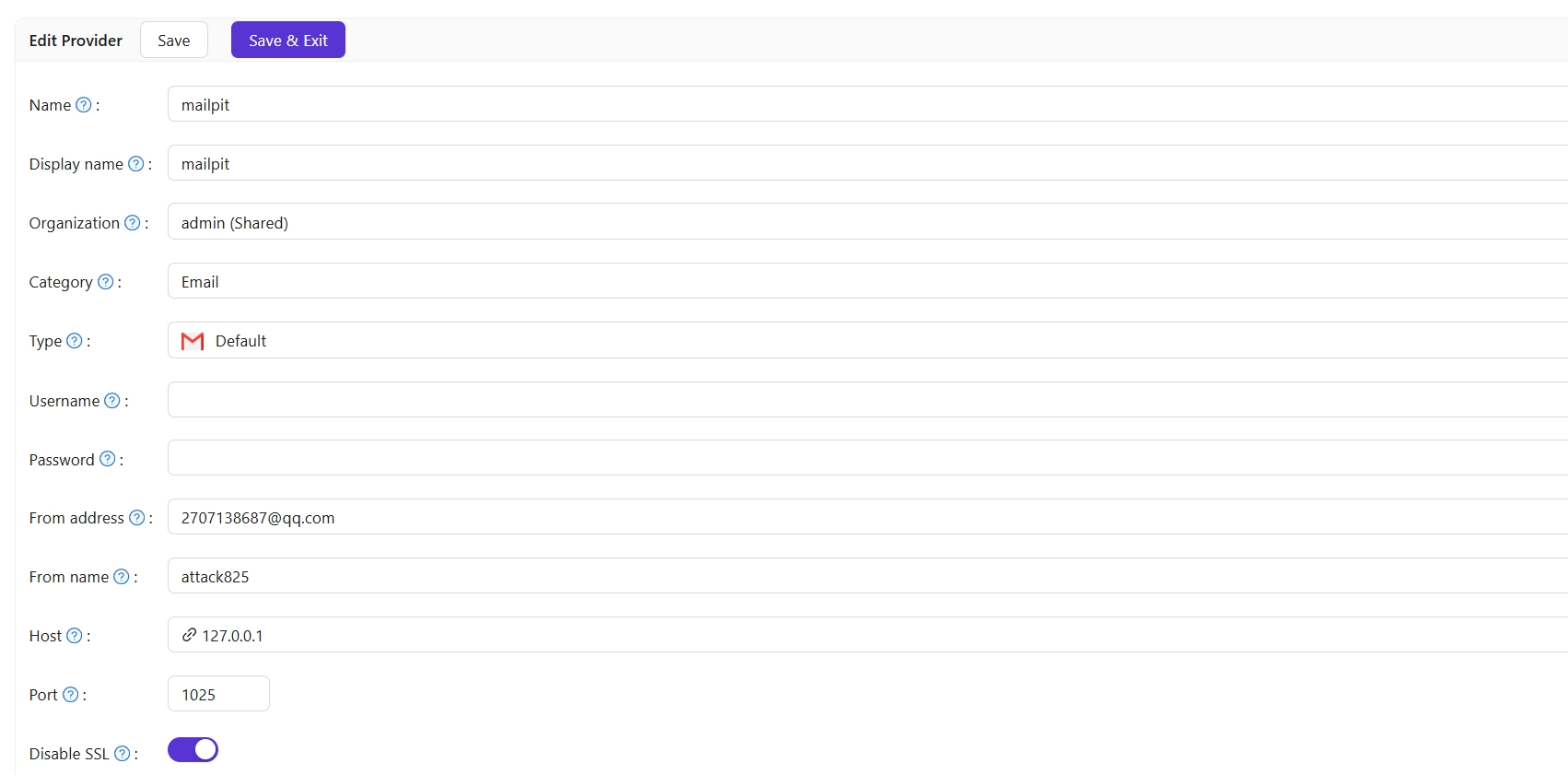
3. Test
Use Test SMTP Connection; you should see “SMTP connected successfully”. Use Send Testing Email; you should see “Email sent successfully” and the message in Mailpit’s UI.